6.9.3 Processairfilter
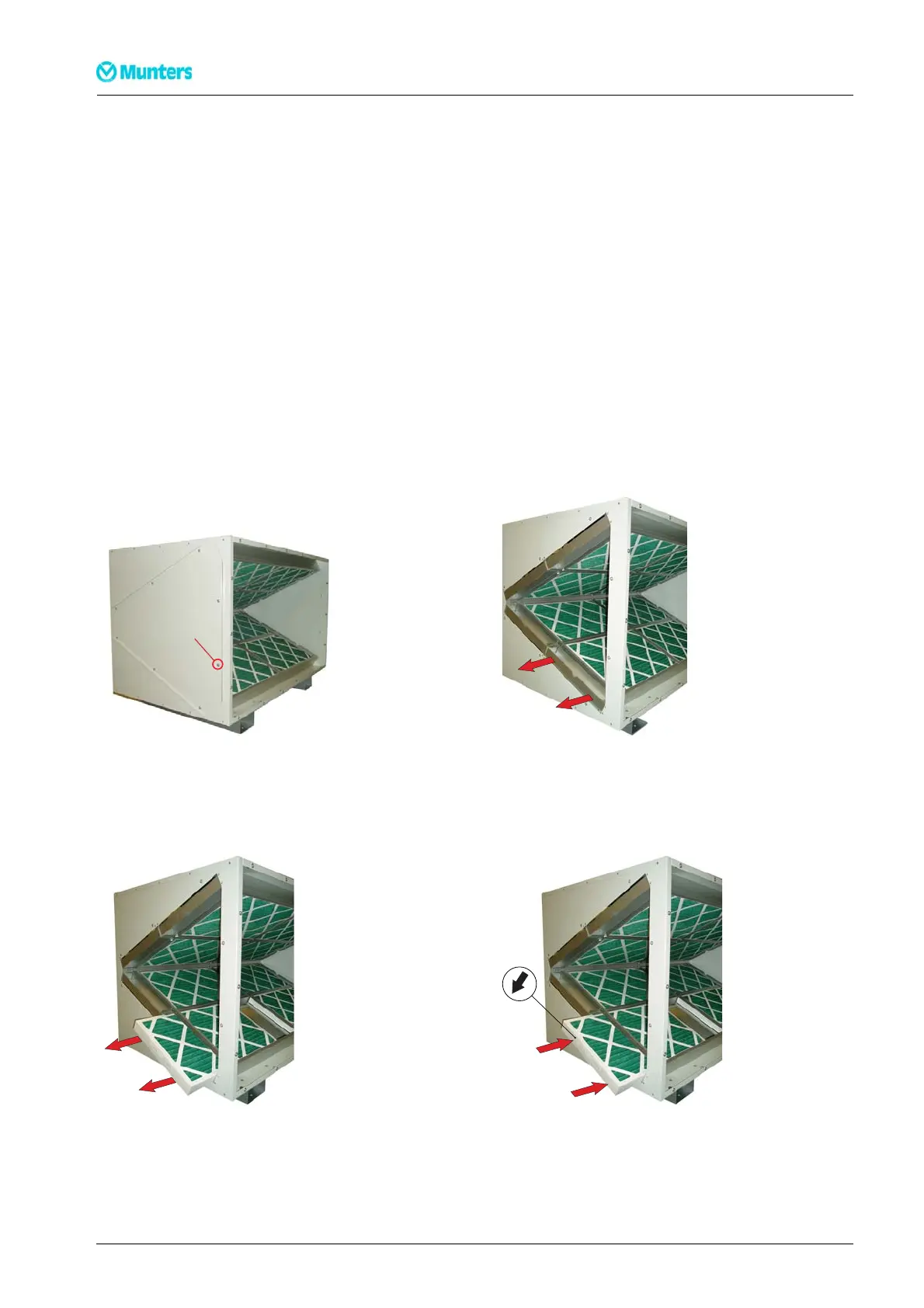
1. Unscrew t he screws holding one of the cover s (see Figur e 6.5 ). Carefully r emove the cover from t h e
filter box w ithout damaging the gasket.
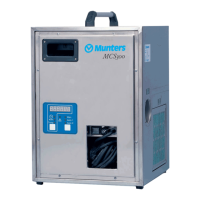
2. Pull the channel spacers straight out from the filter box to release the filters, s e e Figure 6.6 .
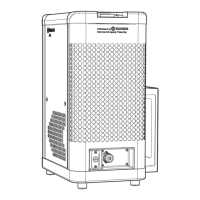
3. Pull out the filters from the filter box, see Figure 6.7 .
4. Clean the filt er box using a vacuum cleaner.
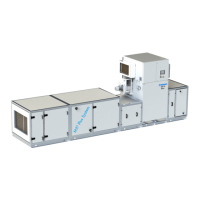
5. Push the new filters into the filter box. Make sure that the ar row on the filter points in the same direction
as the air stream, see Figure 6.8 .
6. Install the channel spacers.
7. Replace the ga sket for the cover if damag ed.
8. Install the cover and tighten the screws.
8 x M6
Figur e 6.5 Figure 6.6
Figur e 6.7 Figure 6.8
36
Servicea ndmaintenance
190TEN–106 5–J 1408


 To Next Page