11
Preparation
4
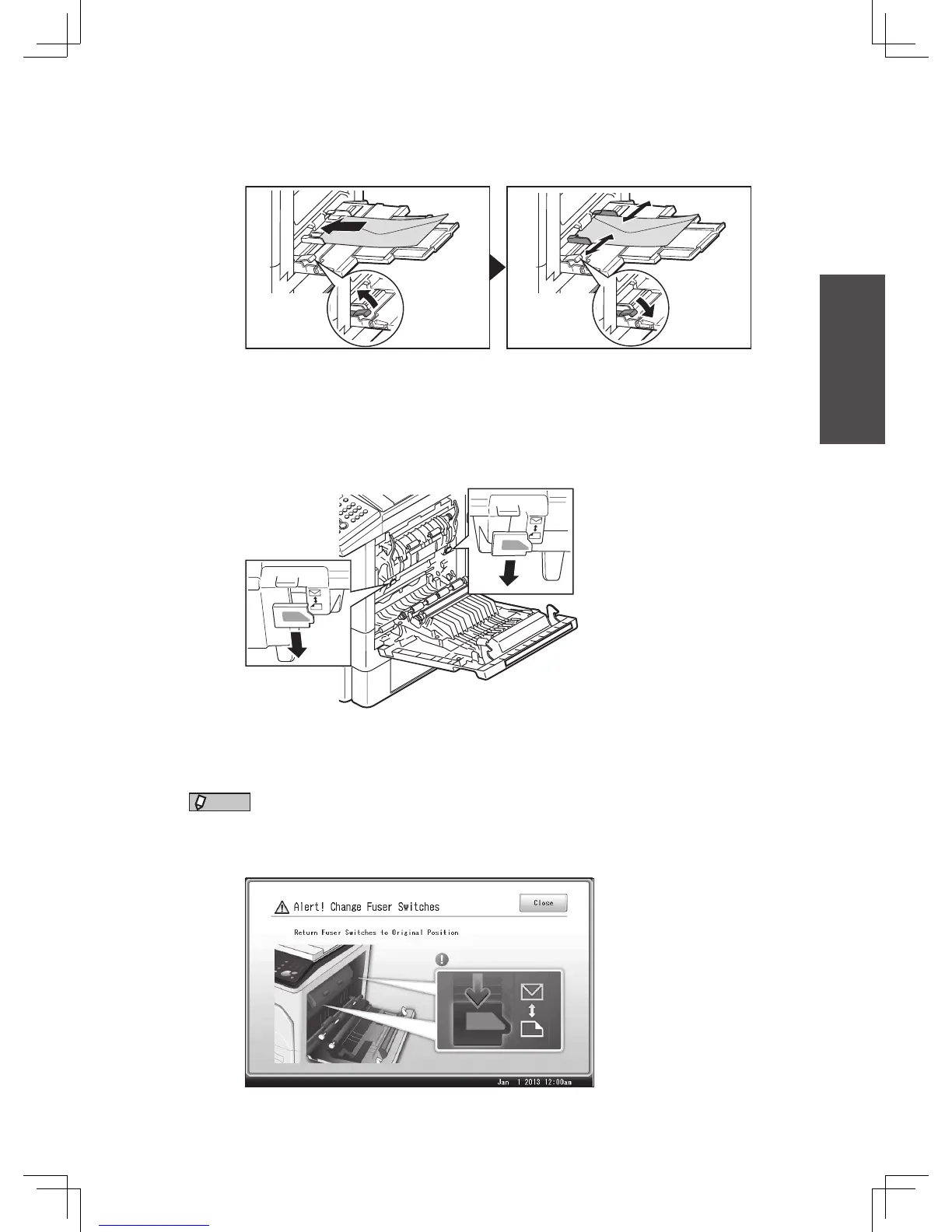
Load the envelopes into the bypass tray.
•Follow the instructions on page 8 for the details of loading.
•Follow the instructions on page 9, and set the size of the envelope.
5
Print or copy.
6
Open the side cover, and return the switches to their original
positions.
Pull them down until they snap into place.
7
Close the side cover.
NOTE
When printing is finished, the following screen will be displayed. This screen, will
disappear either when you press [Close] or when you open the side cover. Be sure to
return the switches to their original positions.








 To Next Page