3
Enter the destina-
tion.
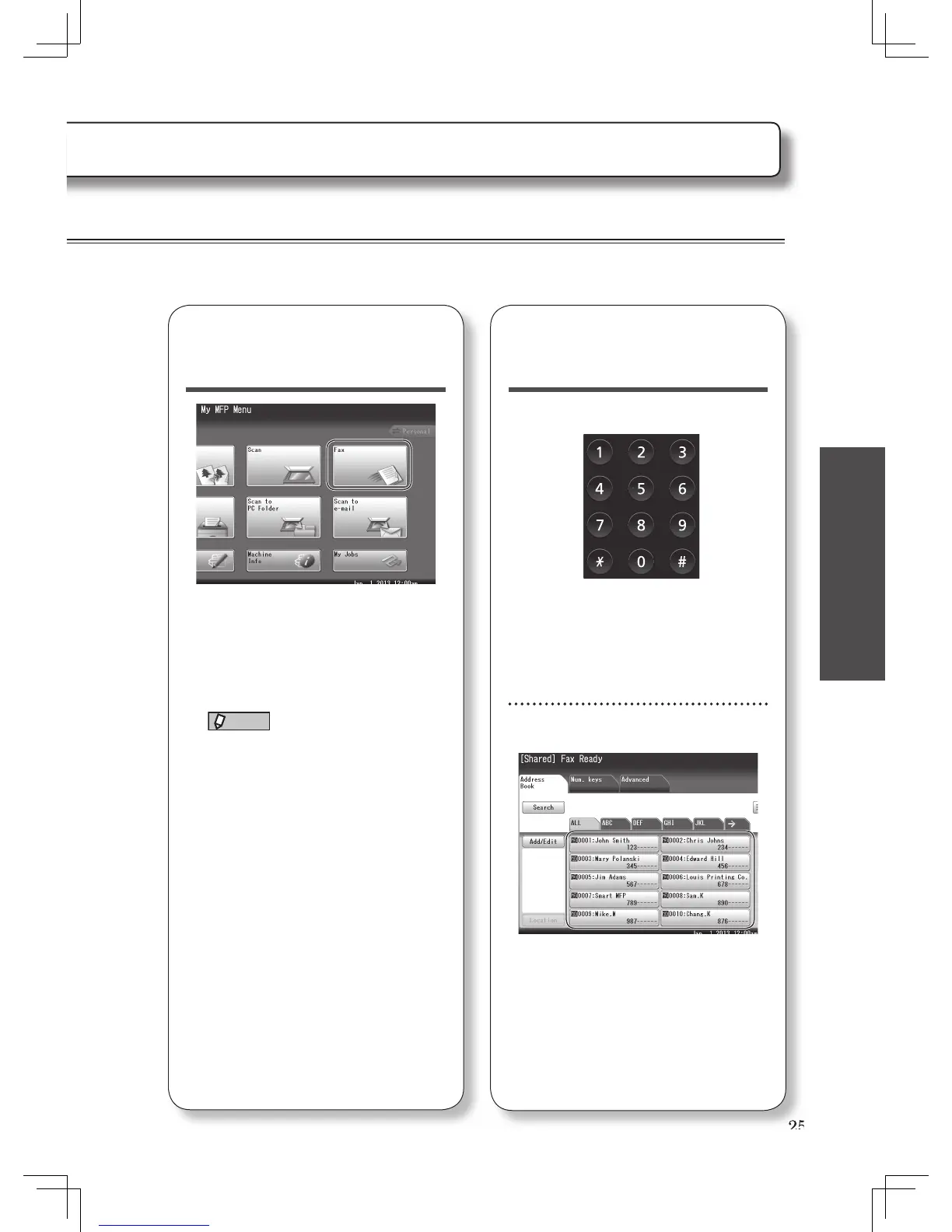
Direct input
Use the numeric keys to enter the fax
number and press [Enter]. Or, press
[Num. keys] and enter the fax number
using the numeric keys on the display,
then press [Enter].
Using the address book
Press the desired destination.
To use the address book, the fax
number should be registered in
advance. For details, see “Registering
e-mail and fax destinations” (page
40).
2
Switch the machine
to the fax mode.
Press [Fax] from the My MFP menu
screen. Or, press <Mode> repeatedly
until the fax ready screen is displayed.
NOTE
To use the personal address book,
log in to the machine. See chapter
1, “Logging in / Logging out” in the
Administrator’s Guide.








 To Next Page