22
Advanced scan settings
See the Scanner and Fax Guide for more information.
Entering a fi le name
The default fi le name for scanned images is a 14-digit number consisting of the
current year, month, day, hour, minute, and second. ex.: 20130115143045.pdf.
You can customize the fi le name when scanning.
1
Switch the machine to the scan mode.
2
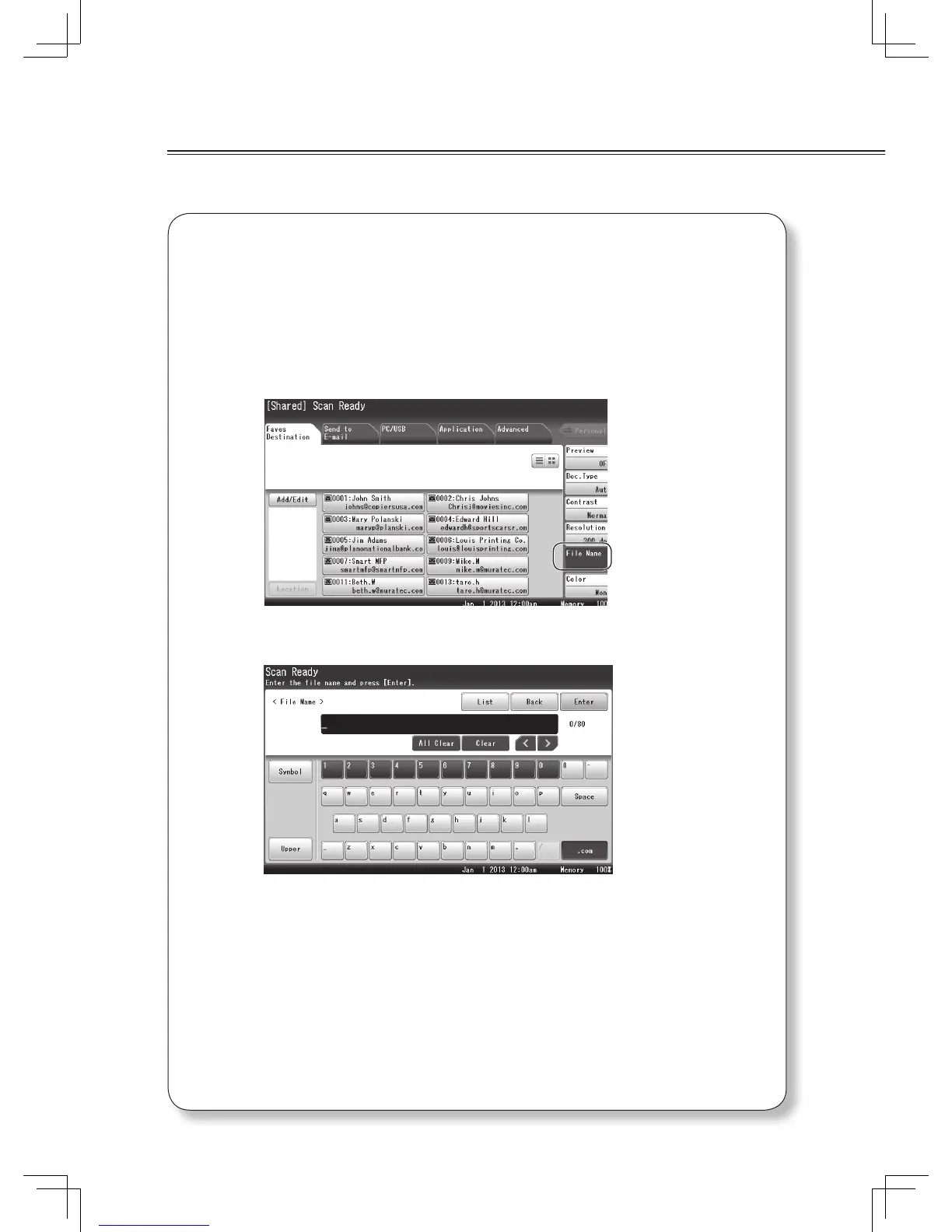
Press [File Name].
3
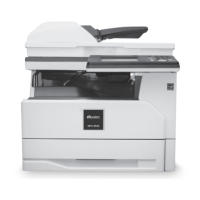
Enter the fi le name, and press [Enter].
• Press [Clear] to clear the entered characters.
• Press [Upper] to switch the entry mode from lower case to upper case, and [Symbol] to
symbols, then [Lower] to lower case again.
• For more details on entering the characters, see chapter 1, “Entering characters” in
the Administrator’s Guide.
• You can also enter the fi le name using a fi le name registered in advance. For more
details, see chapter 2, “File Name” in “Advanced scan functions” in the Scanner and
Fax Guide.








 To Next Page