NOTE
• The shape of the new toner cartridge will differ from what was shipped with your
machine.
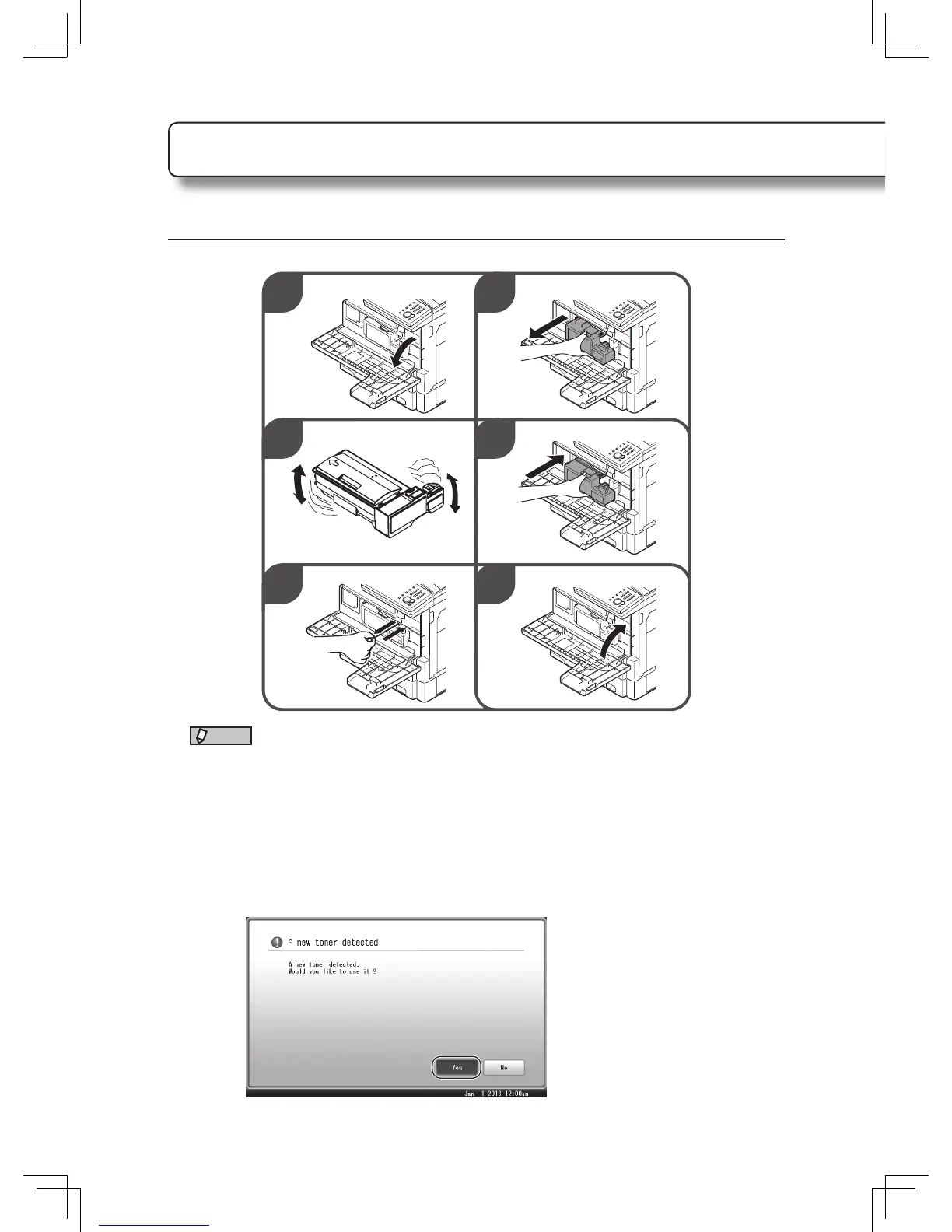
• Before you install the new toner cartridge, gently shake it to distribute the toner
evenly inside the cartridge.
• When you have changed the toner cartridge, clean the charge needle by pulling the
charging needle cleaning rod. Make sure it fully extends, and then return the rod to
its original position. Perform this several times.
• When you have replaced the toner cartridge, the following screen will be displayed.
Press [Yes] to use the new toner cartridge.
Replacing the consumables












 To Next Page