5
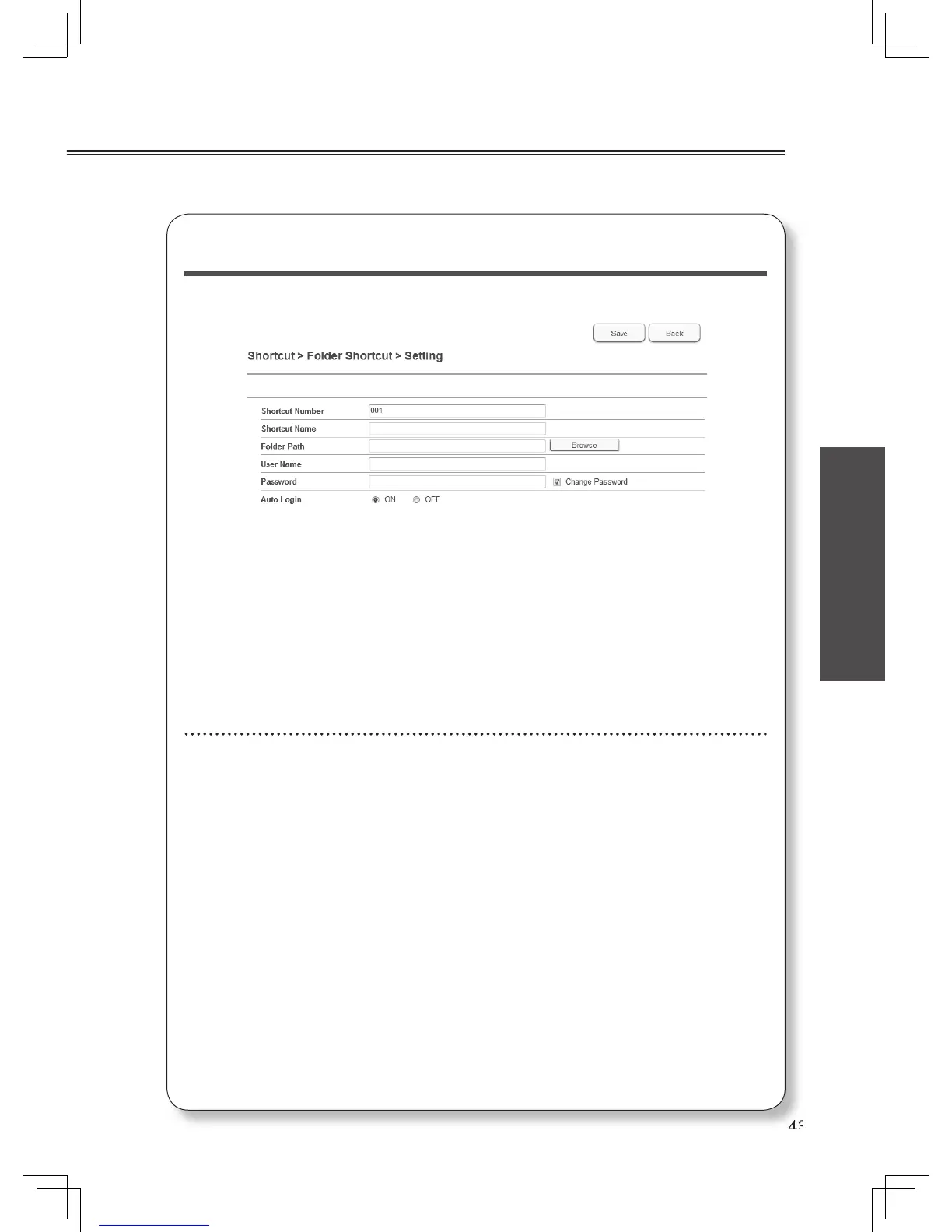
Enter the shortcut information and click [Save].
Details for folder shortcut
• Shortcut Number : The lowest available number will be displayed. You can change
it to any available number between 1 - 300.
• Shortcut Name : Enter the shortcut name within 24 characters.
• Folder Path : Enter the path to the folder. When you click [Browse], a screen
will open allowing you to browse to the location.
• User Name : Enter the user name for the folder if needed.
• Password: Enter the password for the folder if needed.
• Auto Login: Check “ON” to enable log in using the saved user name and
password.
Details for FTP shortcut
• Shortcut Number : The lowest available number will be displayed. You can change
it to any available number between 1 - 20.
• Shortcut Name : Enter the shortcut name within 24 characters.
• Host Name : Enter the host name within 126 characters.
• Folder Path : Enter the path to the folder. Enter the host name and click
[Browse], then enter the user name and password. A screen
will then open allowing you to browse to the location.
• User Name : Enter the user name.
• Password: Enter the password.
• PASV Mode : Check “ON” to enable access in PASV mode.
• Port Number : Modify the port number if needed.












 To Next Page