42
1
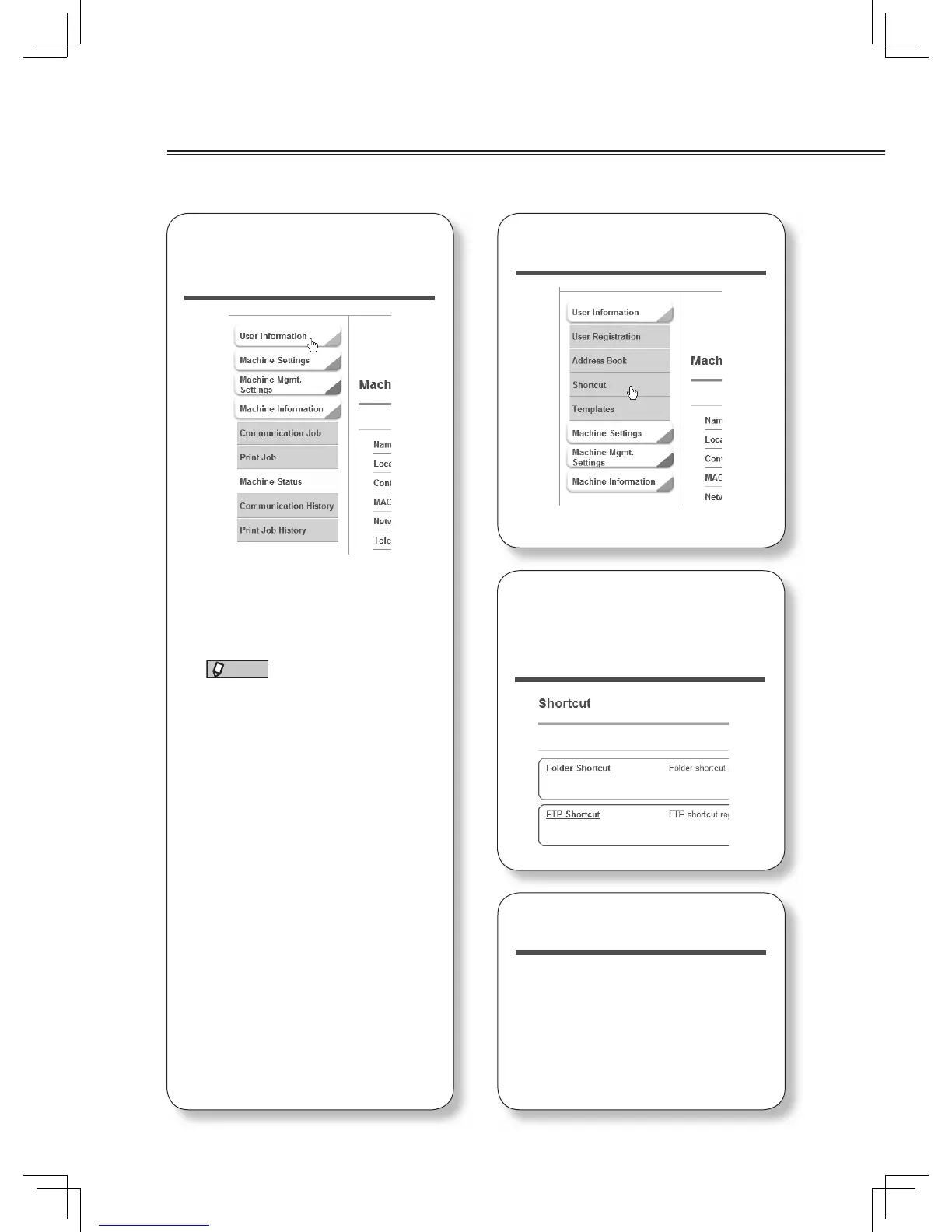
Click “User Infor-
mation”.
For details on how to access
Offi ceBridge, see “Accessing
Offi ceBridge” (page 38).
NOTE
According to the user policy, you
cannot edit the shortcut. For
details on the user policy, see
chapter 4, “Setting user policies” in
the Offi ceBridge Guide.
2
Click “Shortcut”.
3
Click “Folder Short-
cut” or “FTP Short-
cut”.
4
Click [Add].
To add a folder shortcut to your
personal shortcut, select “Personal”
from the drop down box located to
the left of the [Add] button. Personal
folder shortcuts may not be available
based on the administrator settings
or authentication rules.
Registering a folder or FTP destination
See the Offi ceBridge Guide for more information.












 To Next Page