Configuration/settings
User manual 55530_hdb_en_16 91 / 156
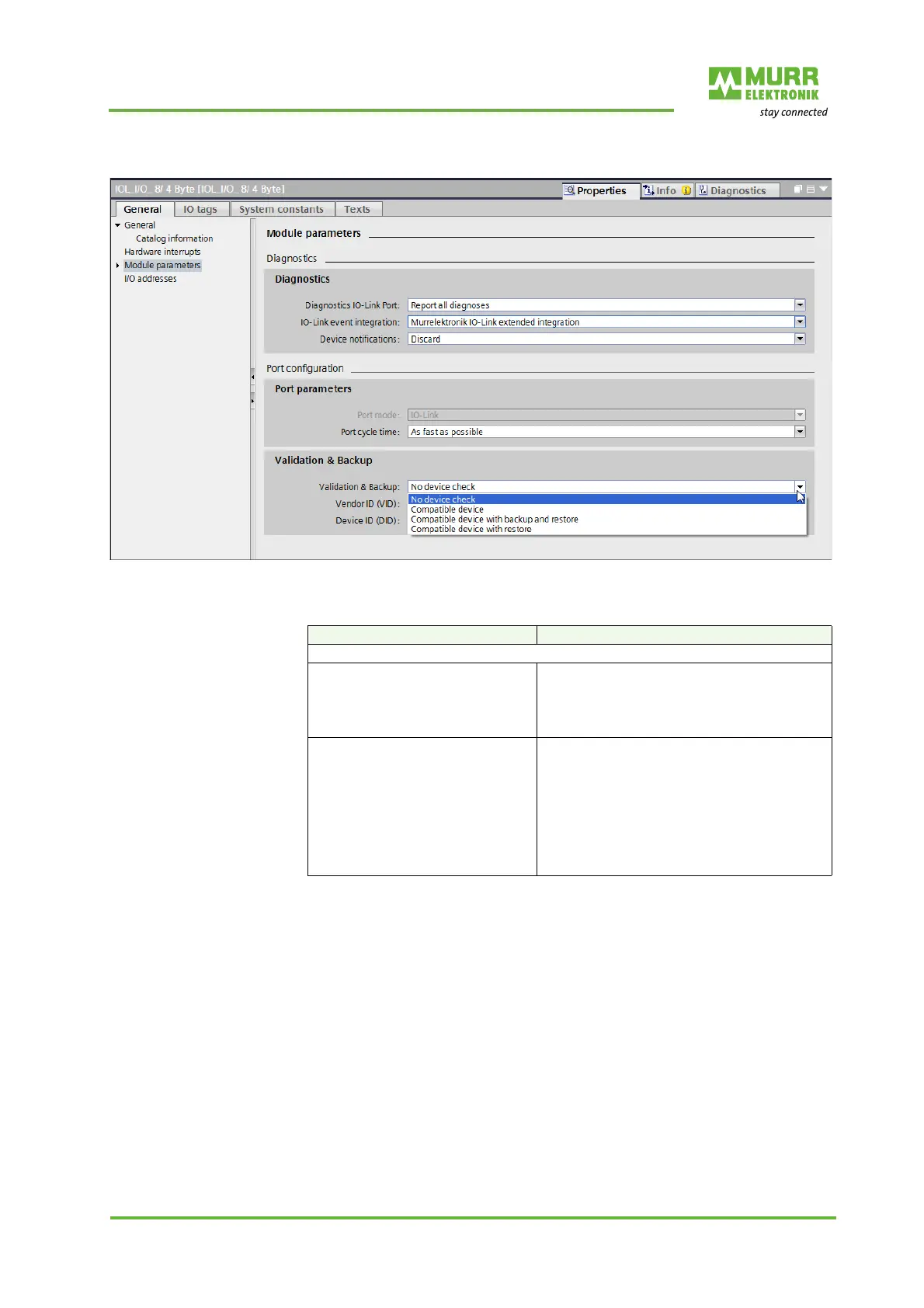
Validation & backup
Fig. 8-27: Validation & backup
Tab. 8-25: Validation & backup_1
Selection Meaning
D = Default
No device test
Deleting data storage D
The IO-Link master does not check the Manu-
facturer ID nor the Device ID of the connected
device. All saved data storage information for
the selected IO-Link port is deleted from the IO-
Link master.
Compatible device The IO-Link master checks the IO-Link device
on the IO-Link port for the parameterized val-
ues:
Vendor ID (VID)
Device ID (DID)
An incompatible device is left in PREOPERATE
(see Tab. 9-3: "LED indication IO-Link").
Compatible device is set to OPERATE.



 To Next Page
 Loading...