
 Need help?
Do you have a question about the Murr Elektronik IMPACT67 Series and is the answer not in the manual?
Provides information on customer support services, sales staff, and system advisors.
Details the scope, information contained, software used, and purpose of this manual.
Explains the meaning of various warning and information symbols used throughout the document.
Lists trademarks of companies and institutions used in the documentation.
Covers essential safety precautions, electrical voltage hazards, qualified personnel, and device usage guidelines.
Defines the designated use of the IMPACT67 module and lists foreseeable misuse.
Provides guidelines for proper disposal of the device and its components according to regulations.
Explains the scheme used for product designation, indicating function.
Overview of PROFINET IO communication and its features.
Details the PROFINET IO communication protocol based on Ethernet.
Explains the PROFINET IO conformance classes (CC-A, CC-B, CC-C) and their properties.
Describes PROFIenergy as a profile for energy savings in production networks.
Explains the Shared Device function for accessing an IO device from multiple IO controllers.
Details the IRT concept for isochronous data exchange with high precision.
Explains the Media Redundancy Protocol (MRP) for fault-tolerant communication.
Describes IO-Link as a standardized link for connecting sensors and actuators.
Explains the data storage mode for seamless replacement of IO-Link devices.
Overview of the IMPACT67 module hardware.
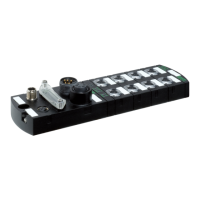
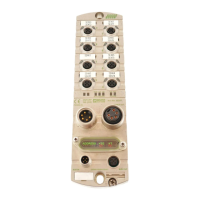
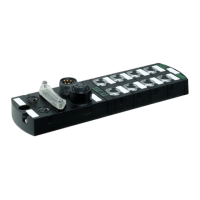
Details the physical layout and connection ports of the IMPACT67 module.
Describes the LEDs and their functions for status indication on the module.
Details the module's connection interfaces.
Provides detailed pin assignments for various module connectors.
Explains the function of each DIP switch for configuring module settings.
Lists detailed electrical specifications for bus data, supply, inputs, and outputs.
Details climatic, mechanical, electrical safety, and EMC specifications.
Describes device protection features like overvoltage and short-circuit protection.
Provides information on material housing, flame resistance, and weight.
States the Mean Time Between Failures (MTTF) for product reliability.
Lists product standards, EMC, RoHS, REACH, CE, ULc, and ULus conformity.
Outlines conditions for proper mounting, including surface, grounding, and protection.
Displays the physical dimensions of the module with key measurements.
Recommends minimum distances for installation and heat dissipation.
Provides instructions and notices for installing the module correctly.
Explains how to establish a functional ground connection with or without a grounding strap.
Details the fastening procedure for the addressing lid.
Covers essential safety warnings and procedures for electrical installation.
Explains connecting sensors and actuators to the M12 ports.
Details the procedure for connecting the Ethernet bus to the M12 port.
Explains how to connect the power supply to the module's POWER IN and POWER OUT ports.
Provides instructions for ensuring proper sealing for IP67 protection.
Explains how to install GSDML files for device description in engineering software.
Describes how to paste and configure individual IO-Link ports and virtual modules.
Illustrates how I/O addresses are assigned to the project based on allocation.
Details submodules for the IO-Link master, including Deactivated, SI/O, and byte configurations.
Explains read-only access to IO-Link devices/ports and submodule types for IO-Link state.
Describes submodules for state, including parameterization, digital IO, qualifier, and system state.
Explains the various parameterization options for the module.
Lists and describes parameters for diagnostics, tool options, and general settings.
Details parameters related to diagnostic reporting, undervoltage, and LED indications.
Explains parameters for the Murrelektronik IO-Link tool and its enable/disable setting.
Covers pin/port-based IO layout and input delay parameters.
Details parameters for IO-Link port units, including diagnostics and port configuration.
Outlines three methods for configuring IO-Link devices: GSDML, PROFINET integration, and Device Tool.
Explains the types of data exchanged between IO-Link master and device.
Describes acyclic access to data areas via PN-IO read/write services.
Details how I&M data records can be read to identify devices and store information.
Explains the use of the IO_LINK_DEVICE function block for parameter and data exchange.
Covers basic settings and topology configuration for the device.
Describes how to set the topology for the IMPACT67 device.
Details steps for configuring the module for Fast Start-Up (FSU).
Explains how to configure media redundancy using Siemens TIA Portal.
Describes configuring IRT operation and setting up sync masters and slaves.
Guides on configuring the Shared Device function across multiple projects.
Explains the arrangement and functions of LEDs for status indication and diagnostics.
Details the LED indications for digital inputs, outputs, and power status.
Describes extended LED indications for PROFIenergy, module identification, firmware updates, and factory reset.
Explains how IMPACT67 sends diagnostic information as alarms based on PROFINET specifications.
Lists general diagnostic messages, error types, meanings, and actions for internal errors.
Lists diagnostic messages specific to IO-Link ports, including error types and actions.
Details IO-Link diagnostics based on integration guidelines.
Lists diagnostics available when IO-Link event integration is set to Edition 1.
Details diagnostics available for Murrelektronik IO-Link integration and extended integration.
Provides guidelines for maintaining and cleaning the module, including replacement procedures.
Lists available accessories and tools for the IMPACT67 module.
Lists specific tools required for installation and maintenance.
Provides definitions for technical terms used in the manual.
 General
| Housing Material | Plastic |
|---|---|
| Operating Voltage | 24 V DC |
| Protection Class | IP67 |
| Number of outputs | 8 |
| Input voltage range | 19.2...30 V DC |
| Operating temperature range | -20...+60 °C |
| Connection type | M12 |



 To Next Page