12 Launching MUTOH LFP Finder
From the [Printer Registration] menu on the MUTOH Status Monitor, click “3. Search printer Assign/Change IP address”.
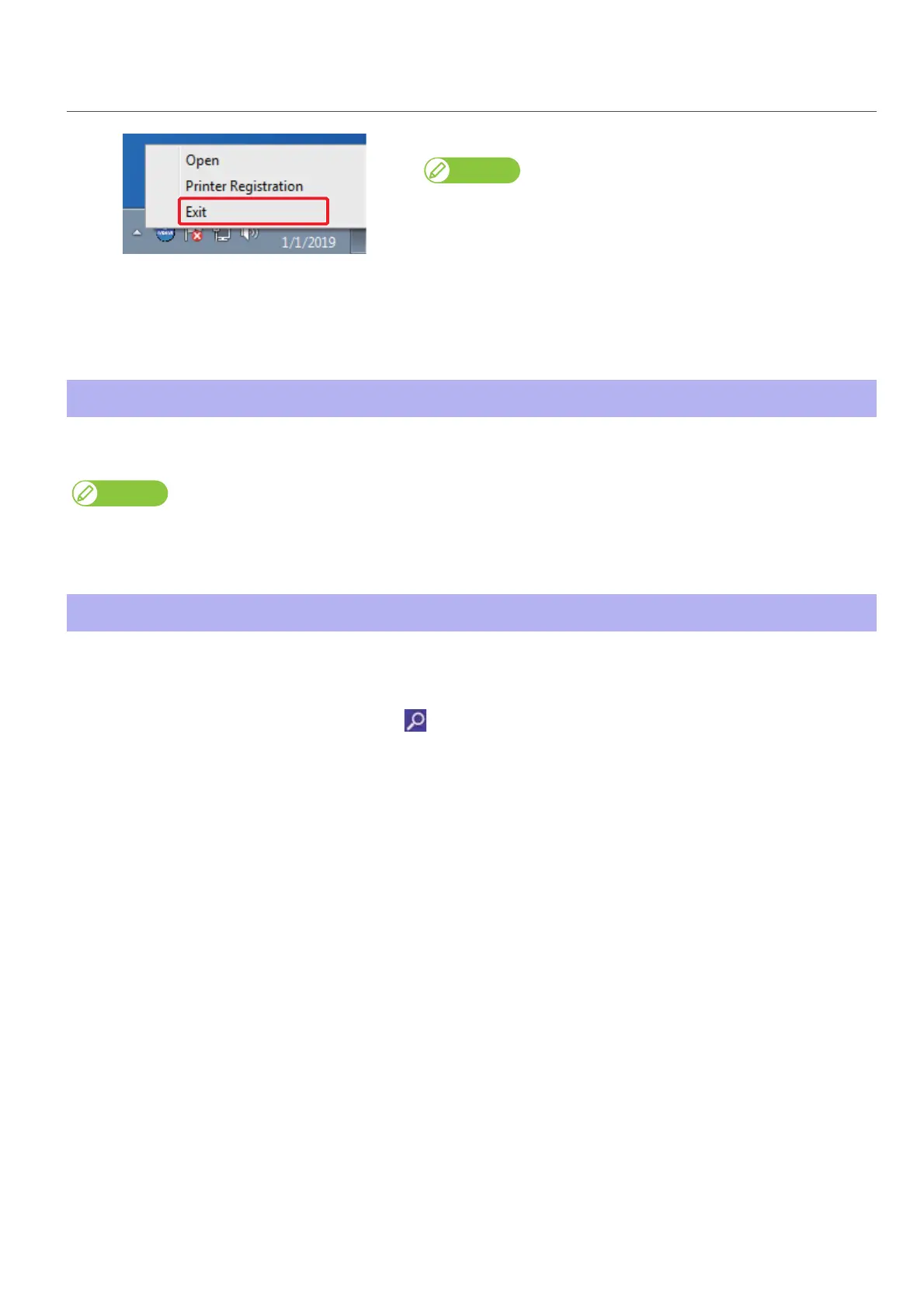
Exiting MSM
Right click the MSM icon in the task tray, and click [Exit].
Note
When using the printer, do not exit MSM. When closing the MSM window,
click [Settings] - [Close].
Windows 8.1
Click the Down Arrow in the [Start] screen.
Click [MUTOH Status Monitor].
Launching MUTOH LFP Finder
If you have used the old version of setup wizard in your PC, ValueJet Finder has been already installed.
In that case, uninstall the ValueJet Finder.
Launching Layout and Print Tool 2
Windows 8 / Window 8.1
Display the charm bar on the desktop, and then click [Search].
Enter “Layout and Print Tool 2”, and then click .
Click the “Layout and Print Tool 2” icon displayed in the search result.
Windows 10 / Windows 7
From the [Start] menu, click [All Programs (or [All apps])] - [MUTOH] - [Layout and Print Tool 2] in order.















 To Next Page