68 Replacing the plug for the high-capacity ink pack adapter
Once you have removed and inserted the high-capacity ink pack adapter for a certain times, the plug needs to be replaced.
The more the high-capacity ink pack adapter is removed and inserted, the shorter the plug life becomes.
Follow the procedure below to regularly check the plug life.
Replacing the plug for the high-capacity ink pack adapter
1. How to check the plug life
[1]
Launch the MSM remote panel.
"Displaying remote panel" on page 11
[2]
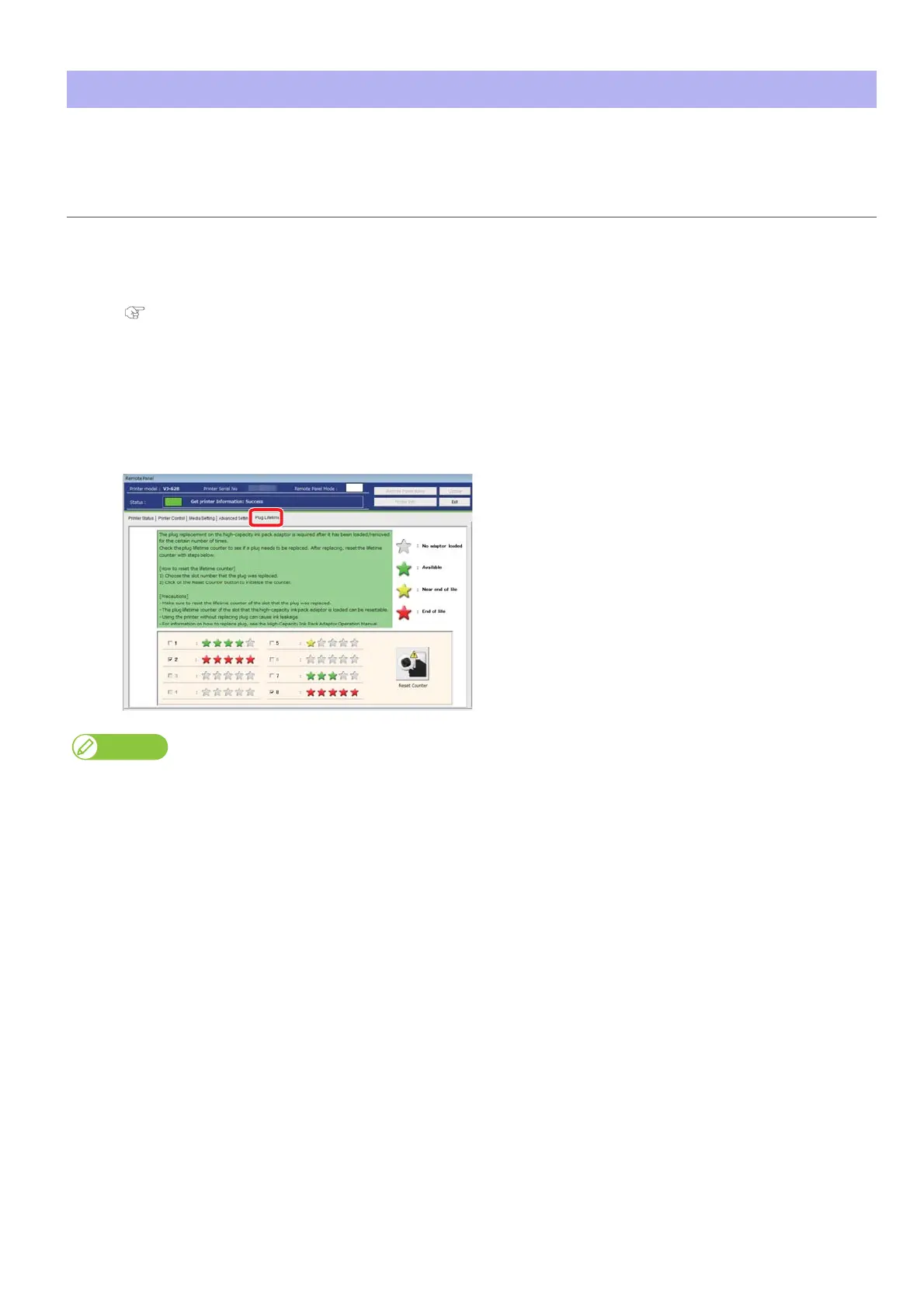
Click the [Plug Lifetime] tab.
• The life is indicated by the number of the green stars.5 stars are displayed at the beginning.
• As the plug life is running out, the number of star decreases one by one (20%).
• When a yellow star is displayed, it means that the plug needs to be replaced soon. Have a replacement plug ready.
• When a red star is displayed, it means that the plug needs to be replaced now.
The replacement plug is supplied with the high-capacity ink pack adapter.















 To Next Page