32 Nozzle check and cleaning
Before starting everyday operation, please check the nozzle. If nozzle clog is found, conduct cleaning.
When not using white ink
When you are not using white ink, take the following steps to perform nozzle check.
Nozzle check and cleaning
1. Nozzle check steps
[1]
Display the Printing Preferences screen of printer driver.
"Displaying the Printing Preferences screen of printer driver" on page 10
[2]
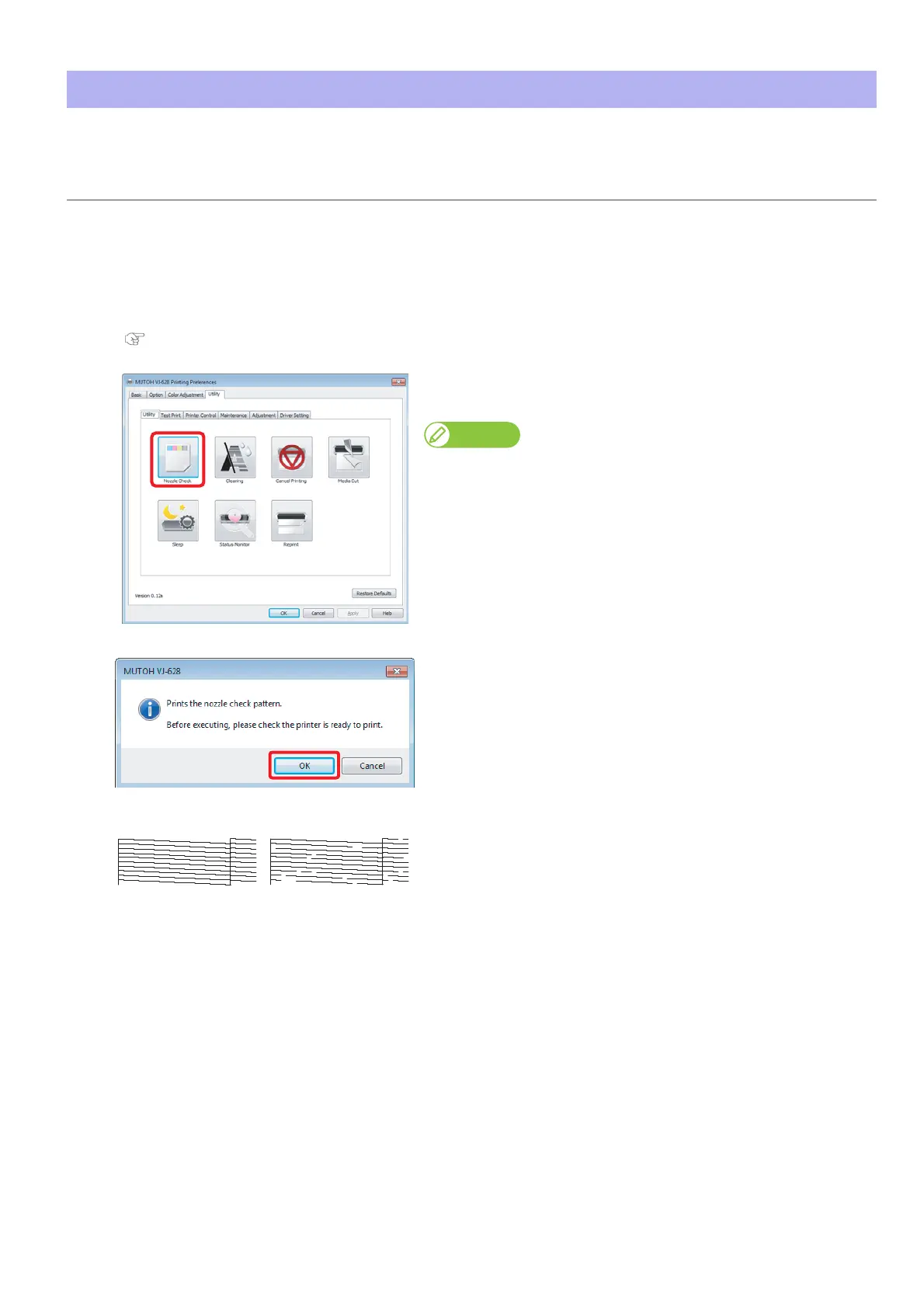
Click [Nozzle Check] in the [Utility] tab under the [Utility] tab.
• The confirmation window opens.
Note
The same can be also done with the remote panel of MSM.
[3]
Click [OK].
• A pattern is printed.
[4]
Check the pattern.
• When there is nozzle clog, proceed to "Cleaning steps" on page 34.
• When there is no nozzle clog, proceed to "Starting printing" on page
35.
No nozzle clog Nozzle clogged















 To Next Page