84 Clearing a media jam
Clearing a media jam
[1]
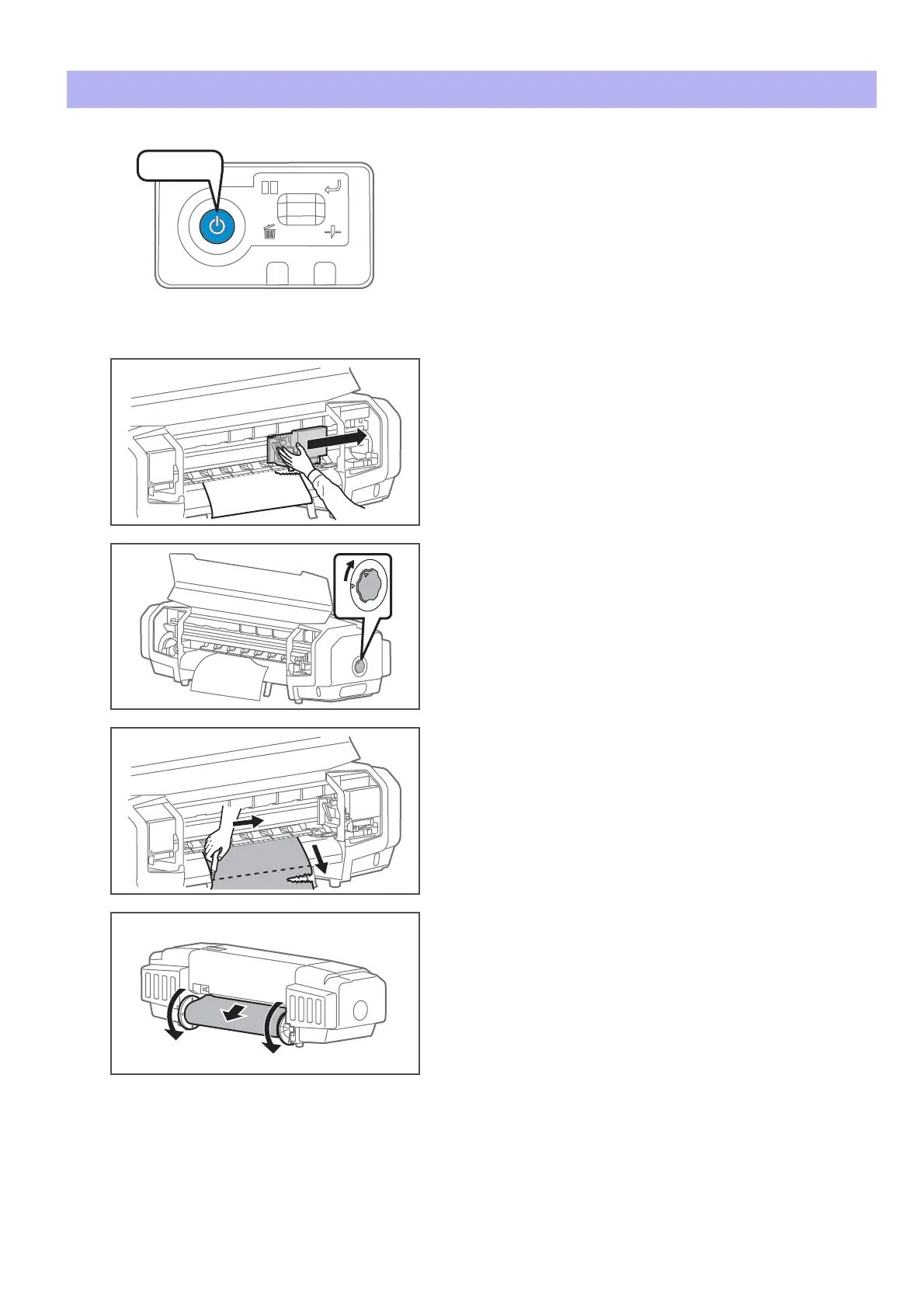
Turn the power button of this product OFF.
• Blue light becomes OFF.
• The product starts powering off operations.
[2]
Open the front cover.
[3]
Move the carriage from the top of the media to the right.
[4]
Turn the media fixing knob to release the lock.
[5]
Pull the media to your side, and cut the media with a commercial
available cutter.
[6]
Lift both ends of the scroller, and manually rewind the roll media.
[7]
If foreign substances or pieces of media remain inside the printer, remove them.
Press!















 To Next Page