76 Initial charging
Initial charging
[1]
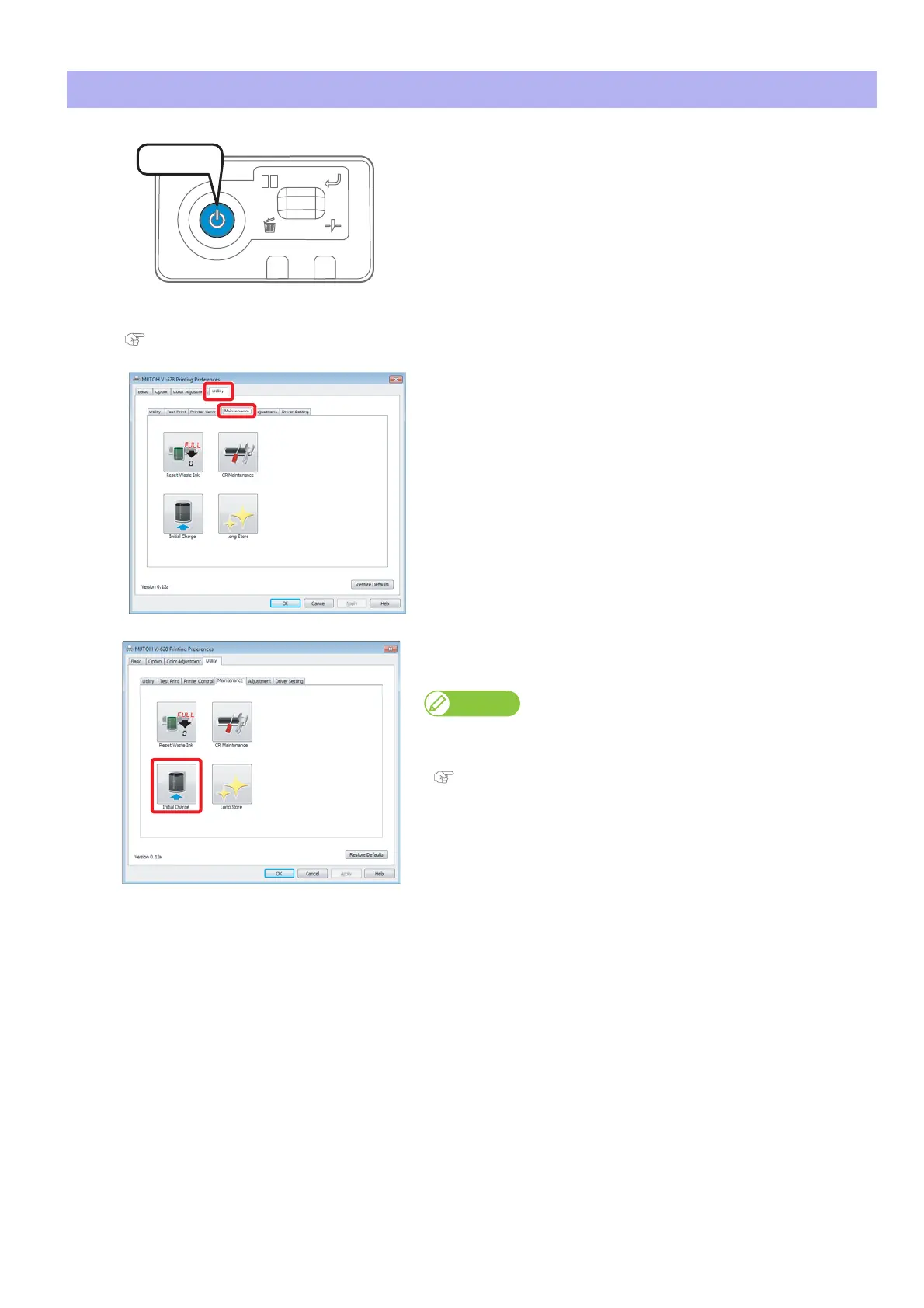
Turn the power button of this product ON.
• Blue light turns on.
• The product starts initialization operations.
[2]
Display the Printing Preferences screen of printer driver.
"Displaying the Printing Preferences screen of printer driver" on page 10
[3]
Click the [Maintenance] tab under the [Utility] tab.
[4]
Click [Initial Charge].
• The MSM remote panel opens.
You can perform [Initial Charge] from the [Printer Control] tab on the MSM
remote panel.
"Launching MSM" on page 11
Press!















 To Next Page