18 Starting and Canceling Sleep Mode
2. How to Cancel Sleep Mode
[1]
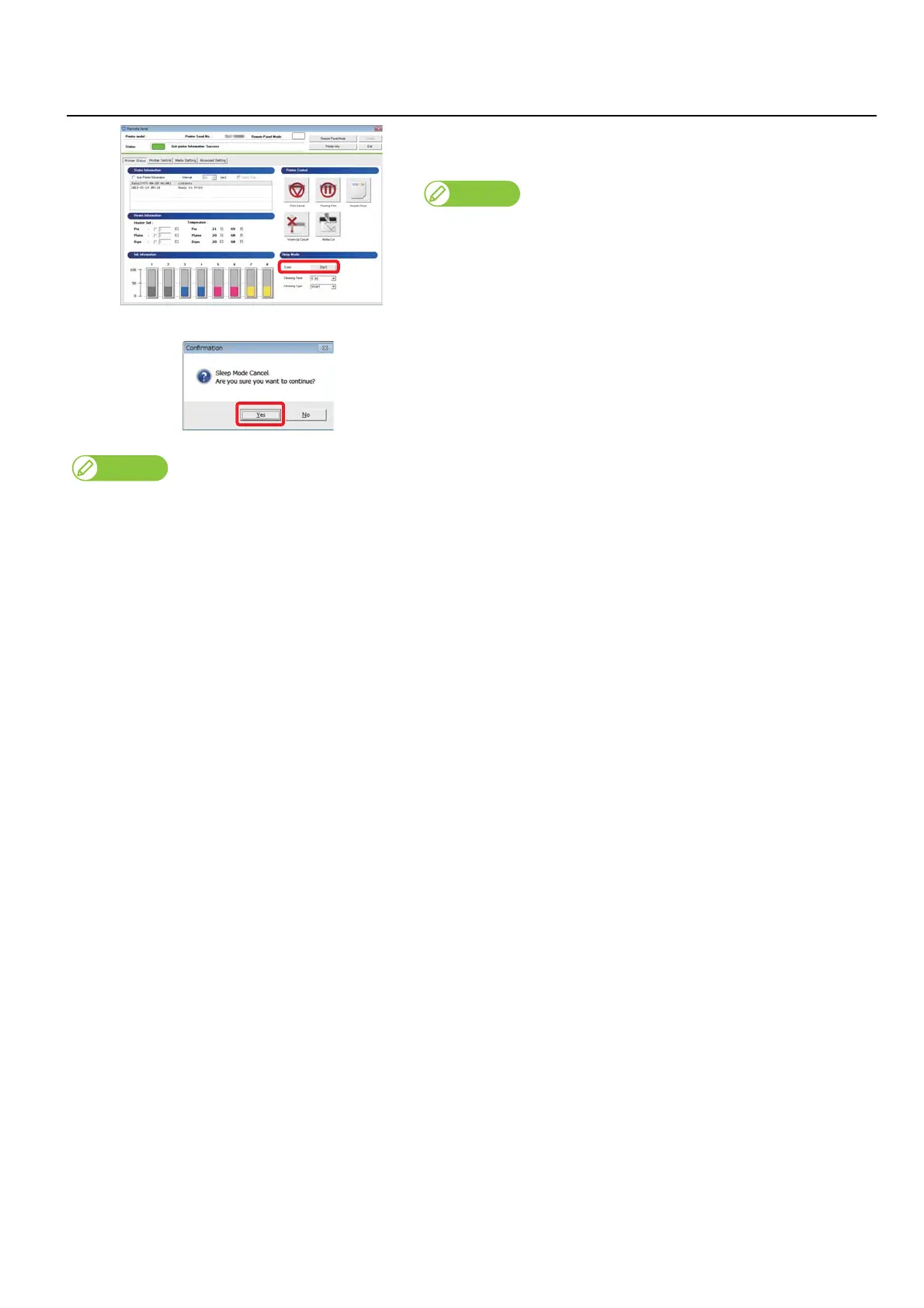
To cancel sleep mode, click “Sleep Mode” - “Stop” while in sleep mode.
• The confirmation window opens.
Note
The screen on the left is for VJ-628X. Screens differ depending on the printer
model you are using.
[2]
Click “Yes”.
• Sleep mode ends.
Depending on the elapsed time from the previous automatic maintenance, the printer may automatically execute head cleaning and/or ink
charging, etc., when it exits the sleep mode. Such operation does not depend on the sleep mode settings. It is an automatic maintenance
function of the printer.















 To Next Page