Replacing ink cartridge 57
[5]
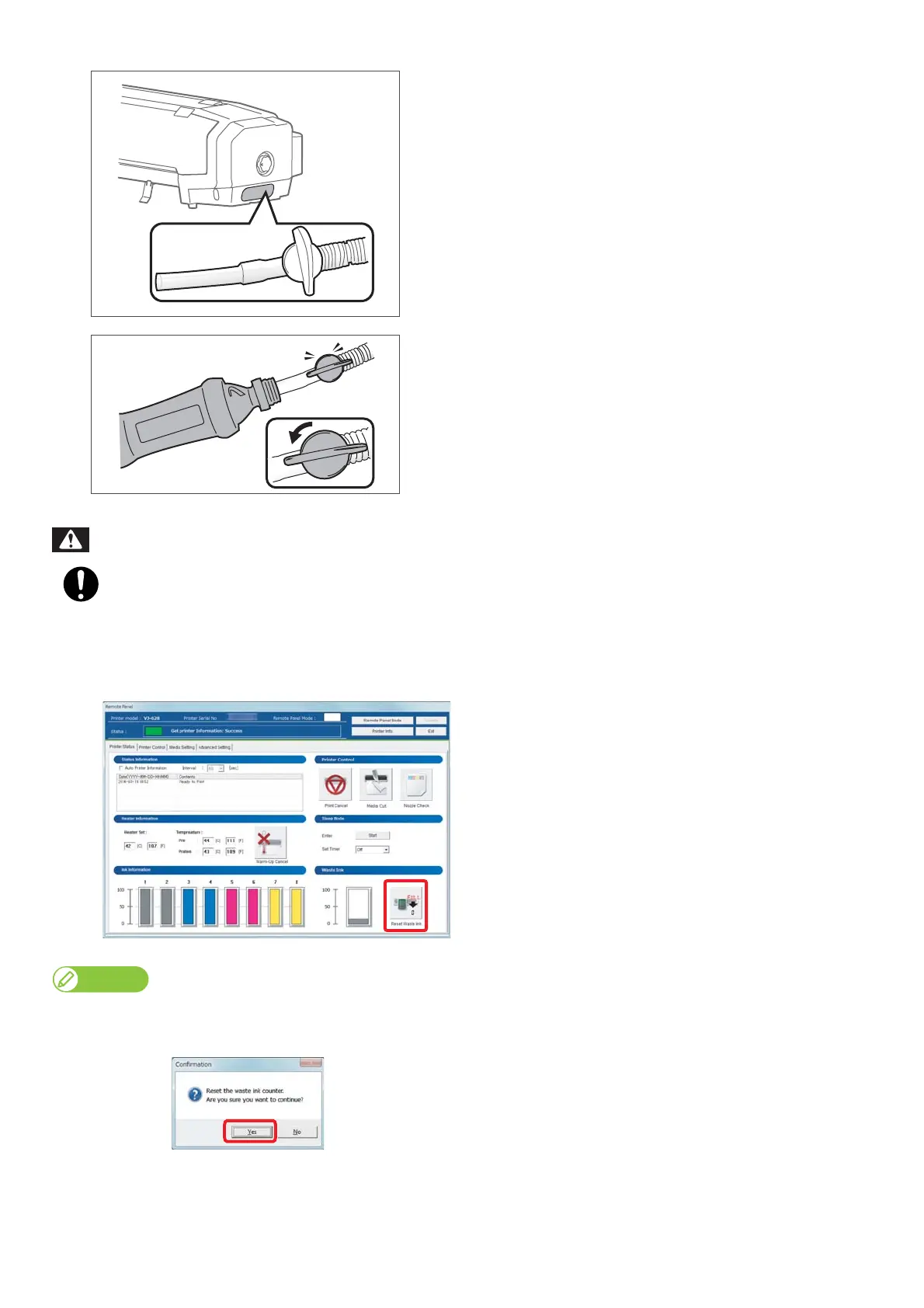
Pull out the tip of the waste ink tube.
[6]
• Insert the waste ink tube into a container.
• Turn the hand valve as shown in the figure left to drain the waste
ink.
• Drain waste ink into the container.
• After emptying the waste ink tank, return the hand valve to the
original position.
You are obligated to properly dispose of waste fluid from the printer in compliance with Wastes Disposal and
Public Cleansing Act and local ordinances.
Delegate disposal to an industrial waste disposal contractor.
[7]
Click [Reset Waste Ink].
• The confirmation window opens.
[Reset Waste Ink] can be also done from [Utility] - [Maintenance] of the printer driver.
[8]
Click [Yes].
• The waste ink counter is set to 0.
WARNING















 To Next Page