8
About the MyStar Extra® Blood Glucose Monitoring System
About the MyStar Extra® Blood
Glucose Monitoring System
CHAPTER
4
The MyStar Extra® Blood Glucose Monitoring System is made up of
the MyStar Extra® Blood Glucose Meter, BGStar® Test Strips, BGStar®
Control Solution, and a lancing system.
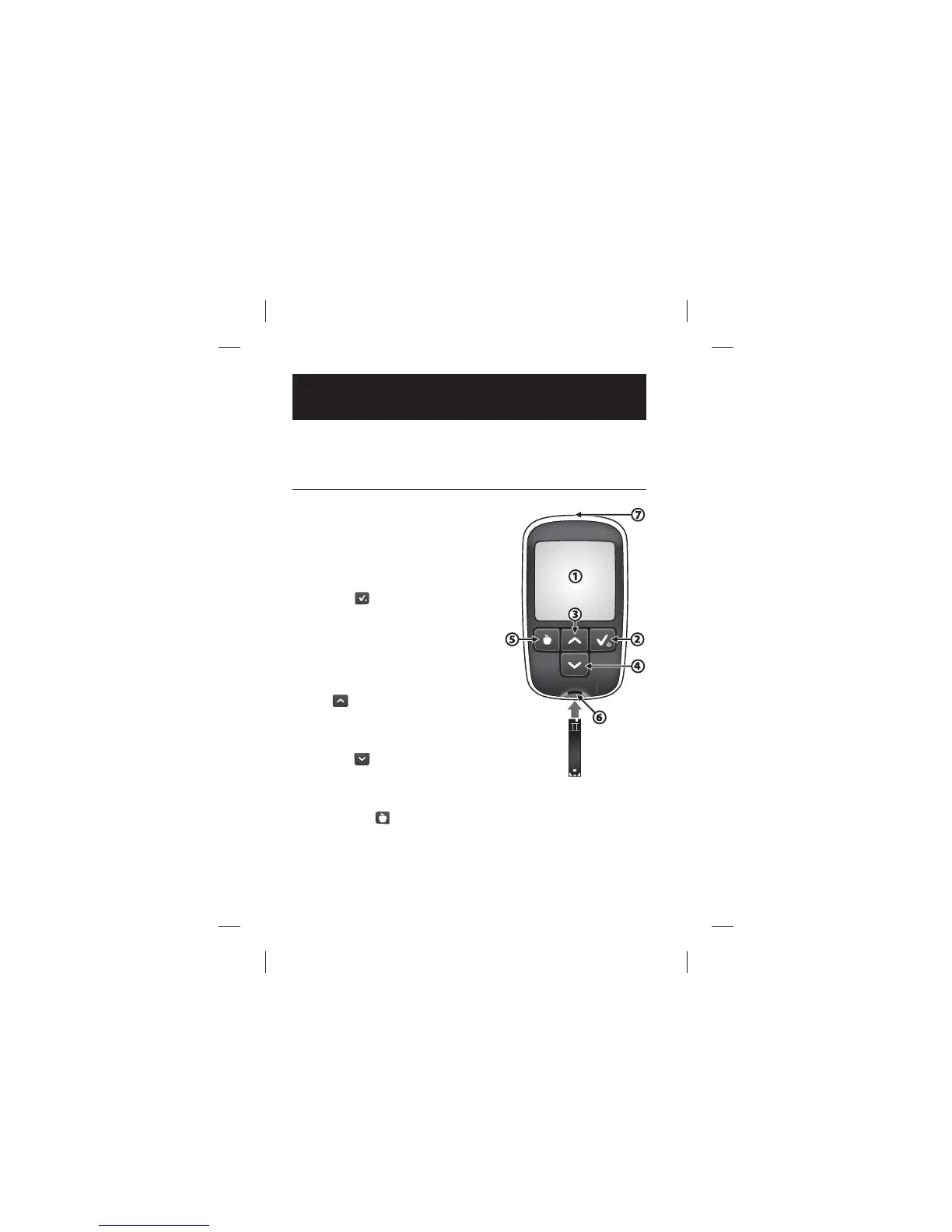
About the MyStar Extra® Meter
(1) Display: Glucose test results,
icons, calculations, and error messages
appear here.
(2) CHECK (
) Button: Use the
CHECK button to activate and
deactivate the meter, access the
settings menu, con rm a selection,
navigate between modes and activate
the backlight.
(3) UP (
) Arrow Button:
Use the UP arrow button to scroll
backward through options.
(4) DOWN (
) Arrow Button:
Use the DOWN arrow button to scroll
forward through options.
(5) MEALTIME (
) Button: Use the MEALTIME button to select
mealtime tags for readings.



 To Next Page