9
About the MyStar Extra® Blood Glucose Monitoring System
(6) Test Strip Port: Insert the BGStar® Test Strip, with the contact
bars facing up, into the test strip port.
(7) Mini-USB Port: Use for communication with Sano approved
software and devices (where available). Do not connect other cables
or devices into this port.
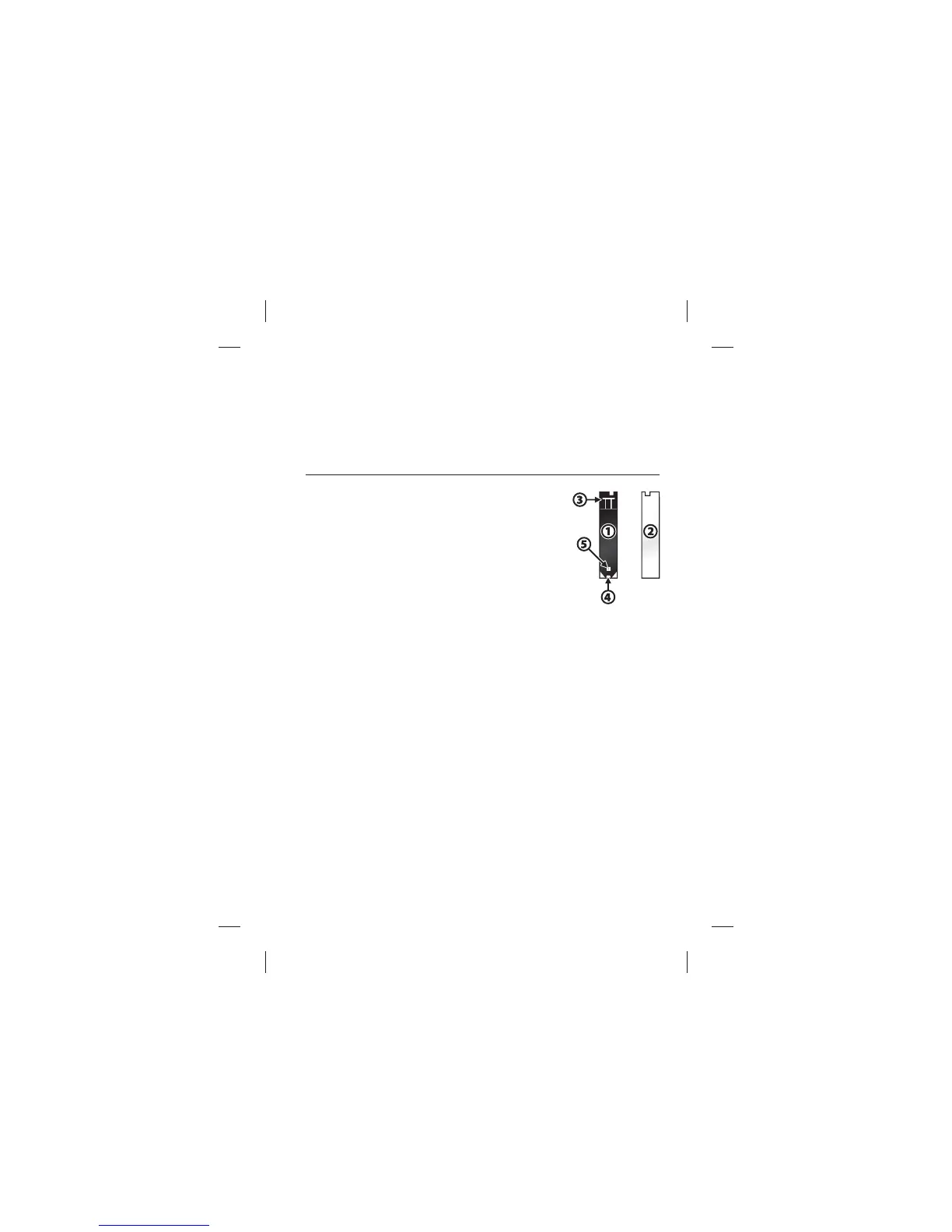
About the BGStar® Test Strip
(1) Front of the Test Strip: The front of the
test strip is black in colour. Ensure that the front
(black-coloured) side of the test strip is facing
towards you when inserting a test strip into
the meter test strip port.
(2) Back of the Test Strip: The back of the test
strip is white in colour. Ensure that the back (white-coloured) side of
the test strip is facing away from you when inserting a test strip into
the meter test strip port.
(3) Contact Bars: This end is inserted, front of the test strip facing
towards you, into the meter test strip port.
(4) Sample Area: Blood or control solution should be applied to
the tip of the test strip here.
(5) Visual Fill Window: This window will turn red when enough
blood has been applied or blue when enough control solution has
been applied.
IMPORTANT: Use test strips only once. Use only BGStar® Test
Strips with your MyStar Extra® Meter.



 To Next Page