56
Viewing Averages
[1] When your meter is deactivated, press the CHECK (
) button to
activate the meter. The most recent result is displayed.
[2] Press the CHECK (
) button again to enter the Averages mode.
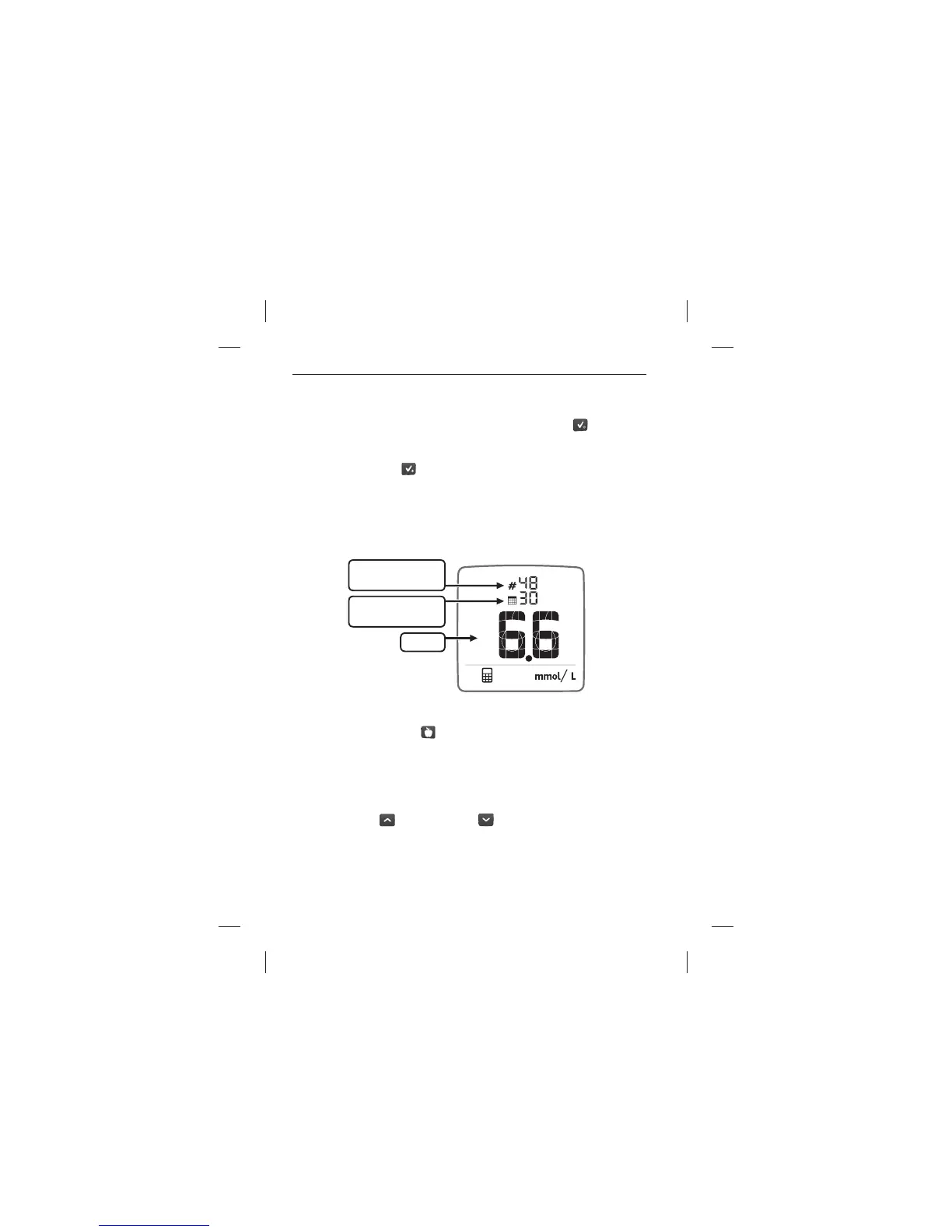
The calculator icon on the bottom of the screen indicates Averages
mode. The Averages mode displays the number of readings used in
the calculation, the number of days used in the calculation, and the
average of those readings within that time frame.
[3] Press the MEALTIME (
) button to scroll through the four
categories: All readings (no icon), Fasting readings, Pre-meal readings,
Post-meal readings. The corresponding mealtime icon is displayed
beside the calculated average. If no icon is displayed, then the average
is calculated for all readings.
[4] Press the UP (
) or the DOWN ( ) arrow buttons to scroll
through the 3, 7, and 30 day averages.
Number of readings
used in calculation
Number of days
used in calculation
Average
Data Management Features: Averages



 To Next Page