NAB EFTPOS User Guide 17
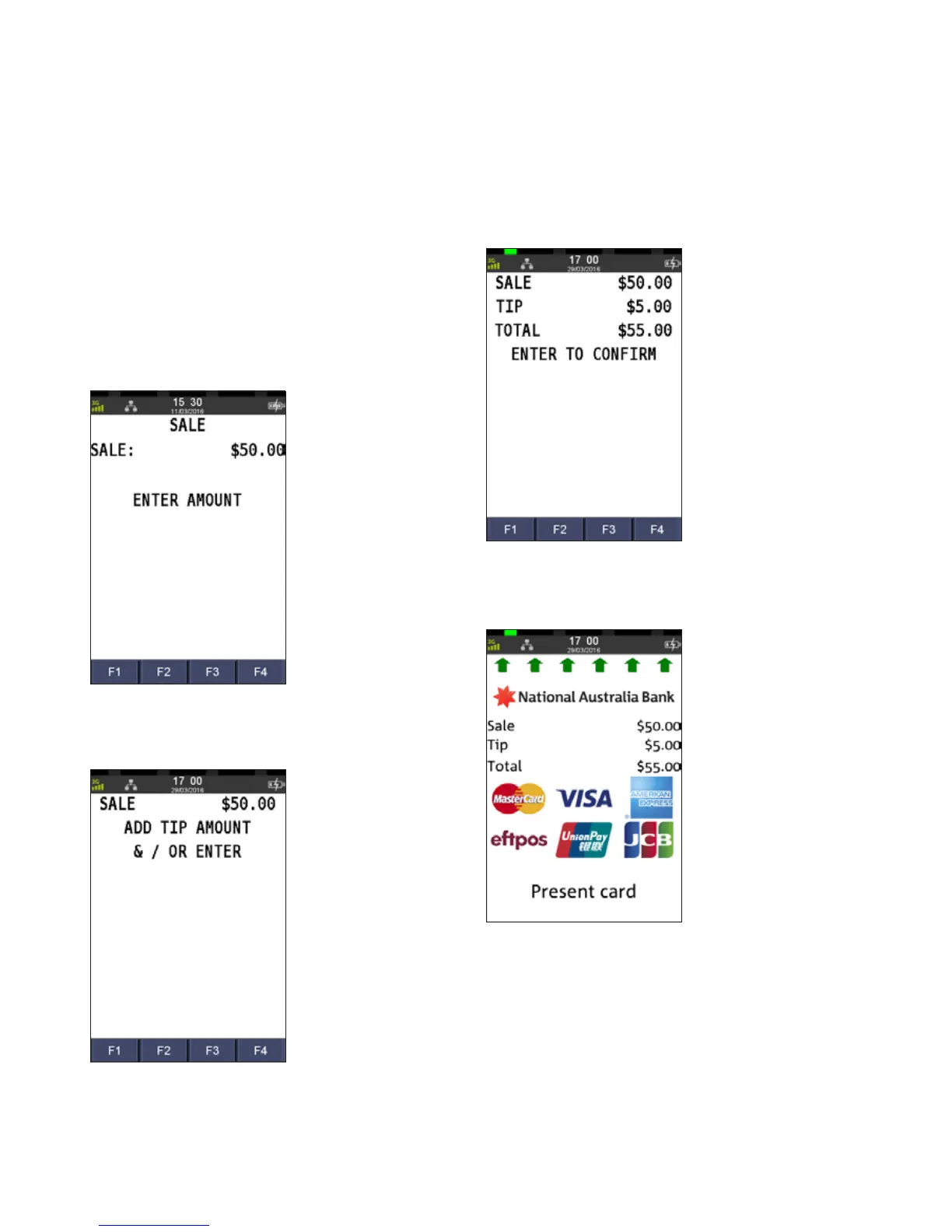
The Tip Amount screen will only display if the tipping
feature has been enabled. You may enable or disable the
tipping feature by contacting the Merchant Service Centre.
A sale with tip transaction is shown as one total item in the
settlement report and on the monthly merchant statement.
Step 1
Enter the sale amount directly from the home screen
and press ENTER
Step 2
Enter the tip amount and press ENTER
Step 3
Review the total amount and press ENTER
Step 4
Ask customer to TAP, SWIPE or INSERT their card
SALE
WITH TIP



 To Next Page