NAB EFTPOS User Guide 45
MOTO
This function is for use when processing card payments for
orders received by mail or telephone or initiated over the
internet (ECOM).
MOTO transactions do not incur a surcharge and the
transaction will display as MOTO on the receipt and
settlement transaction listing. MOTO transactions can be
processed on credit or charge cards only.
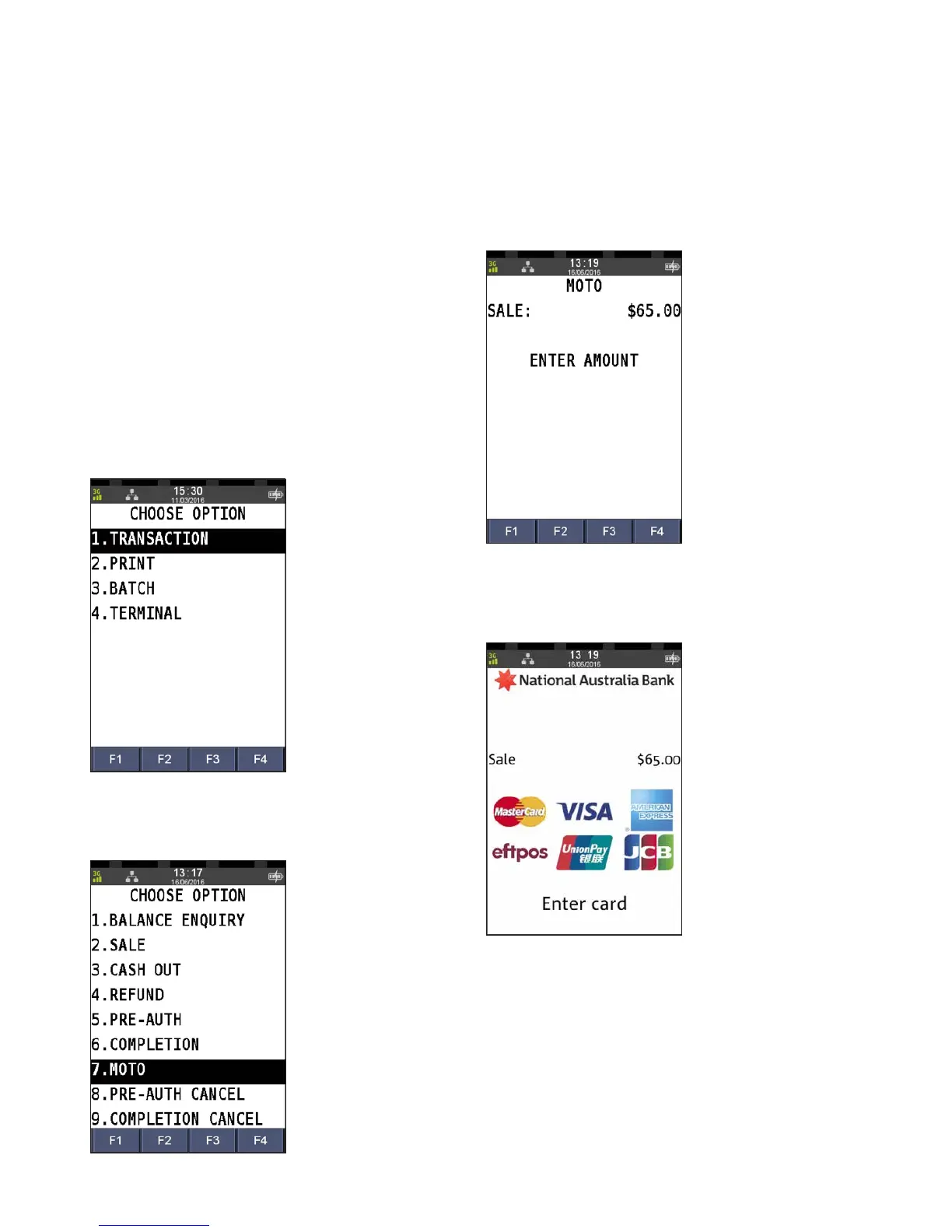
Step 1
Press the Menu key
Step 2
Press 1 to select Transaction
Step 3
Press 7 to select MOTO
Step 4
Enter the sale amount and press ENTER
Step 5
Commence entering the customer’s card number



 To Next Page