NAB EFTPOS User Guide 19
The cash-out feature is available on debit (cheque
and savings) accounts only for EFTPOS transactions.
It is an optional feature that you may enable or disable
by contacting the Merchant Service Centre.
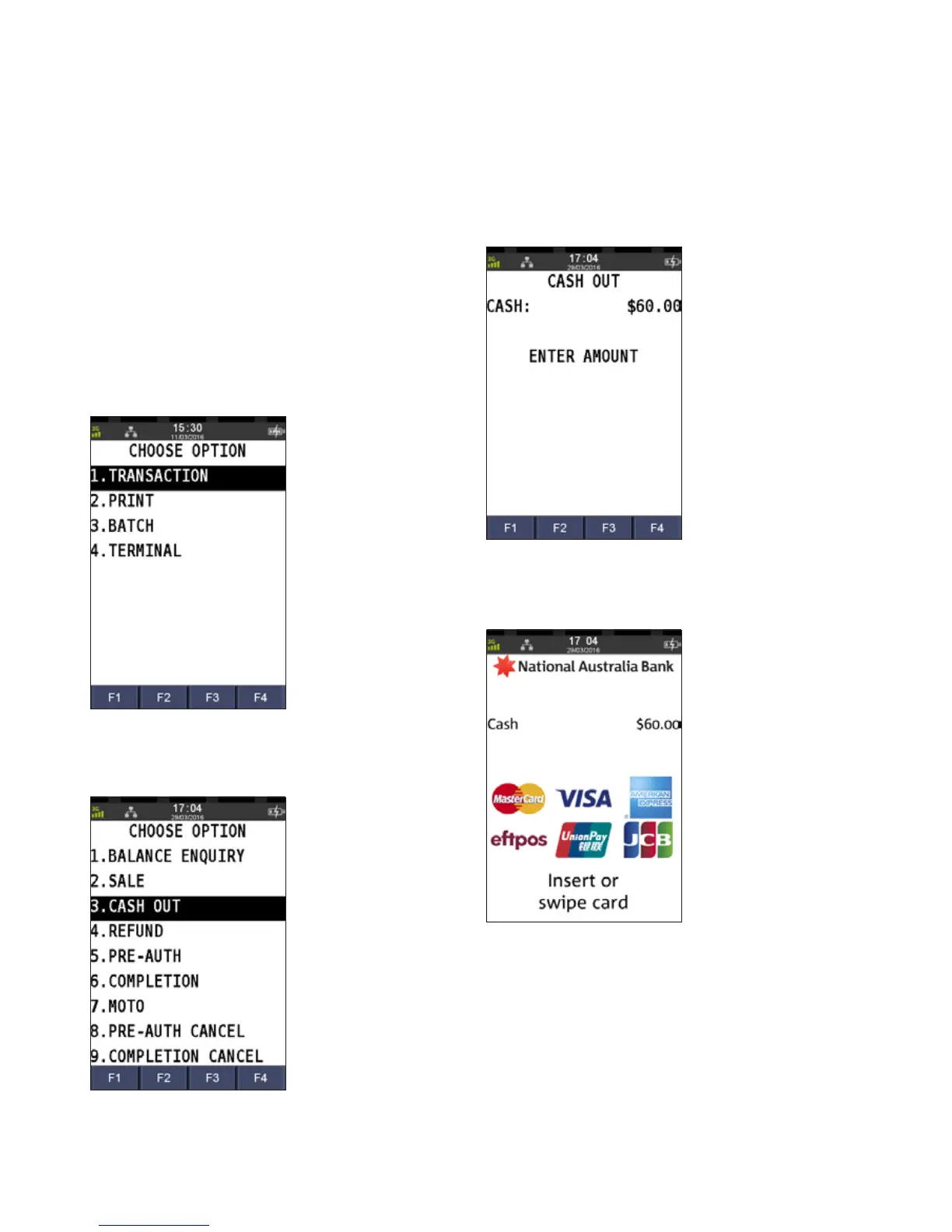
Step 1
Press the Menu key
Step 2
Press 1 to select Transactions
Step 3
Press 3 to select Cash Out
Step 4
Enter the cash amount and press ENTER
Step 5
Ask customer to INSERT or SWIPE their card
CASH OUT ONLY



 To Next Page