NAB EFTPOS User Guide 21
A ‘Refund’ transaction is used to reverse a ‘Sale’ transaction
that has already been settled by the Bank. Both the original
‘Sale’ and the ‘Refund’ transactions will appear on the
Customer’s account statement.
The Refund feature is optional. You may enable or disable
the Refund feature by contacting the Merchant Service
Centre. Transaction and terminal refund limits apply.
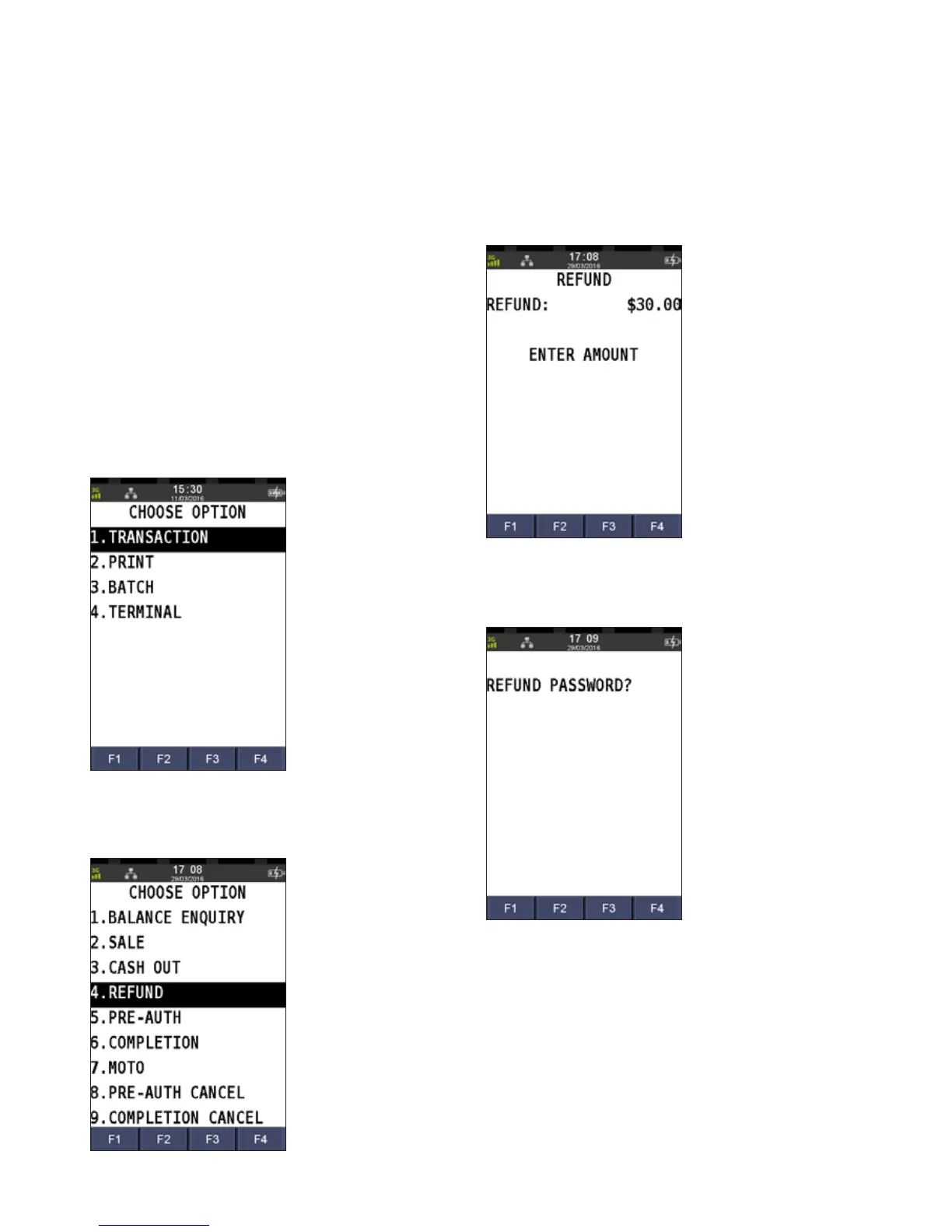
Step 1
Press the Menu key
Step 2
Press 1 to select Transactions
Step 3
Press 4 to select Refund
Step 4
Enter the refund amount and press ENTER
Step 5
Enter your refund password and press ENTER
REFUNDS



 To Next Page