NAB EFTPOS User Guide 33
PRE-AUTHORISATION
The Pre-Authorisation feature is optional. You may
enable or disable this feature by contacting the Merchant
Service Centre.
Pre-Authorisation is used to reserve a value amount
on a cardholder’s account. The value amount is generally
held for up to 7 days depending on the cardholder’s
financial institution.
The funds held are not debited from the cardholder’s account
until final payment, a Pre-Authorisation Completion, is
processed. It is important to retain the Pre-Authorisation
merchant receipt as the pre-authorisation completion cannot
be completed without the Approval Code from the receipt.
Pre-Authorisations are available for credit cards only.
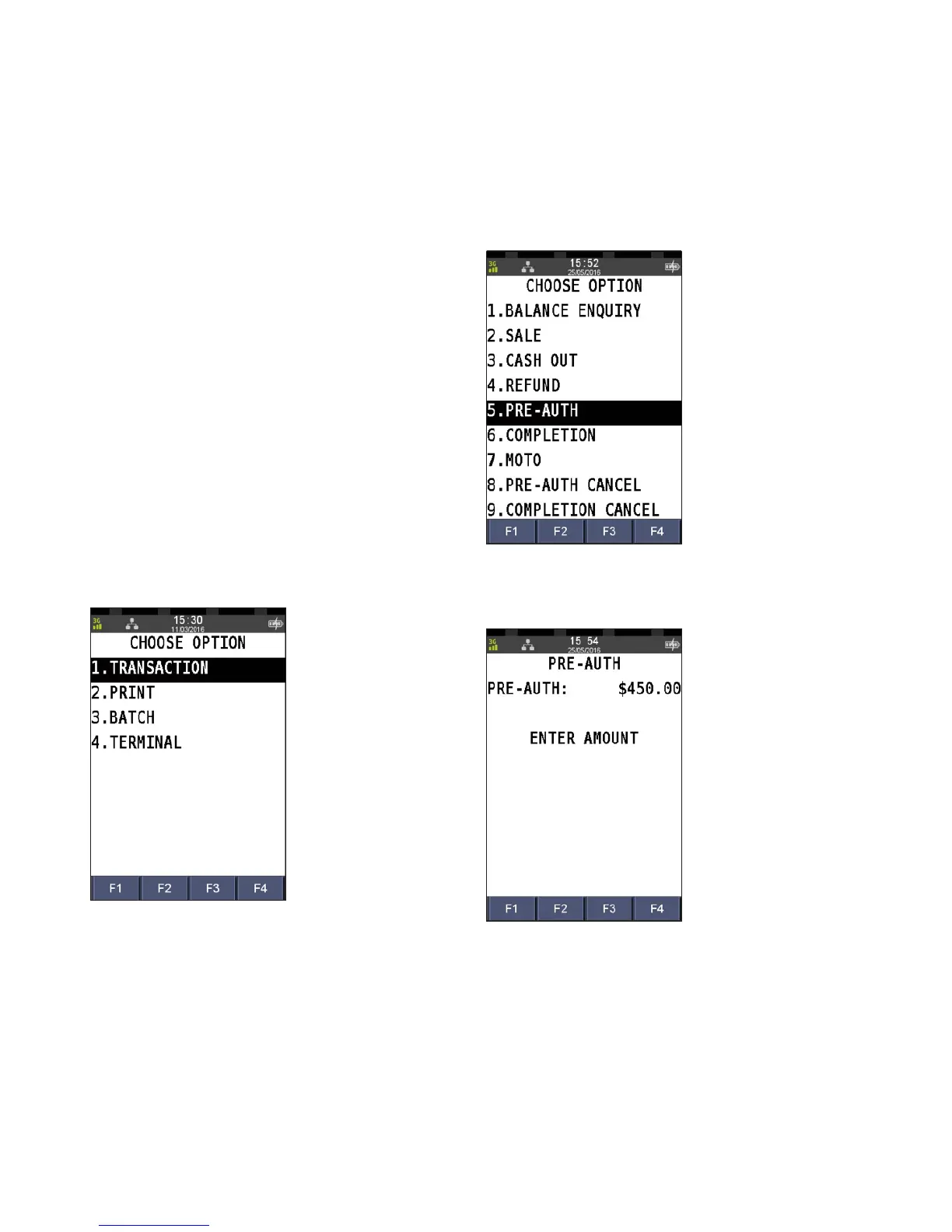
Step 1
Press the Menu key
Step 2
Press 1 to select Transaction
Step 3
Press 5 to select Pre-Auth
Step 4
Enter the pre-authorisation amount and press ENTER



 To Next Page