NAB EFTPOS User Guide 51
VOID LAST
This function allows the last transaction performed
to be cancelled. This is an optional feature and you may
enable or disable this feature by contacting the Merchant
Service Centre.
A void last transaction will not appear on the Merchant
Statement, Settlement report or on the cardholder’s
statement.
Note: This function is only available for credit transactions.
If you need to cancel a debit (cheque or savings) transaction,
a refund must be processed.
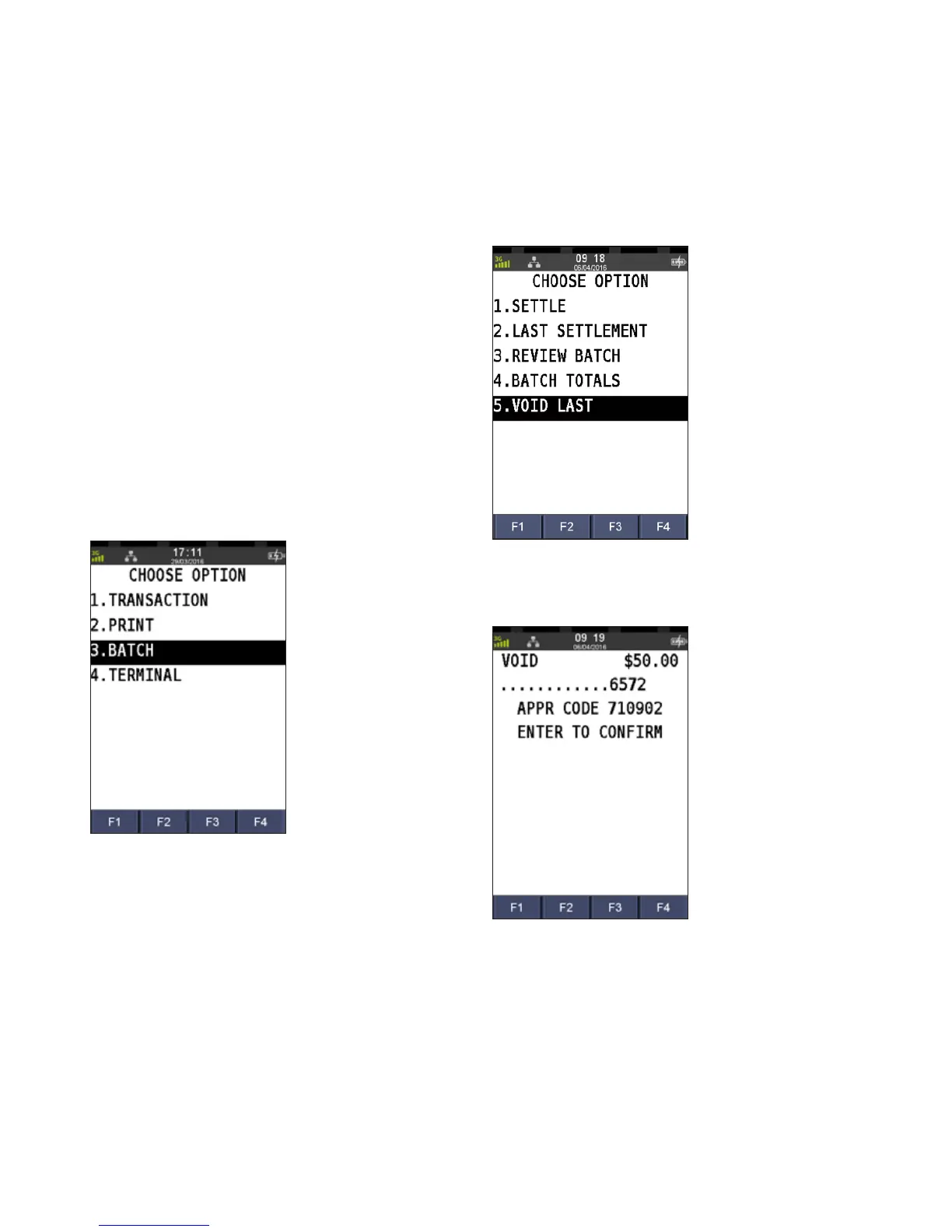
Step 1
Press the Menu key
Step 2
Press 3 to select Batch
Step 3
Press 5 to select Void Last
Step 4
Review the transaction details and press ENTER to confirm
The merchant copy of the voided receipt
will print automatically.



 To Next Page