12
nal von minden GmbH · Manual
Reac f Touch
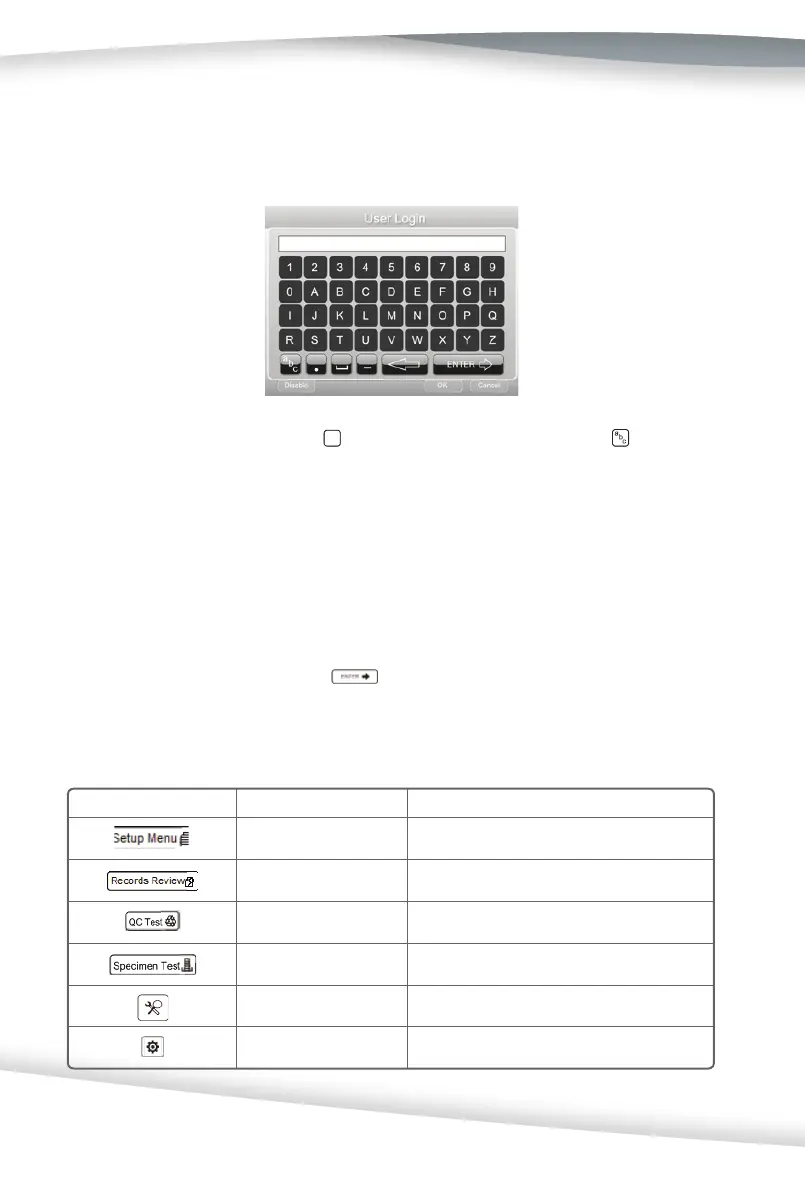
To switch between keyboards, press
to use the lowercase keyboard. Press to use the
upper case keyboard.
To type in a name, number, birth date, etc., press the appropriate bu on. Selec ons will
appear in the data entry box. When switching between keyboards, all values will be retained
in the entry box on both keyboard screens.
The maximum number of characters allowed is 25. An audible tone will sound when the
maximum number of characters has been exceeded.
A er entering the informa on, press
from keyboard screen.
Symbol Name Descrip on
Setup Menu Shows the Setup Menu screen
Records Review Shows the Records Review screen
QC Test Shows the QC Test screen
Specimen Test Shows the Specimen Test screen
Test Se ng Shows the Test Se ng screen
Analyzer Confi gura on Shows the Analyzer Confi gura on screen
Keyboards
When the screen prompts the user to enter informa on for operator ID, pa ent name, and/or
pa ent iden fi ca on, a keyboard will appear on the screen.
Symbols



 To Next Page