32
nal von minden GmbH · Handbuch
Reac f Touch
Note: Make sure the type of strip selected corresponds with the strip being used. If it
does not, an error message will be displayed.
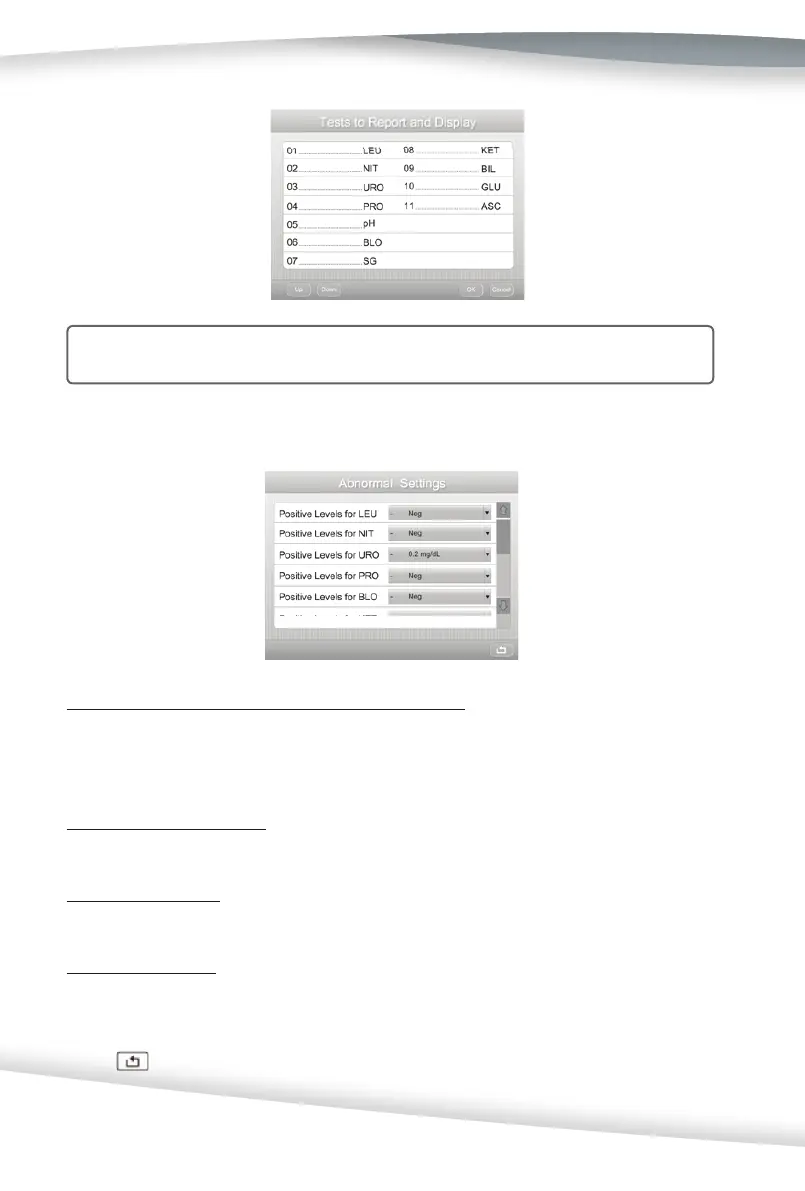
Abnormal Se ngs
Select Abnormal Se ngs to enter a new screen.
Posi ve Levels (or Normal Levels) for URS Parameters
Press the Drop-Down Arrow a er each op on to reset the Posi ve Levels (or Normal Levels)
for the URS Parameters (refer to Appendix 3). These include Posi ve Levels for LEU, NIT,
URO, PRO, BLO, KET, BIL, GLU, ASC, COL, CLA and Normal Levels for pH, SG, CRE, ALB, CA.
Flags for Confi rma on Test
Up to fi ve tests (of those to be reported) can be selected for the confi rma on report.
Flags for Microscopy
Like the confi rma on report, up to fi ve tests can be selected for the microscopy report.
Microscopy Se ngs
Select Microscopy Se ngs to enter a new screen. Press the Drop-Down Arrow a er
each op on to reset the microscopy levels.
Press
to save the selec ons and view the Abnormal Se ngs screen.



 To Next Page