46
nal von minden GmbH · Manual
Reac f Touch
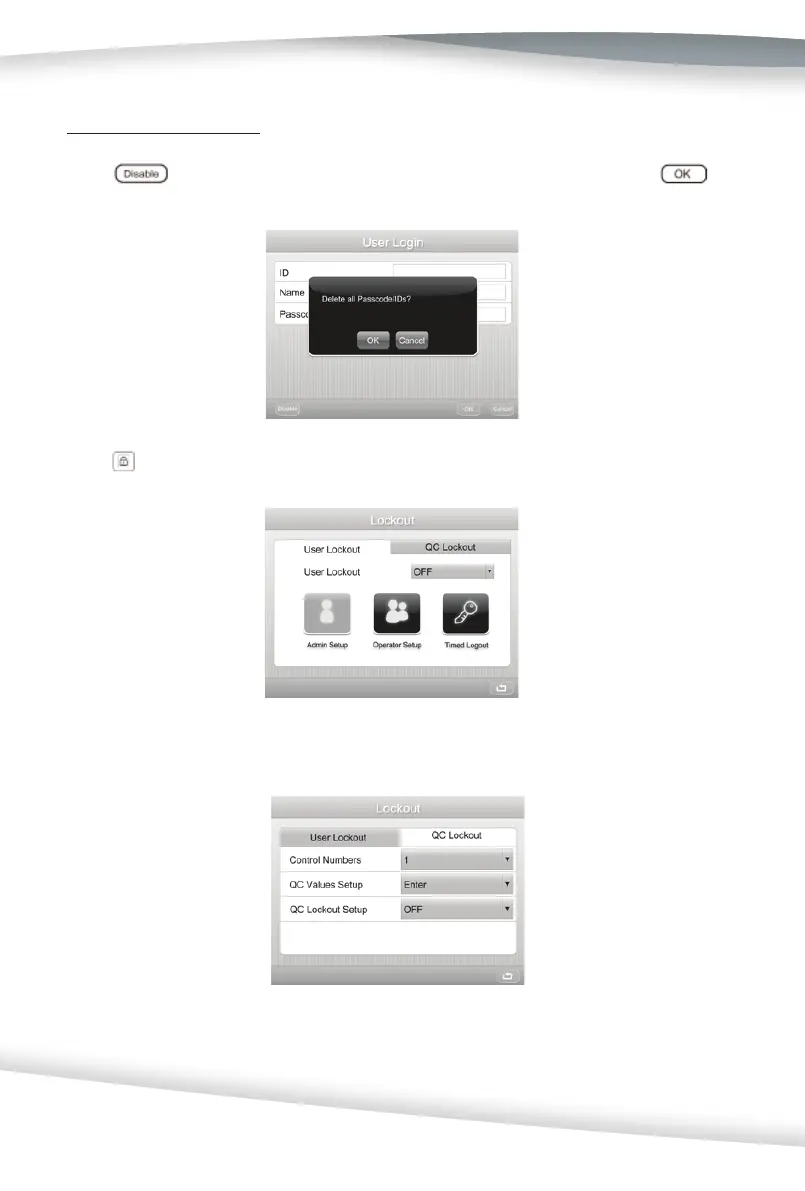
Clearing all IDs/Passcodes
At the User Login screen, enter the Administrator informa on without a Passcode, then
press
. A new box will appear promp ng to Delete all Passcode/IDs. Press
to clear all the passcodes and IDs.
QC Lockout
Press to display the Lockout screen to confi gure the User Lockout and QC Lockout op ons.
Change the op on to QC Lockout. A new screen will display with se ng op ons.
If User Login is enabled, only the Administrator can view se ngs and run a QC Test. For
ini al use, the QC Lockout is OFF.



 To Next Page