60
nal von minden GmbH · Manual
Reac f Touch
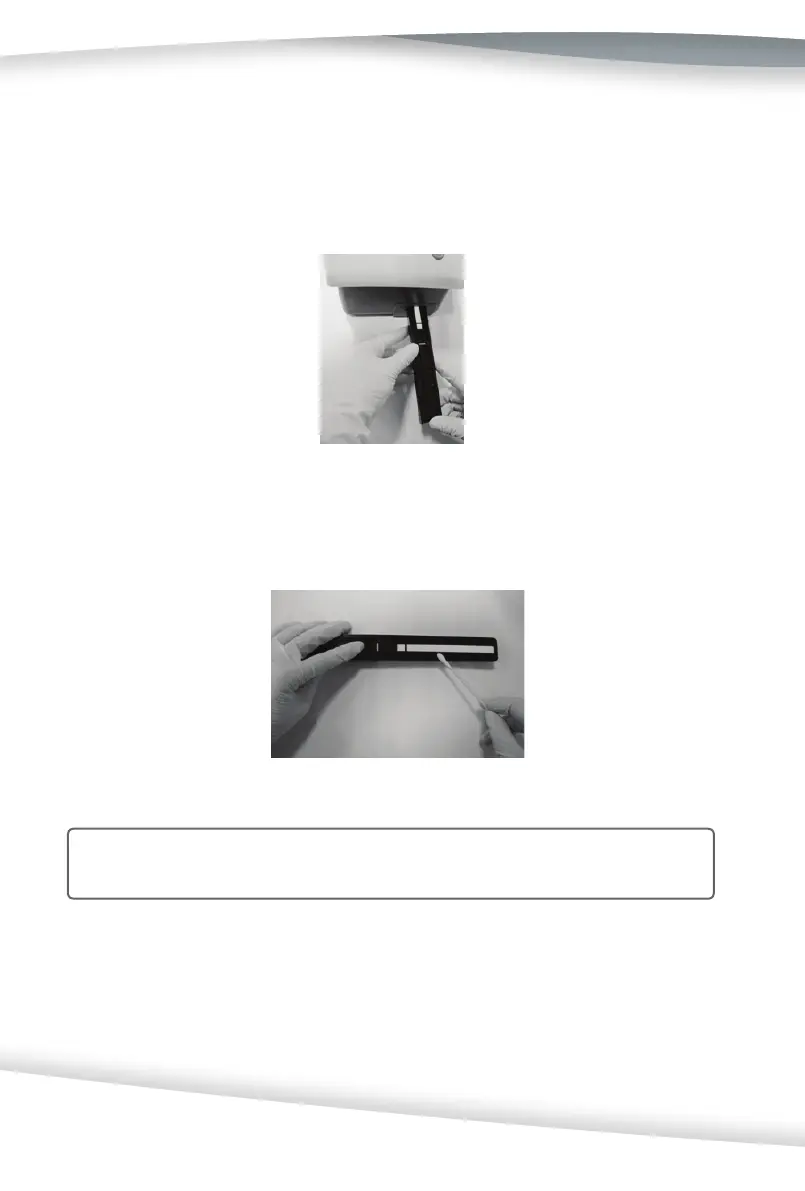
4. If the white calibra on bar is clean and unmarked, replace the table into the ana-
lyzer by holding the table at the end opposite the white calibra on bar, with the
white calibra on bar facing upwards. Push the test table fi rmly but slowly just over
half way into the analyzer. Replace the test table insert.
5. If the white calibra on bar is dirty or discolored, gently wipe and clean it with a
new co on swab or lint-free cloth that is wet with dis lled water.
Cau on: Care should be taken not to scratch the white calibra on bar. Solvents of
any kind must not be used to clean the bar.
6. Allow the calibra on bar to air dry and then inspect the surface for dust, foreign
material, scratches, or scuff s. If the calibra on bar cannot be cleaned or is s ll mar-
ked, obtain a new test table.
7. Reinsert the test table as described previously in step 4.



 To Next Page