59
Cau on: Any solu ons other than those listed above may damage the test table
and insert.
2. Place the insert and/or test table into the solu on, making sure the white calibra -
on bar on the test table remains above the liquid level.
Cau on: Be sure the solu on does not come in contact with the white calibra on bar.
Do not cover the container while the test table is soaking. .
3. Soak the table and insert for a minimum of 2 minutes and maximum of 10 minutes.
Do not soak longer than 10 minutes.
4. Rinse the test table and insert thoroughly with water.
5. Dry with a so cloth and replace test table and table insert in the analyzer (as de-
scribed on the previous page).
Cleaning the White Calibra on Bar
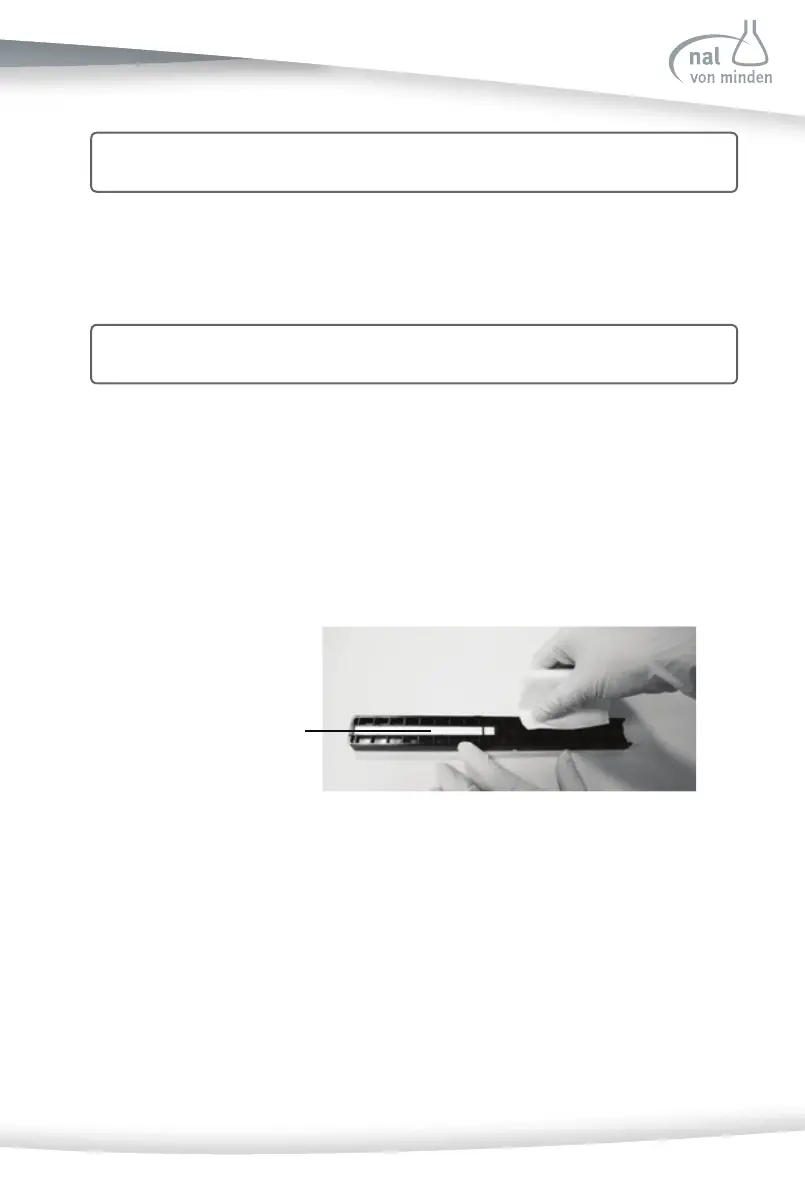
For the Reac f Touch Analyzer to perform as intended and provide reliable test results,
it is recommended to periodically check the white calibra on bar on the test table. For
proper use, the white calibra on bar should not be dirty or discolored.
1. Remove the insert from the test table.
2. Remove the test table by pulling it slowly out of the analyzer.
3. Check the white calibra on bar on the test table for dirt or discolora on.



 To Next Page