10-10 Click Mode Operating Instructions
10.6.3 Report after a
successful
test at 4
frequencies
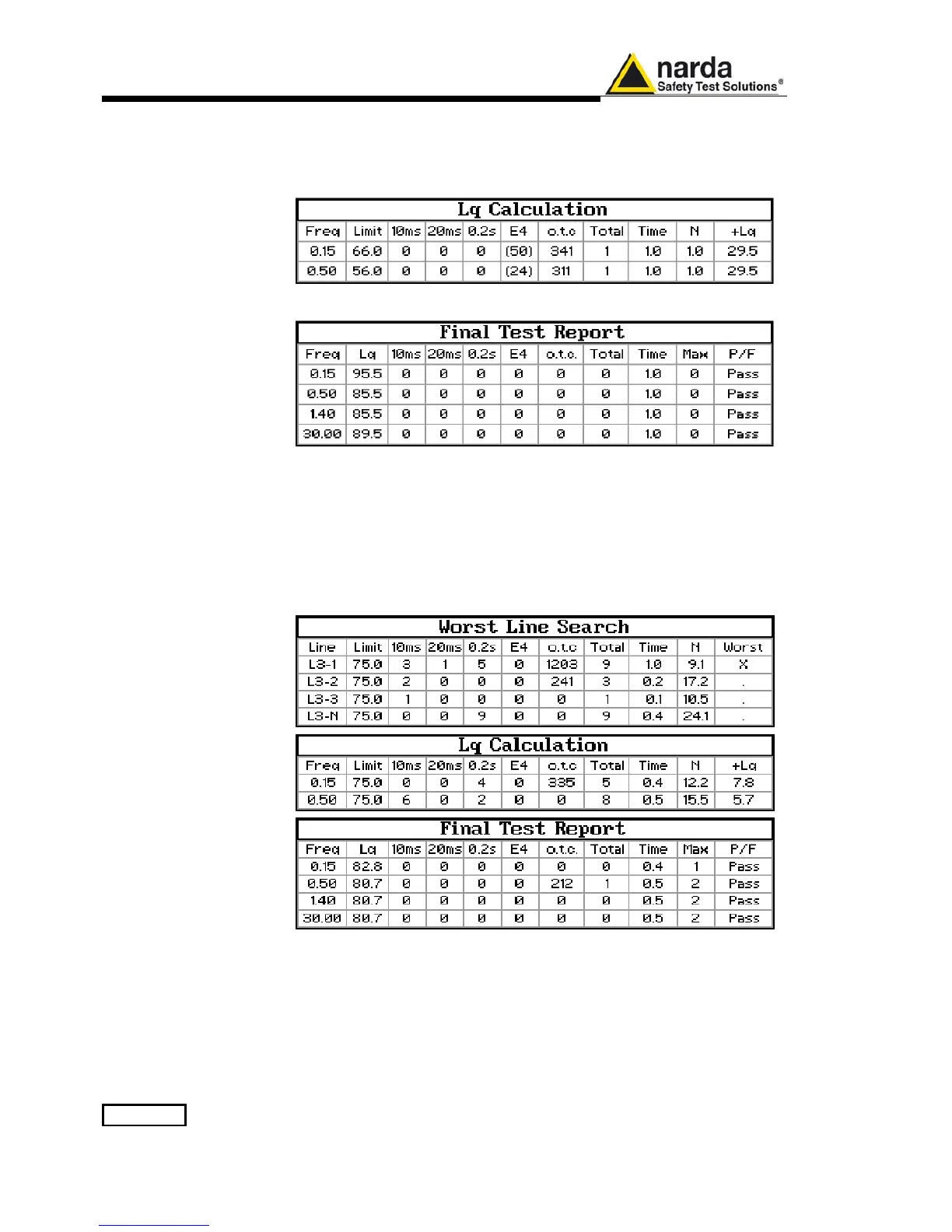
Here following the example of a report for a test done on all the defined
frequencies, from Step 1 to Step 6.
All the relevant information is provided.
10.6.4 Report after a line
search
When connected to a PMM LISN, the PMM 9010 can also automatically
search for the worst line, defined as the one with the higher rate N.
The Search Frequency can be set in the main Setup page.
After having found the noisiest line, the analyzer starts with the normal test
flow (determination of N, etc.) measuring on the worst line.
An example of report when the worst line search has been requested is as
follows:
In this case 4 worst line searches are done at first, followed by the usual
six measurements, from Step 1 to Step 6.



 To Next Page