PMM 9030/9060/9180 Frequency Extension 11-17
11.14.9 Hardware
Installation
PMM 9030/9060/9180 is delivered from factory ready to use as a companion
of the PMM 9010 or 9010/03P/30P/60P.
To use PMM 9030/9060/9180 with PMM 9010 or PMM 9010/03P/30P/60P,
please check your PMM 9010 or PMM 9010/03P/30P/60P is updated at
the latest firmware version.
Remove the receiver from its cardboard and install it where desired, e.g.
directly on the antenna output connector (see detailed instruction later on in
this manual), or anyway connect the output of your antenna or transducer
device to the N connector on the front panel of PMM 9030/9060/9180 and
immediately start to measure up to 3/6/18 GHz.
Remove the Optic Link protective cover pressing the small tab under the
protective cover and gently pull it; keep it aside for future protection of the
port on the receiver. Repeat the same operations for the Optical Link #1 on
the PMM 9010 or 9010/03P/30P/60P.
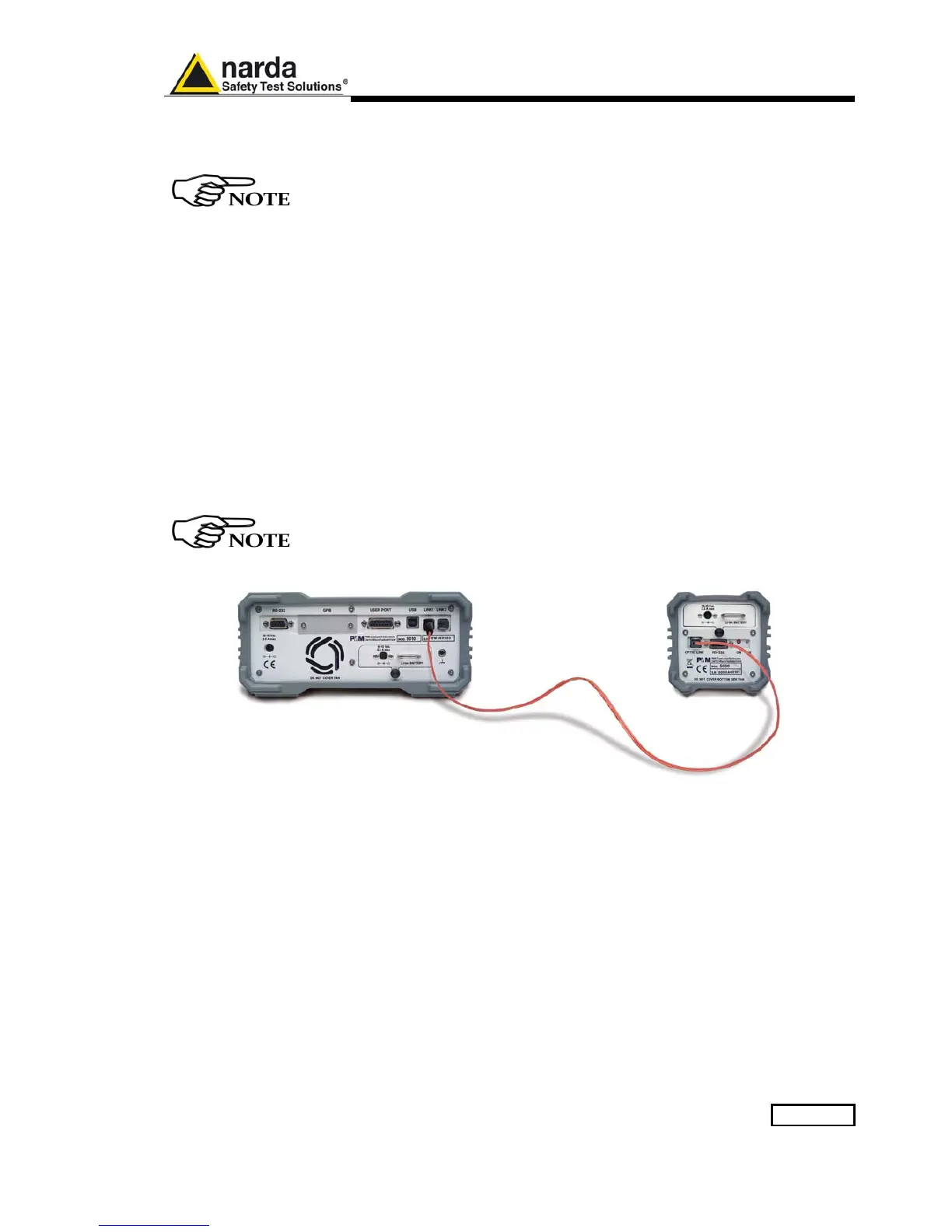
Connect the Optic Fiber delivered with PMM 9030/9060/9180 to the PMM
9030/9060/9180 and to the PMM 9010 or 9010/03P/30P/60P pushing the
connector in the Optical port until a “click” can be heard; be sure the key of
the connector is in the right orientation.
Once fiber optic cable has been connected properly on both sides it’s
possible to start in operating PMM 9030/9060/9180 together with PMM 9010
or 9010/03P/30P/60P.
All the following examples are indifferently referred to the PMM 9010 or
the PMM 9010/03P/30P/60P.
Fig.
11-5 PMM 9030/9060/9180 Fiber Optic Link to PMM 9010
Switch ON the PMM 9030/9060/9180 keeping the “ON” small red button
pressed until the PW Led lights up blinking in Red colour (about 1 second),
then release the button. To avoid unwanted starts, if the “ON” button is
kept pressed for a too short time or for more then 2 seconds the instrument
is switched automatically off.
Push and keep pressed the “ON/OFF” button for more then 2 seconds to
switch off the receiver.
After having been switched ON, the PMM 9030/9060/9180 boots with its
internal BIOS and in matter of few tens of second runs the firmware which
manages the receiver.
Now switch ON the 9010 a screen like the following should appear.



 To Next Page