RMS-AVG and C-AVG Detectors A-A-1
Annex - A
RMS-AVG and C-AVG Detectors
All the following examples are indifferently referred to the PMM 9010 or
the PMM 9010/03P/30P/60P.
A-A.1 Introduction
PMM 9010 has been designed to allow the use of many kinds of detectors.
CISPR Standard has introduced the application of two detectors that are
derived from the Root Mean Squared and from the Average ones.
To have these two additional detector available it is recommended the
upgrade of the Unit to a Firmware revision 1.85 or following.
Please refer to chapter 8 of the User’s Manual to find the instructions
concerning how to upgrade the internal firmware.
The present Annex provides information needed to use the added firmware
functions both for PMM 9010 and for PMM 9030/9060/9180 extension.
A-A.2 RMS-AVG
Definition
The RMS-Average detector is a payment special function implemented in
the PMM 9010 receiver.
RMS-Average detector is manufactured under license of Rohde & Schwarz
GmbH & Co. KG.
The RMS-Average detector, according to the CISPR 16-1-1 standard,
supplies a reading of the input signal that is weighted, for repeated pulses,
such that for a constant indication, the relationship between amplitude and
repetition frequency is in accordance with the following rule:
the Amplitude is proportional to (repetition frequency)-1/2
The value is the maximum level during the measurement time (Hold Time)
and the averaging is carried out with a lowpass filter of the 2
nd
order to
simulate a mechanical instrument.
The calibration is in reference to the RMS value of an unmodulated sinewave
signal.
A.A.3 RMS-AVG
Activation
Procedure
(option)
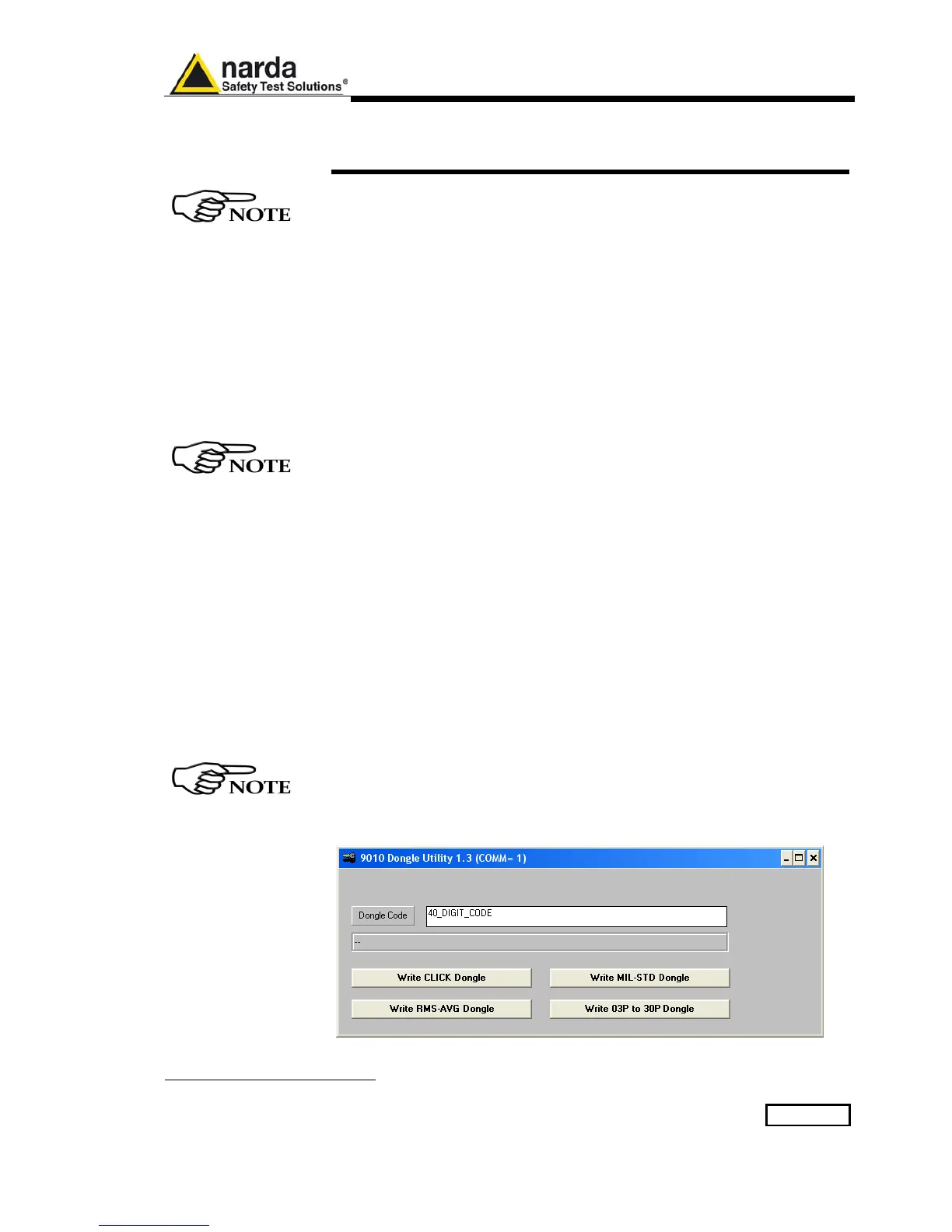
To enable the RMS-AVG Detector use the 9010 Set code Utility.
For further information on software installation refer to the “Updating
firmware and Activation code Utility” chapter.
Click on “9010 Set code Utility” (WrDongle.EXE) once for running the Set
code program, so getting the following window:
Document 9010EN-81037-2.57 - © NARDA 2018



 To Next Page