A-A-2 RMS-AVG and C-AVG Detectors
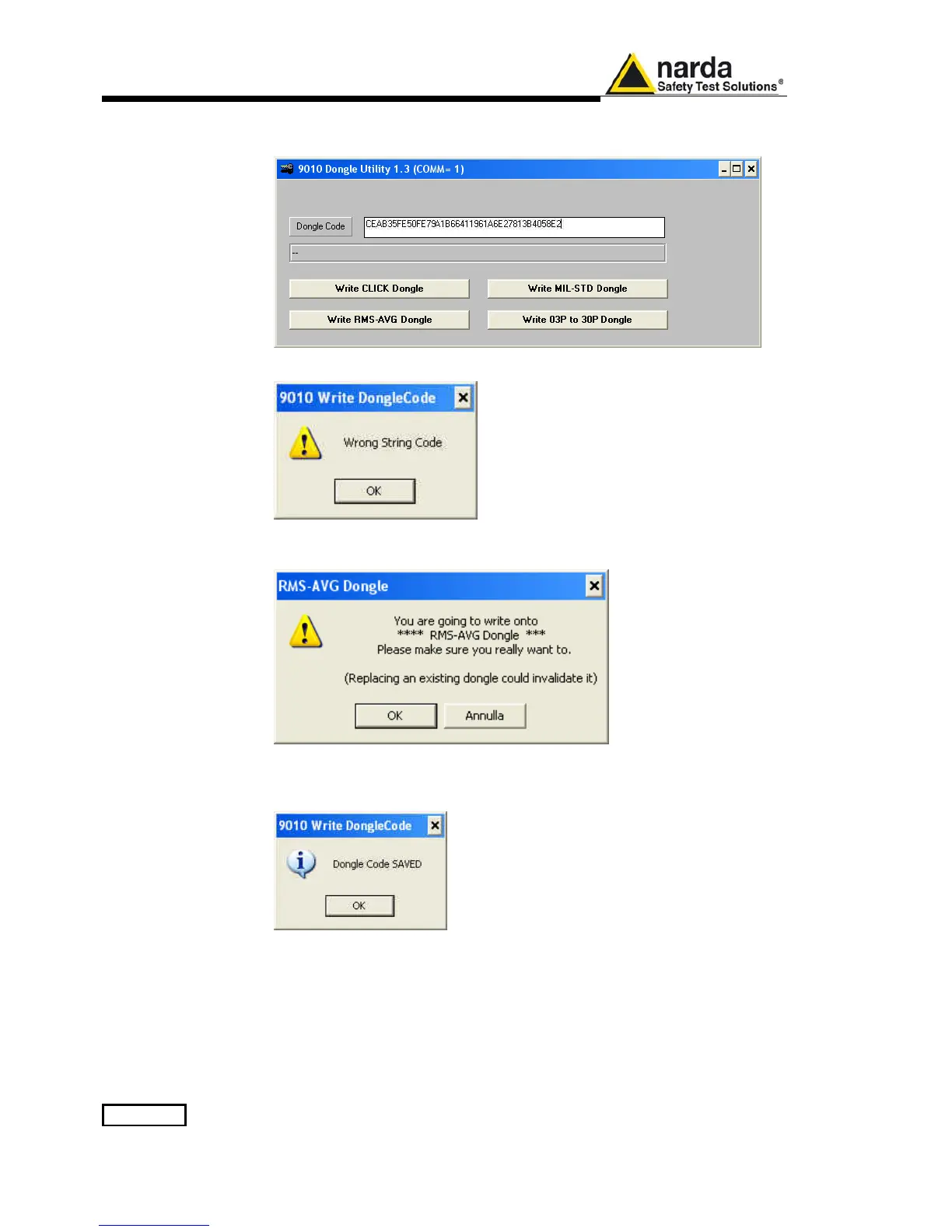
Copy the 40 Digit Serial Code in the Dongle Code Window and select the
Write RMS-AVG Dongle button.
This message appears when the Dongle code is not valid.
It will be shown the following message; press OK to confirm.
The software will inform that the Dongle Code has been successfully stored.
Press Ok to close the program.



 To Next Page