8-6 Updating Firmware
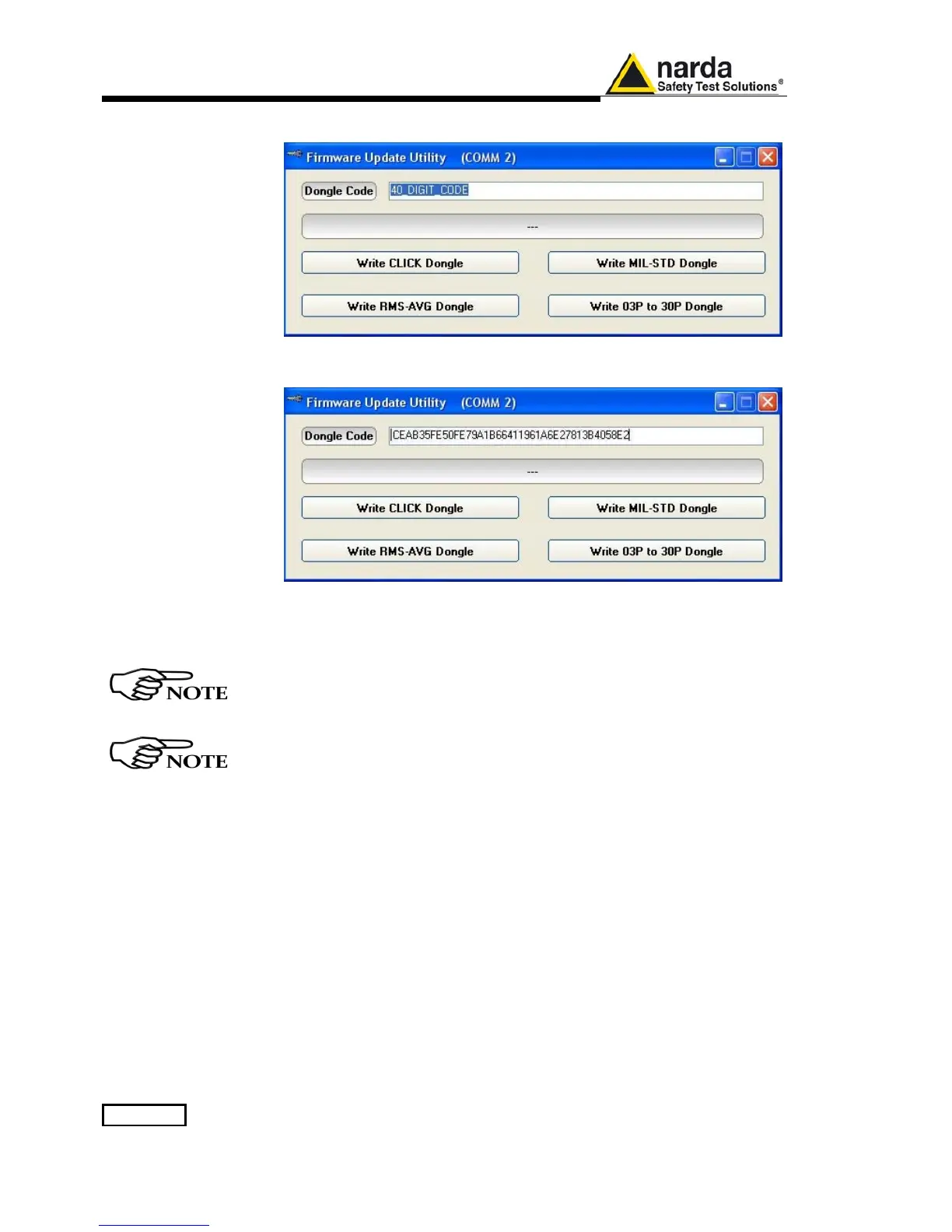
The program will display the following window:
Copy and paste the 40 Digit Activation Code to the “Dongle Code” input
field and press the button below related to the specific Option:
In case of failure, an error message is showed instead.
Always cycle OFF and ON the receiver to properly initialize the function.
For further information on activation procedure refer to the “Click
Mode Operating Instructions”, “RMS-AVG and C-AVG Detectors”, and
“Additional RBW Filters” chapter.
With the “Write 03P to 30P Dongle” button the 9010/03P can be
upgraded to 9010/30P version for use up to 3 GHz; It is a payment
special function implemented in the receiver. Please contact your local
Narda distributor for details.



 To Next Page