10-2 Click Mode Operating Instructions
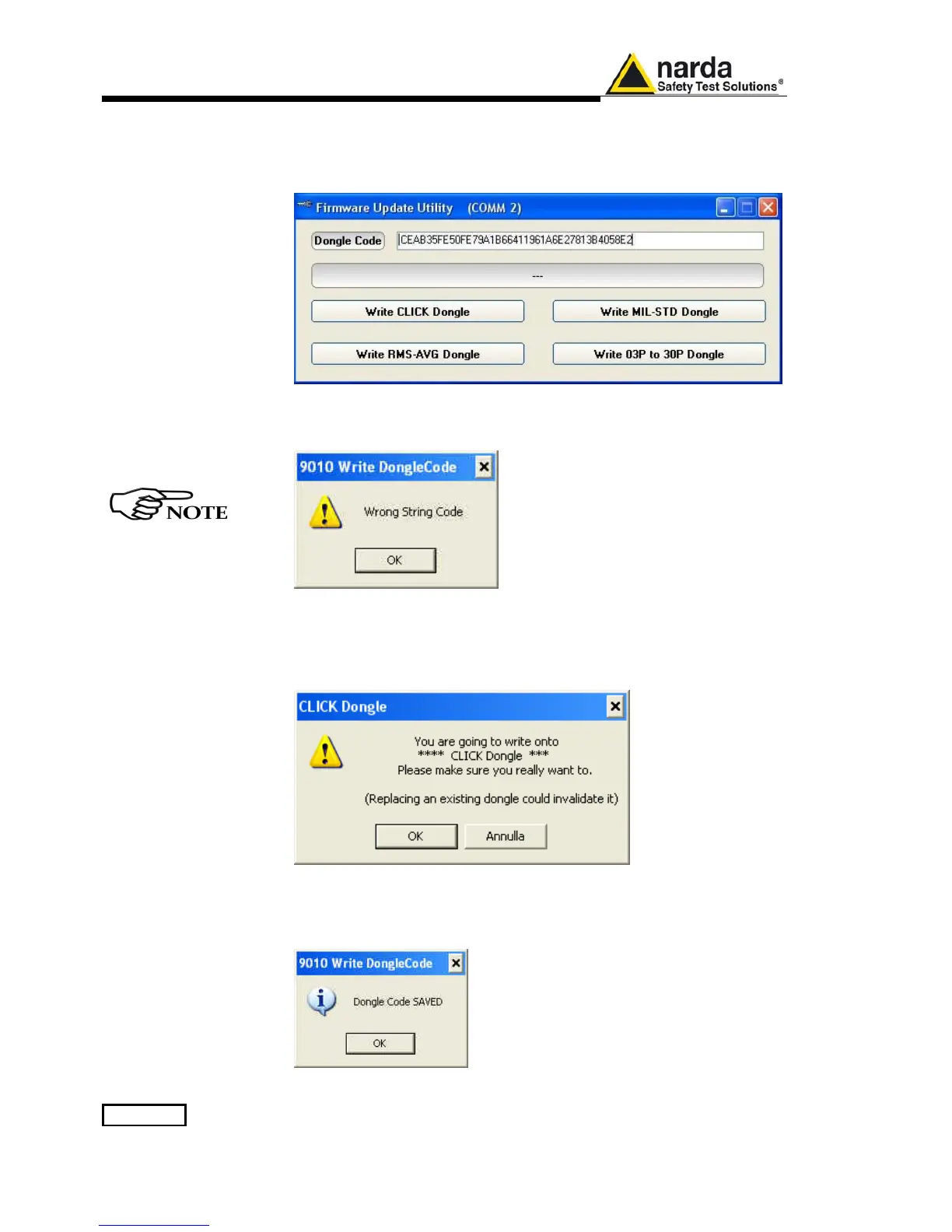
Copy the 40 Digit Serial Code in the Dongle Code Window and select the
Write Click Dongle button.
This message appears when the Dongle code is not valid
When everything works correctly, the following message will be shown.
Then press OK to confirm.
The software will inform that the Dongle Code has been successfully
stored. Press Ok to close the program.



 To Next Page