© 2020 Natus Medical Incorporated 19 026057 RevE
Performing an ABR Screening Echo-Screen III Pro Instructions for Use
IMPORTANT: Before you begin, check the calibration date displayed on the Home screen.
You cannot perform a screening when the probe is out of calibration.
IMPORTANT: Natus and the Joint Committee on Infant Hearing (JCIH) recommend always
screening both ears during each screening session.
Start screening:
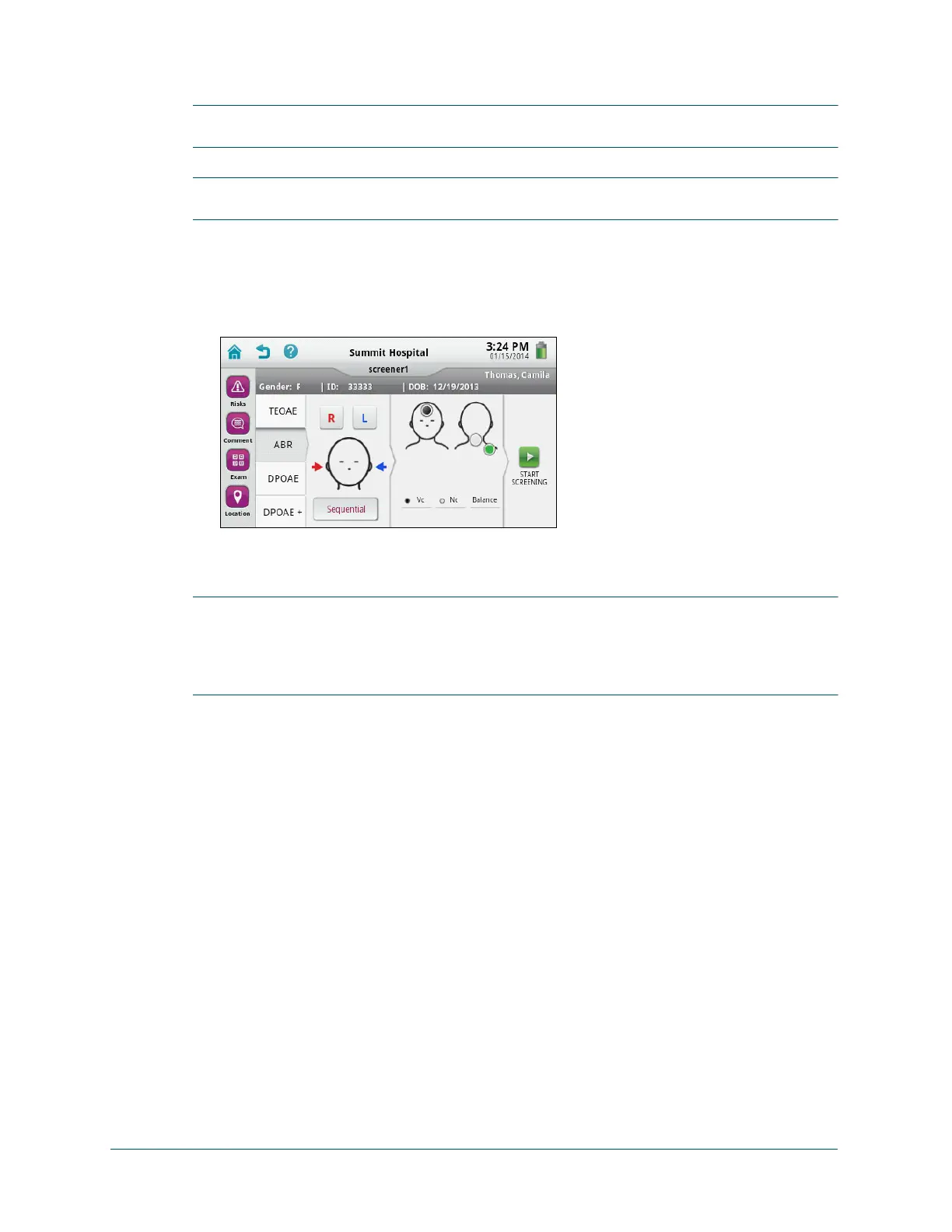
1 With the patient selected in the To-Do List or on the Patient Info screen (after adding or
editing the patient information), touch Screen, and then on the test selection screen, touch
ABR.
2 Optionally (if configured by your administrator), touch Risks to add risk factors for the
patient.
IMPORTANT: If you are working with a patient that was uploaded from the audble data
manager, you will not see the risk factors that were set for the patient in the audble software.
However, any risk factors you specify for the patient on the device will be merged with the
patient’s risk factors in the audble database when you import the patient back into the audble
data manager.
3 Optionally touch Comment to add comments for the test.
Note: To view test comments after they are saved, touch Comment on the test
selection screen or on the test result screen.
Note: Touch Cancel or press the Back key on the keyboard to close the Add
Comment screen without saving your changes.
4 Optionally (if configured by your administrator), touch Exam to specify the screening as
Initial, Follow-Up, or Unknown.
5 Optionally (if configured by your administrator), touch Location to specify where the
screening was performed, Inpatient, Outpatient, Home, or Unknown.
6 If you are using an ATA cable and testing both ears sequentially, touch Sequential.
If you are using an OAE cable, touch R or L for the ear you want to test first (right or left).



 To Next Page