026057 RevE 20 © 2020 Natus Medical Incorporated
Performing an ABR Screening Echo-Screen III Pro Instructions for Use
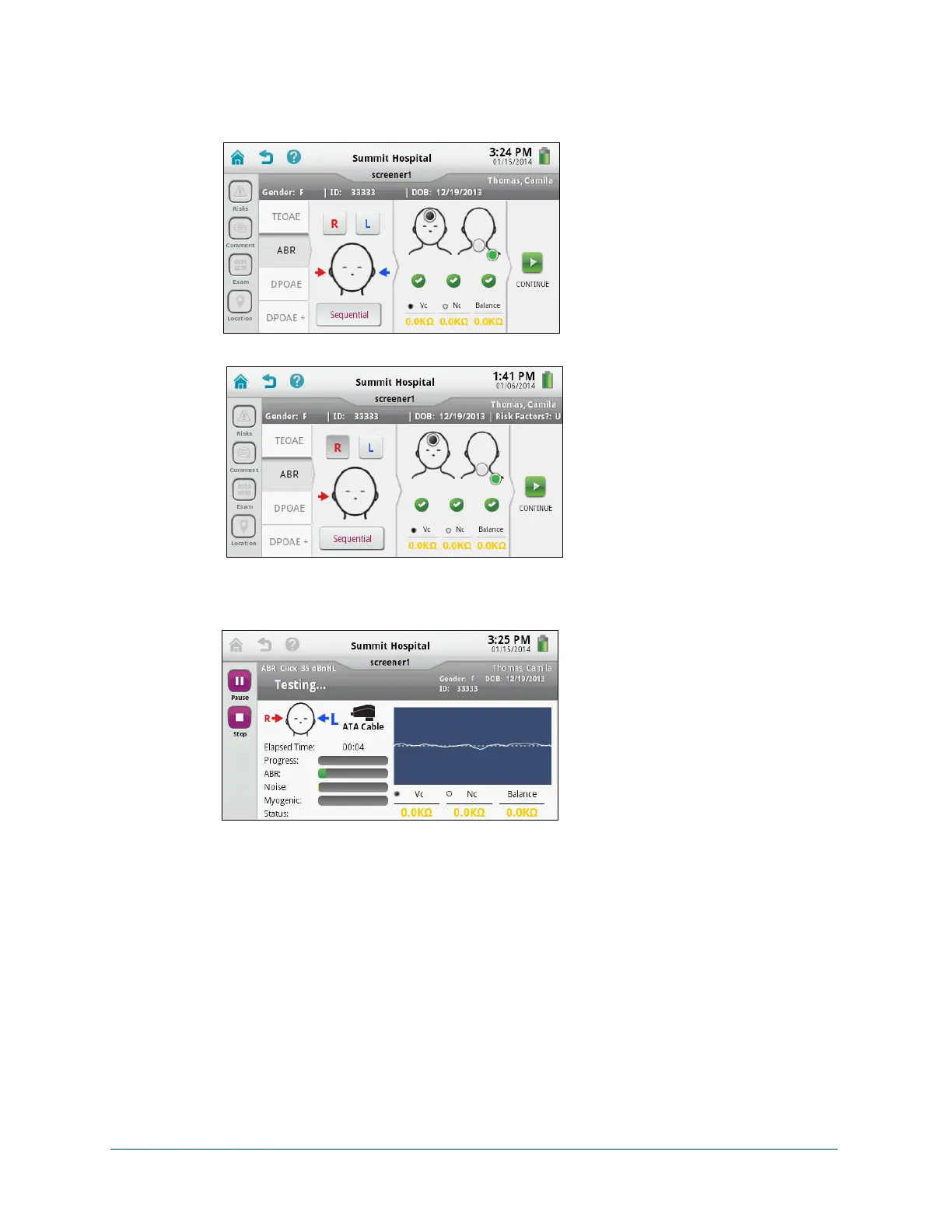
7 Touch Start Screening. An impedance check is automatically performed. When impedance
is acceptable (indicated by green check marks), touch Continue. If the impedance check
does not pass, reposition the electrodes and try again.
8 If you are using an OAE cable, a calibration test is performed. The test begins automatically.
Monitor the screening progress.
Note: You can temporarily pause or stop the test at any time. If you pause
testing, elapsed time stops updating until you resume the test.
9 When the test completes. the Pass or Refer result and test details are displayed.
If you are testing ears sequentially, both ears are tested before the results are displayed.
The results for the last ear tested are displayed first. Touch See Other Ear Result to
review the test results for the first ear tested.
If you are testing one ear at a time, the results for the ear just tested are displayed.
Sequential with ATA cable
One ear at a time with OAE cable



 To Next Page