VX150 TO VX2 TROUBLESHOOTING MANUAL RESPONDING TO ALARMS
VERSION 2.0 2023-04-20 PAGE 3.1.5
Alarms Screen
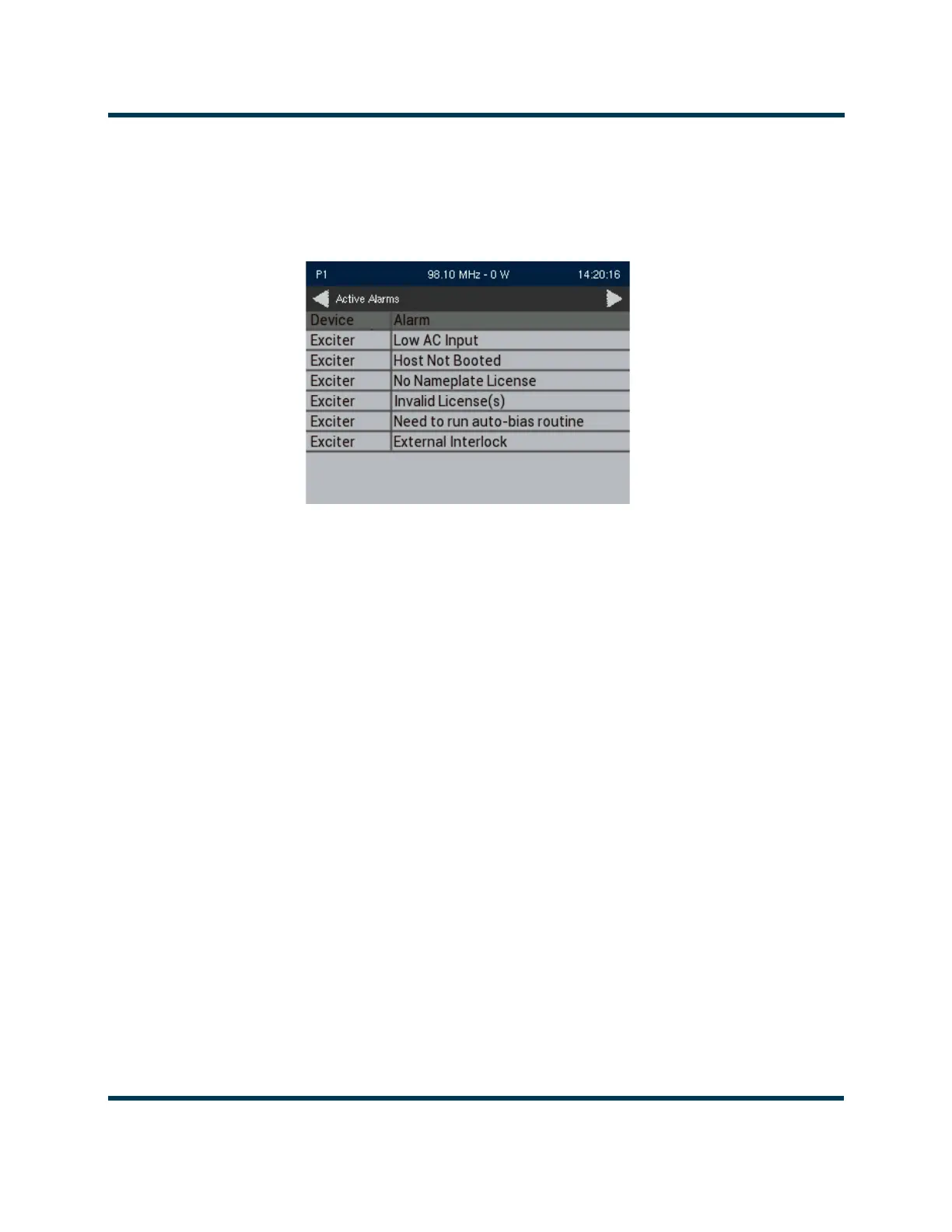
If an alarm exists and is currently being recognized by the transmitter system, it is displayed in the
Alarms
screen of the front panel display (see Figure 3.1.2).
Figure 3.1.2: Alarms Screen
Table 3.1.1 on page 3.1.7 contains a column for most alarms that can occur, sorted alpha-numerically.
The Trigger, Clear and Troubleshooting columns provides a brief description of the alarm,
troubleshooting tips and a cross-reference to more troubleshooting, if applicable.
1. Scroll through the Alarms screen to view the active faults.
2. Attempt to clear any latched alarms by selecting Alarms Reset from the Main Menu. If the alarm
persists, it will not clear from the display.
3. Locate the alarm name in Table 3.1.1 on page 3.1.7 to determine the cause of the alarm and
perform any recommended procedures in the Description and Troubleshooting Action column.
This may also lead to replacing a suspect PWB, power supply or fan, as detailed in PA Resistance
Checks, on page 3.1.35.
NOTE:
Before undertaking any troubleshooting, record all meter readings and note if any other alarms
are displayed on the Alarms screen. record all alarms.
NOTE: Table 3.1.1 on page 3.1.7
contains a column for most alarms that can occur, sorted alpha-
numerically, including both the names displayed on the front panel and, if different, the remote AUI.
The
Trigger, Clear and Troubleshooting
columns provides a description of the alarm, troubleshooting
tips, and a link to detailed troubleshooting, as applicable.
4. If troubleshooting and subsequent replacement of a suspect PWB or module causes the alarm to
disappear from the Alarms screen, the alarm has been successfully cleared. If the fault condition
does not clear, contact Nautel.



 To Next Page