VX150 TO VX2 TROUBLESHOOTING MANUAL RESPONDING TO ALARMS
VERSION 2.0 2023-04-20 PAGE 3.1.43
PA Power Supply Replacement
NOTE:
The USB provided with the transmitter contains videos (mp4 format) that support the
replacement procedures in this section. Go to the USB’s HOME screen and click VIDEOS. Videos for
replacing LRUs are listed in the Maintenance section.
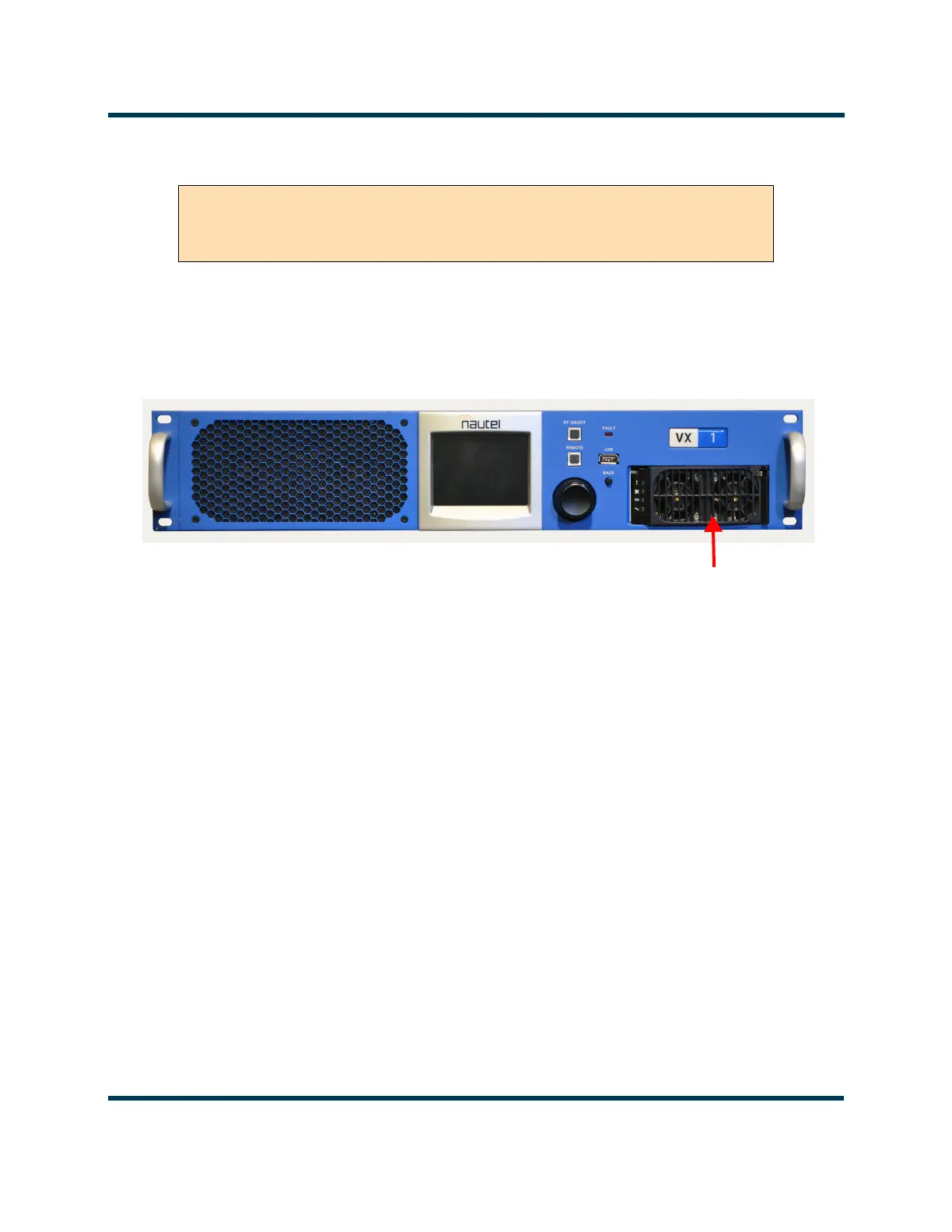
Figure 3.1.9: Location of PA Power Supply
NOTE:
The PA Power Supply is hot-swappable, meaning there is no need to turn RF off or disconnect ac
power from the transmitter.
1. From the front of the transmitter, locate the PA Power Supply. See Figure 3.1.9
2. Using Figure 3.1.10 on page 3.1.44 as a guide, remove the PA Power Supply from the front of the
transmitter.
3. Locate or obtain a replacement PA Power Supply (Nautel Part # UG132 for VX150/VX300/VX600 or
UG136 for VX1/VX1.5/VX2).
4. Using Figure 3.1.10 on page 3.1.44 as a guide, reinstall the new PA Power Supply.
5. Verify that the AC OK LED on the front of the PA Power Supply are solid green. If the transmitter is
RF ON (and not inhibited) then the DC OK LED should also be lit solid green.
NOTE:
The Power Supply FAULT LED (red) may blink temporarily until communication is established
between the power supply and the transmitter.
6. The transmitter should resume normal operation and the alarm should clear.
WARNING! Lethal voltages exist inside the transmitter when the power is
turned on. Follow replacement instructions carefully to ensure safety for
maintenance personnel during power supply replacement.



 To Next Page