NAVMAN TRACKER 5507/5607 Installation and Operation Manual
44
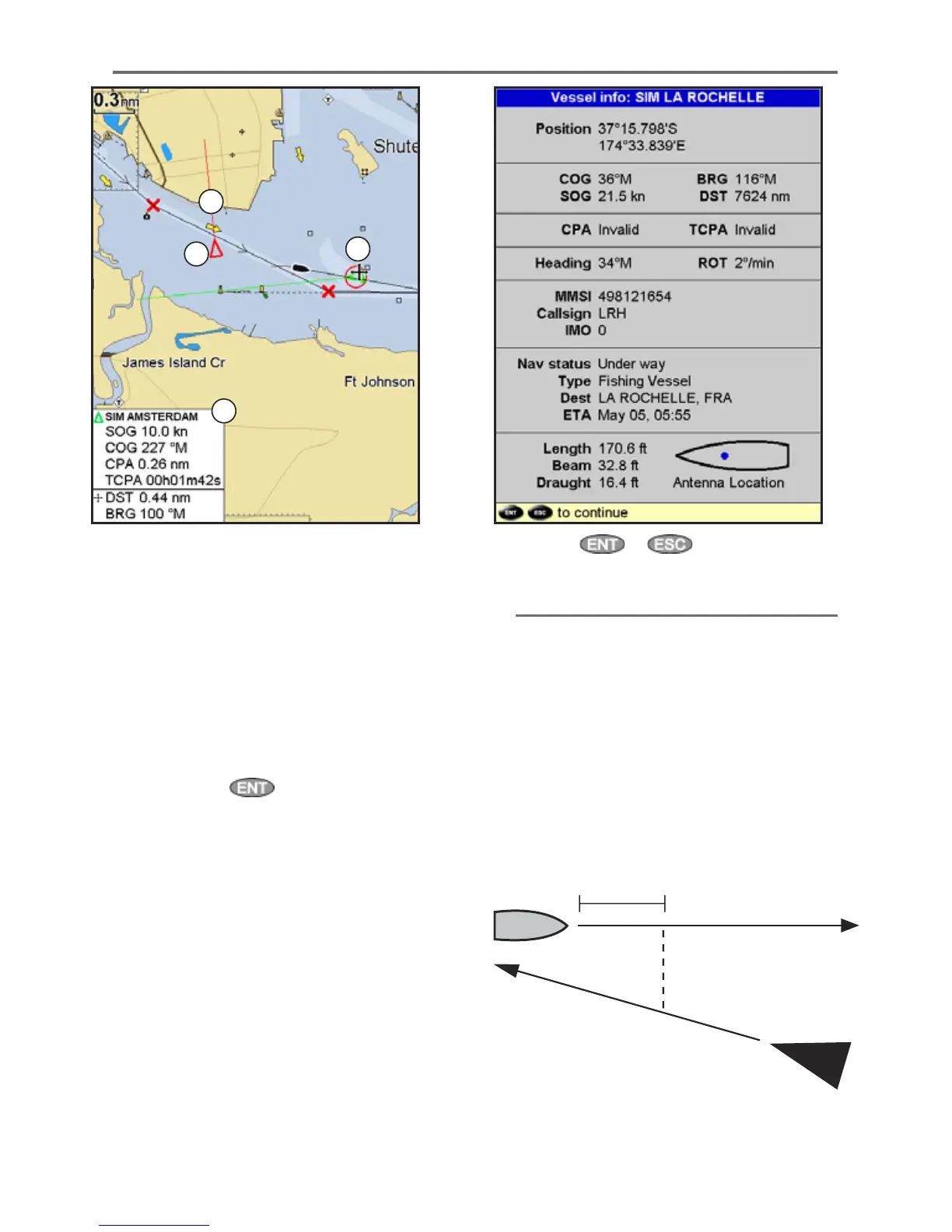
13-1 Viewing AIS Vessels
A AIS Vessel
B Dangerous Vessel
C Projected Course
D Data Box
When the cursor is placed over an AIS vessel for
at least two seconds, a data box appears at the
bottom of the window with information about
the AIS vessel.
For complete AIS information on the AIS vessel
place the cursor over an AIS vessel for at least two
seconds and press
.
Press either or to clear the
information.
13-2 Dangerous Vessels
The 5507/5607 calculates the time of closest point
of approach (TCPA) and closest point of approach
(CPA) for each AIS vessel.
This is used to determine potential dangerous
vessels. If the TCPA and the CPA is below
the trigger values then it will be considered
dangerous. (See section 15-8 for setting the
dangerous vessel alarm)
A dangerous vessel is indicated on the chart by a
red circle around the icon.
TCPA 15 min
CPA 0.5 nm
A
B
C
D











 To Next Page