NAVMAN TRACKER 5507/5607 Installation and Operation Manual
50
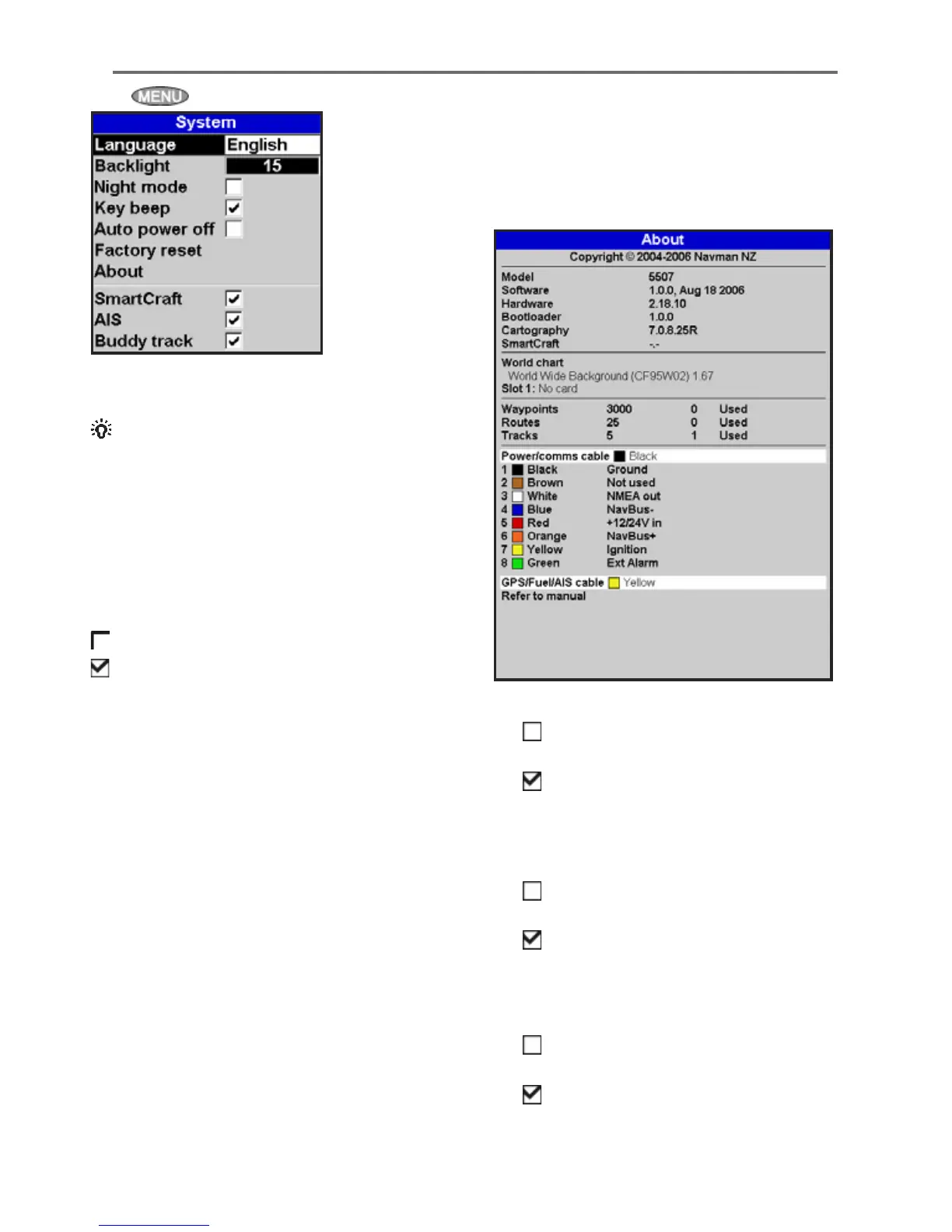
Press twice, then select System:
Language
Select the language for the displays.
Tip: In case you can’t read the current
language, the language setting is found at the top
of the system menu.
Backlight
Select the backlight level for the keys and display
(see also section 2-4).
Night mode
Night mode sets the palette for all displays.
Normal palette, for daytime.
All displays have a palette optimised for night
time.
See also section 2-4. To change only the chart
palette, see section 14-2.
Key beep
Enables or disables the beep when a key is pressed.
Auto power off
See section 2-3.
Factory reset
This option returns all of the 6507 settings (except
the language, waypoints and routes) to the default
factory settings shown on the setup menus.
About window
The about window shows:
• The versions and dates.
• The world chart version.
• Any card fitted.
15-1 Setup > System
• The number of waypoints, routes and tracks
you have stored.
• Connector wiring information.
In the unlikely event of having to contact a
NAVMAN dealer for service, quote the software
version number and date.
SmartCraft™
No SmartCraft™ gateway is fitted. Disable
SmartCraft™ functions.
SmartCraft™ gateway is fitted. Enable
SmartCraft™ operation.
See section 16-9.
AIS
No appropriate AIS receiver is fitted.
Disable AIS.
An appropriate AIS receiver is fitted.
Enable AIS.
See section 16-10.
Buddy track
No appropriate NAVMAN DSC VHF radio is
fitted. Disable Buddy track.
An appropriate NAVMAN DSC VHF radio is
fitted. Enable Buddy track.
See section 14.











 To Next Page