NAVMAN TRACKER 5507/5607 Installation and Operation Manual
68
For information on installing, setting up and
using SmartCraft™, see the SmartCraft™ Gateways
Installation and Operation Manual.
16-7 Installation: NAVMAN diesel sensors
Fit the optional diesel fuel kit following the
instructions supplied with the kit.
Note:
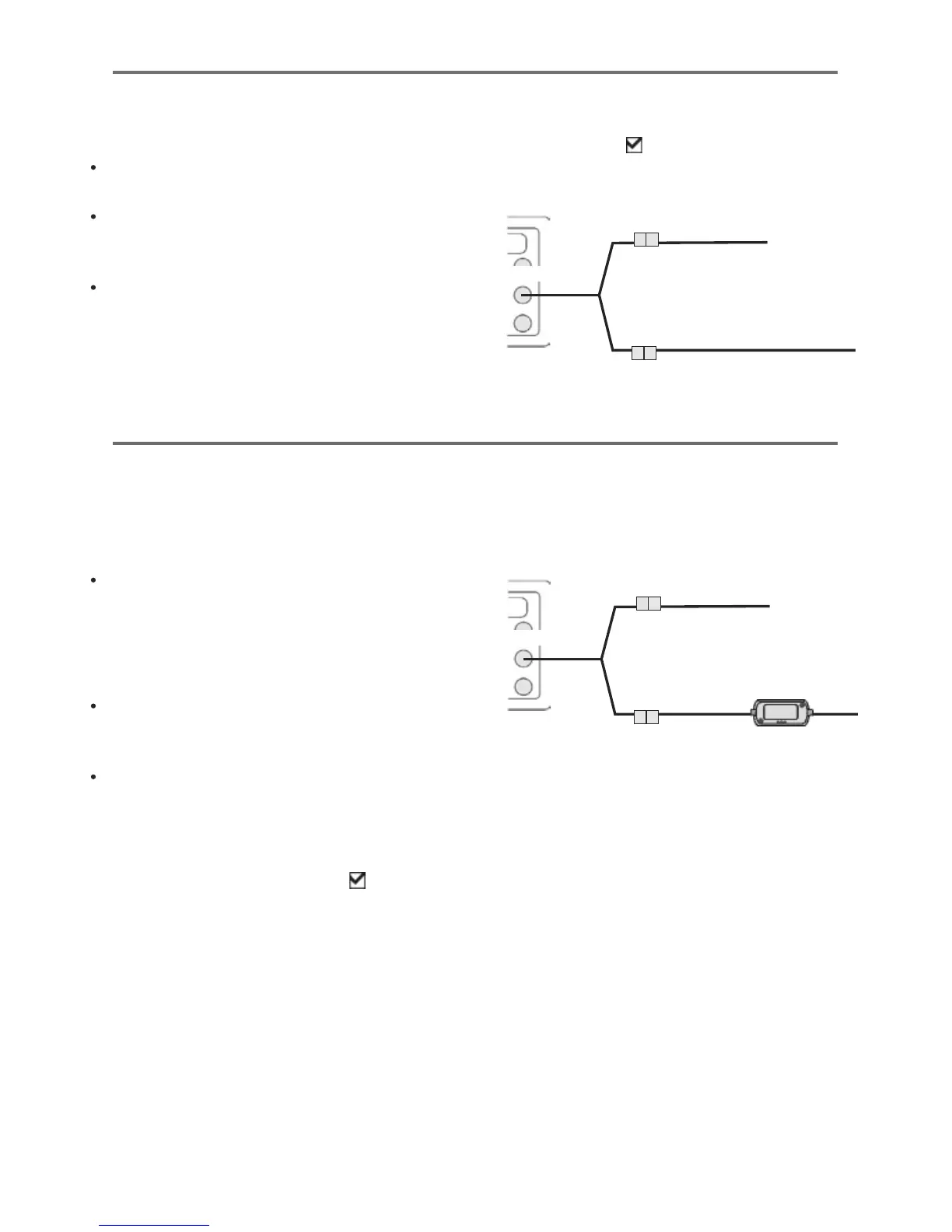
Fit one kit per engine, up to two engines. Wire
all diesel flow sensor cables in parallel.
SmartCraft™ engines have fuel flow sensors,
therefore NAVMAN diesel sensors are not
required as well.
Normally, power the diesel sensors from the
boat ignition switch. Then the 5507/5607 does
not need to be wired for auto power (see
section 15-4).
The 5507/5607 can be connected to up to two
SmartCraft™ capable Mercury petrol/gasoline
engines. The 5507/5607 can display engine data
and trim and can control troll speed.
Note:
Connect the 5507/5607 to the SmartCraft™
engines with a NAVMAN SmartCraft™
gateway:
i For single engine fit a single gateway
ii For dual engines fit a dual gateway
SmartCraft™ engines have fuel flow sensors,
therefore NAVMAN fuel sensors are not
required as well.
Wire the unit for auto power (see section
16-4).
During setup
a Enter fuel setup data (see section 15-4)
b Set NavBus and SmartCraft™ to
(see section
15-1)
c Enter SmartCraft™ setup data (see the
SmartCraft™ Gateways Installation and
Operation Manual)
16-8 Installation: SmartCraft™
During setup
a Enter fuel setup data (see section 15-4)
b Set NavBus to
(see section 15-1 setup
system)
Yellow
GPS antenna (optional)
Diesel sensor cable
Yellow
GPS/fuel AIS cable
White
Yellow
GPS antenna (optional)
SmartCraft™ Gateway
Yellow
GPS/fuel AIS cable
White











 To Next Page