NAVMAN TRACKER 5507/5607 Installation and Operation Manual
69
NavBus is NAVMAN’s system for connecting
instruments together to interchange data
and share transducers. When instruments are
connected by NavBus:
If the units, alarms or calibration are changed
in one instrument, then the values will
automatically change in all other instruments
of the same type.
Each instrument can be assigned to a group
of instruments. If the backlight is changed in
an instrument in group 1, 2, 3 or 4 then the
backlight will automatically change in the
other instruments in the same group.
If the backlight is changed in an instrument
in group 0 then no other instruments are
affected.
If an alarm sounds, mute it by clearing the
alarm on any instrument which can display
that alarm.
NavBus and the 5507/5607
The 5507/5607 can:
Display wind speed and direction from an
optional NAVMAN Wind instrument.
Receive and display depth from an optional
NAVMAN depth instrument.
Receive and display boat speed and water
temperature from a paddlewheel sensor on an
optional Speed instrument.
Receive data from an optional NAVMAN
VHF radio (with NavBus functionality). The
5507/5607 can display:
Baro: barometric pressure
Baro history: barometer history
Weather: a predication, based on changes in
barometric pressure
Fish forecaster: a prediction based on
changes in barometric pressure
DSC/Buddy Track: (see section 14)
Receive data from an optional GPS or
GPS/DGPS source.
Send data to optional NAVMAN instruments,
for example to a repeater.
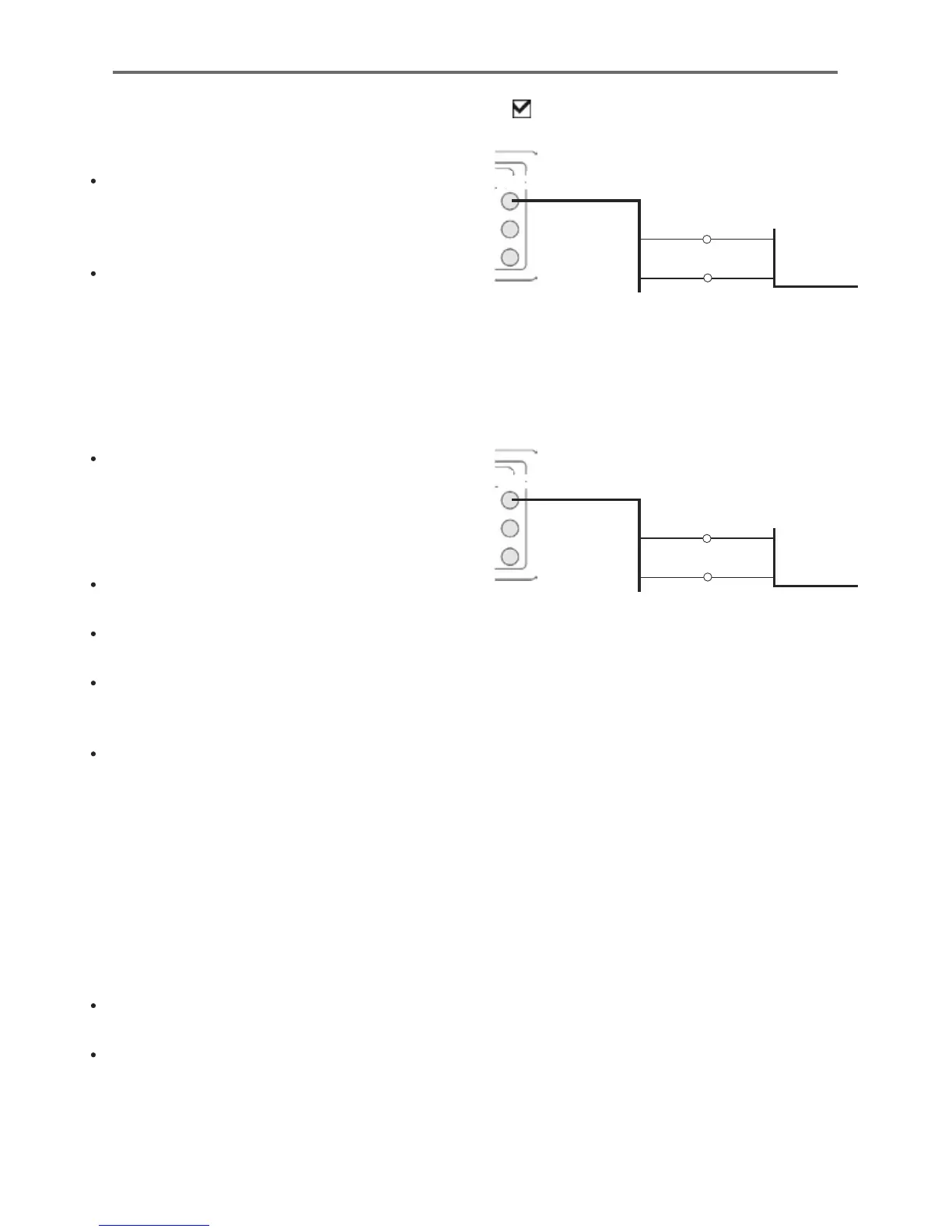
16-9 Installation: Other NavBus instruments
During setup for NavBus instruments, set NavBus
to and assign the instrument a NavBus
group number (see section 15-10)
Black
Power/data cable
Orange
Blue
Other NavBus instrument
16-9-1 Installation: NAVMAN VHF radio
Fit and set up the optional NAVMAN VHF radio
(with NavBus functionality) following the
instructions supplied with the radio.
Black
Power/data cable
Orange Blue
Blue Grey
Radio data cable











 To Next Page