MRX920 Overview
2-10 MRX920/MTX950 User’s Manual
Route Selection Screen
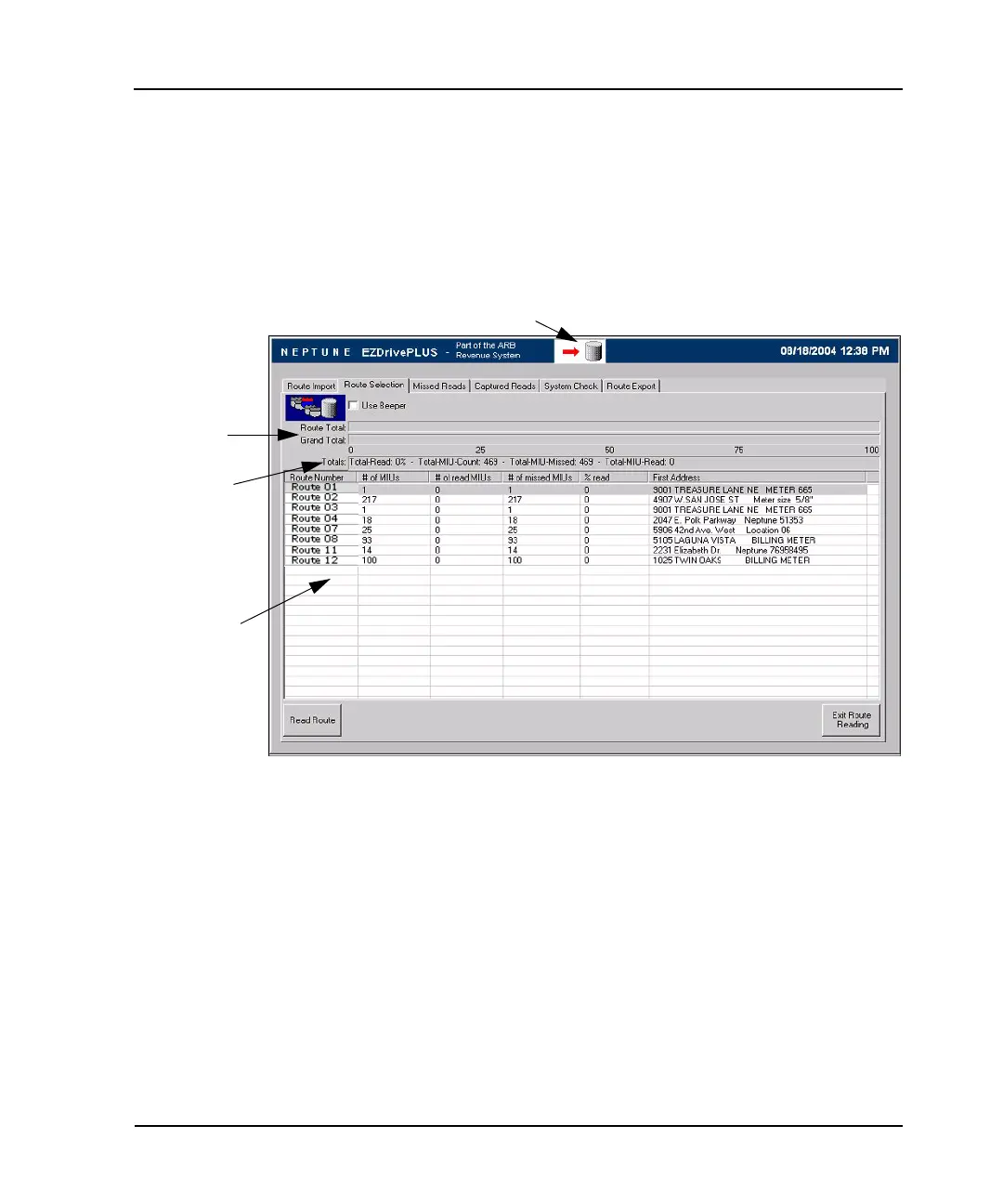
The Route Selection display screen illustrated in Figure 2.5 shows
loaded routes and the percentage of each route that has been
read. The screen includes the Reading indicator, an information
area with a list of routes, and a selection box that allows you to
turn the beeper on or off.
Figure 2.5 Route Selection Screen
Information Area
Progress Bars
Message Area
Reading Indicator



 To Next Page