Using the MRX920 Unit
4-18 MRX920/MTX950 User’s Manual
Displaying Account Detail
Follow this procedure to view route detail for selected routes.
1 From the Route Selection screen, highlight the appropriate
account.
2 Select either the Missed Reads screen or the Captured
Reads screen, depending on whether or not the account has
been read.
3 Highlight a specific account.
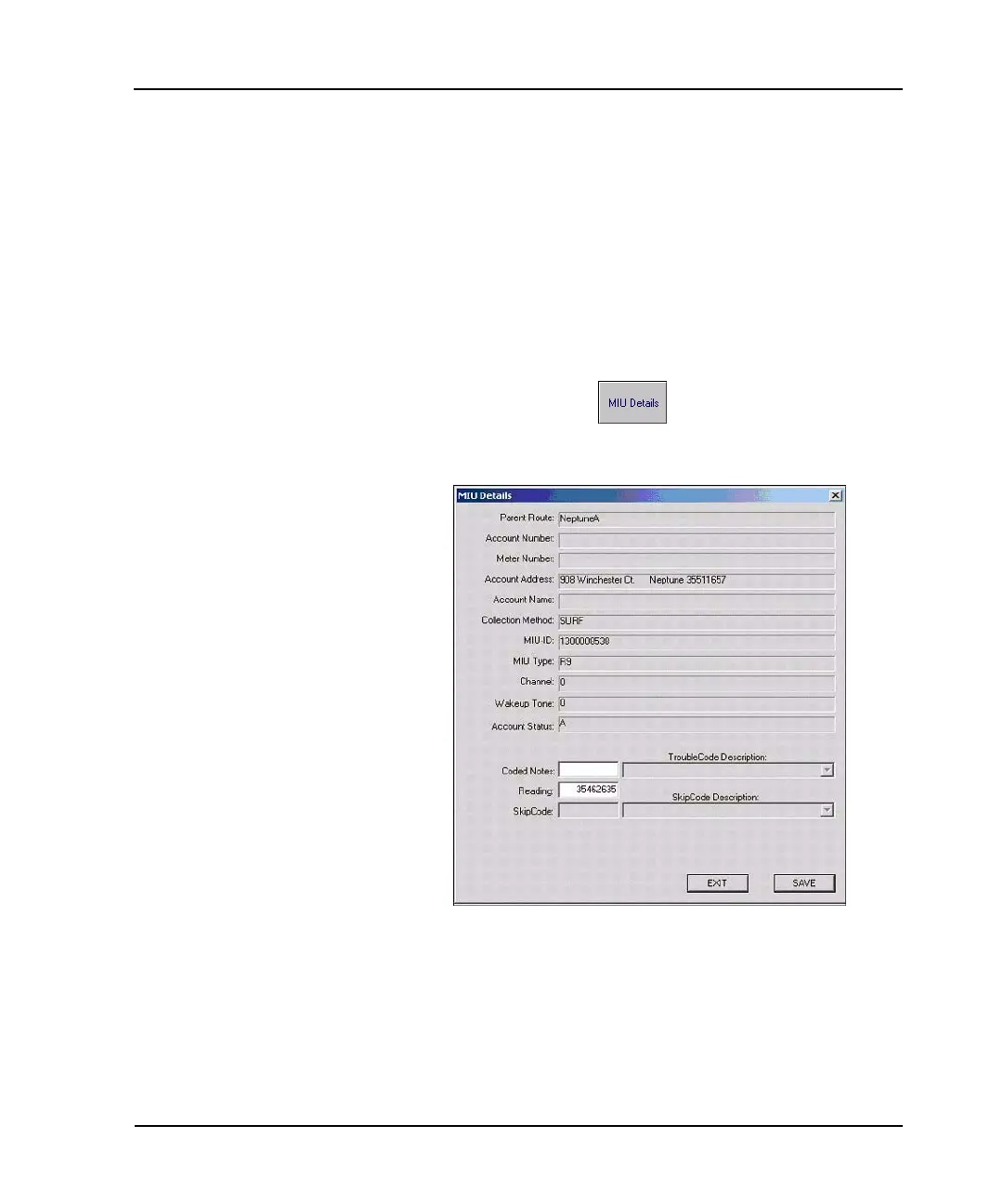
4 Press the MIU Details button.
The MIU Details dialog (Figure 4.12) appears.
Figure 4.12 MIU Details dialog
The collection method on the Account Detail screen is unlicensed
radio frequency (R900 MIUs). Usually route numbers are derived
from the route numbers assigned at the time of previous meter
reading routes, such as handheld meter reader routes.



 To Next Page