Using the MRX920 Unit
4-8 MRX920/MTX950 User’s Manual
Viewing Account Detail
Follow this procedure to view account details for selected
accounts.
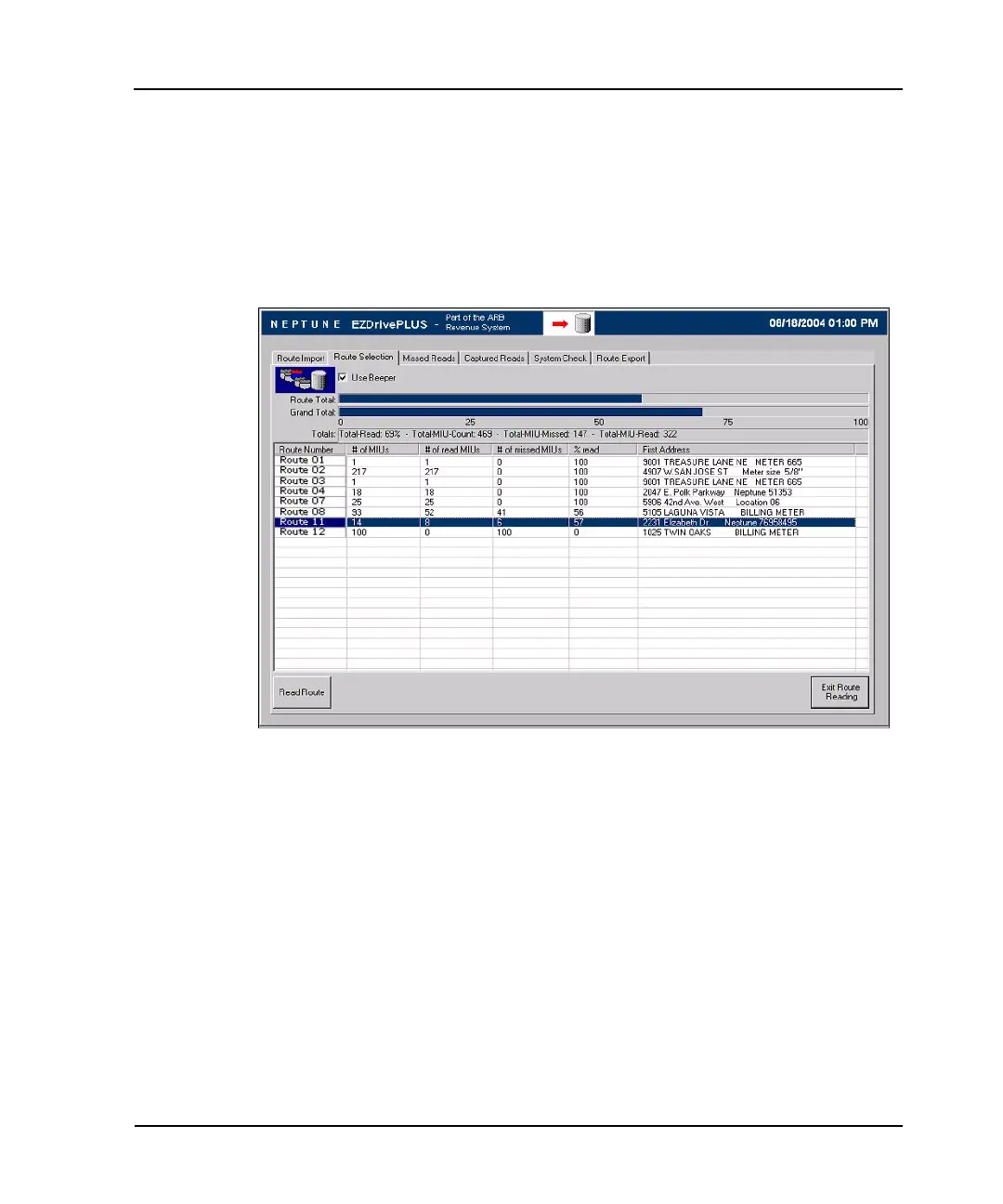
1 From the Route Selection screen, highlight the route
containing the account you want to view, as shown in
Figure 4.6.
Figure 4.6 Route Selection Screen with Route Highlighted



 To Next Page