USE AND MAINTENANCE MANUAL
NERONE MID
37
EN
8.3.3. NEW RECIPE CREATION (ONLY “DIGITAL” VERSION)
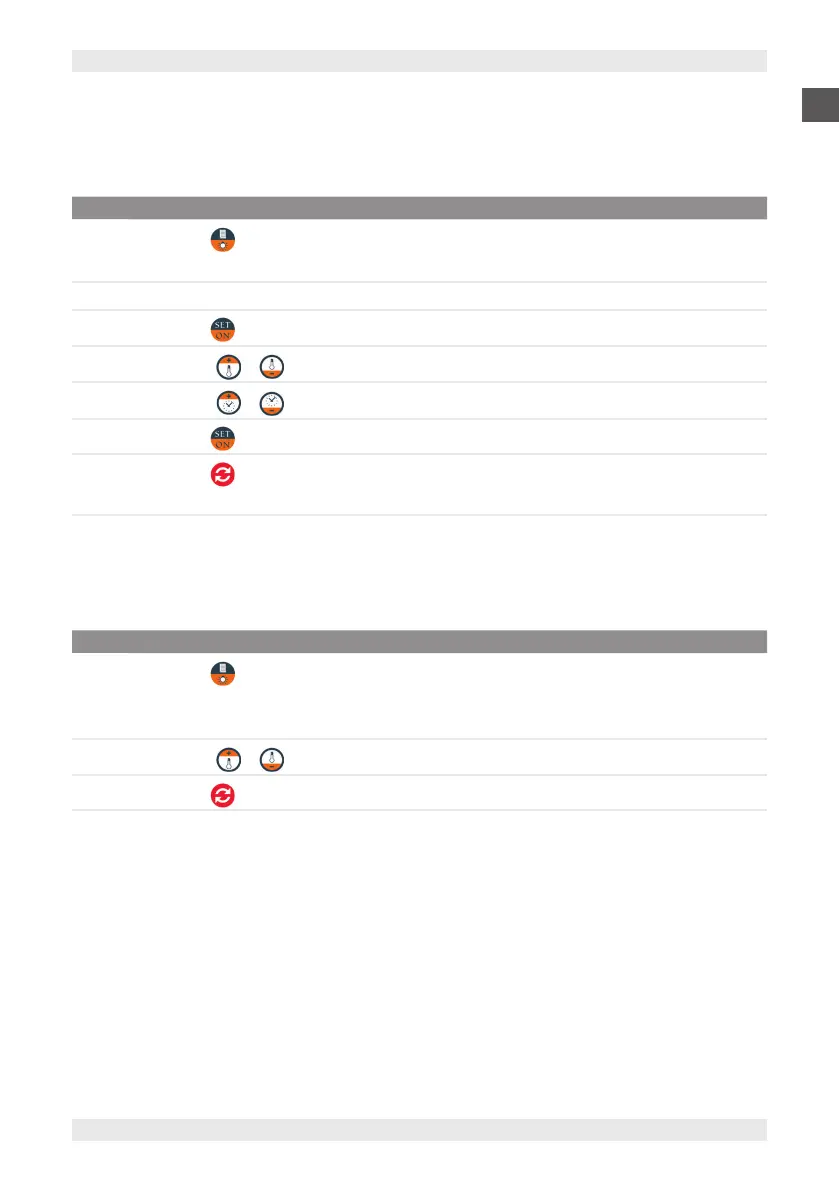
To create a new recipe, proceed as described below according to the model in your possession.
The oven can be used to memorise a maximum of 10 recipes.
STEP ACTION
1
Press button from the “Stand by” mode.
Note: the writing “r 1”, appears on the display, indicating the recipe number.
2 Then the recipe parameters are displayed (temperature / time - humidity ON/OFF),
3
Press button to access the recipe parameters.
4
Press buttons or to adjust the cooking temperature.
5
Press buttons or to adjust the cooking time.
6
Press button to activate/deactivate the humidity function and set the desired parameters.
7
Press button for a few seconds to memorise the recipe.
Note: the writing “done” appears on the display
8.3.4. COOKING WITH RECIPE ALREADY SAVED (ONLY “DIGITAL” VERSION)
To set a cooking using a saved recipe, proceed as described below according to the model in your possession.
STEP ACTION
1
Press button from the “Stand by” mode.
Note: the writing “r 1”, appears on the display, indicating the recipe number. Then the recipe parameters are
displayed (temperature / time - humidity ON/OFF),
2
Press buttons or to scroll the memorised recipes.
3
Press button to select the recipe.


 To Next Page