● Always keep the IC chip clean.
● Wipe clean with a dry, soft cloth.
● Avoid applying labels. May damage the SIM card.
● See instructions included with the SIM card for handling.
● The SIM card is the property of the company.
● The SIM card is replaceable (at cost) in case of loss/damage.
● Return the SIM card to the company when cancelling subscription.
● Returned SIM cards are recycled for environmental purposes.
● Note that SIM card specifications and performance may change without notice.
● NETGEAR recommends that you keep a separate copy of information that is stored on the SIM
card. NETGEAR is not responsible for damages from stored information that is lost.
● Always follow emergency procedures to suspend service if your SIM card or device (SIM card
inserted) is lost or stolen. For details, contact Customer Service.
● Always power off the mobile broadband device before inserting or removing the SIM card.
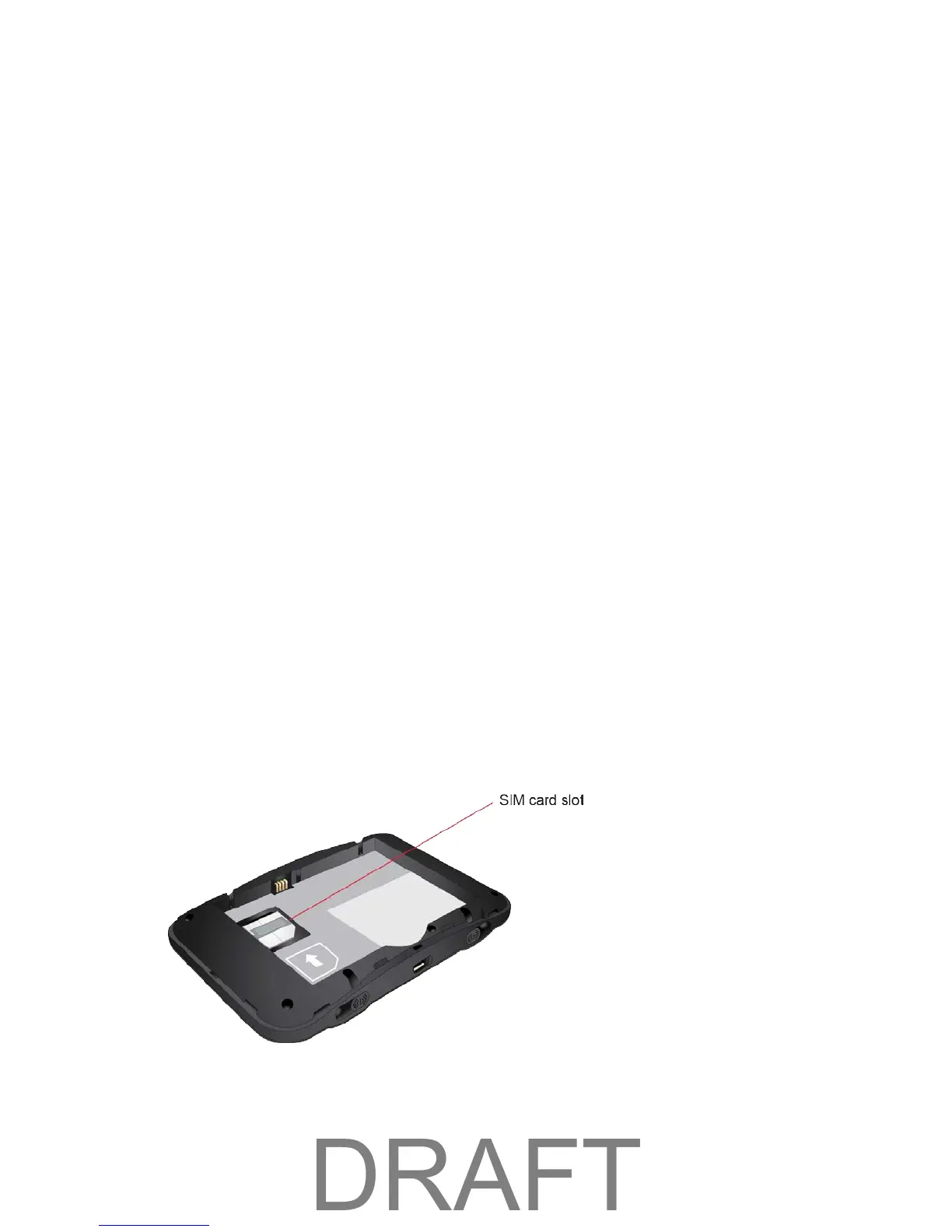
Insert the SIM Card
Follow these instructions to insert a SIM card. Remember to power off your device before inserting a SIM
card.
Note: Your device's SIM card is preinstalled. These instructions are for reference only.
1. Remove the battery cover.
2. Remove the battery.
3. Open the SIM card cover.
4. Insert the SIM card.
Getting Started 6



 To Next Page