3. Replace the battery cover.
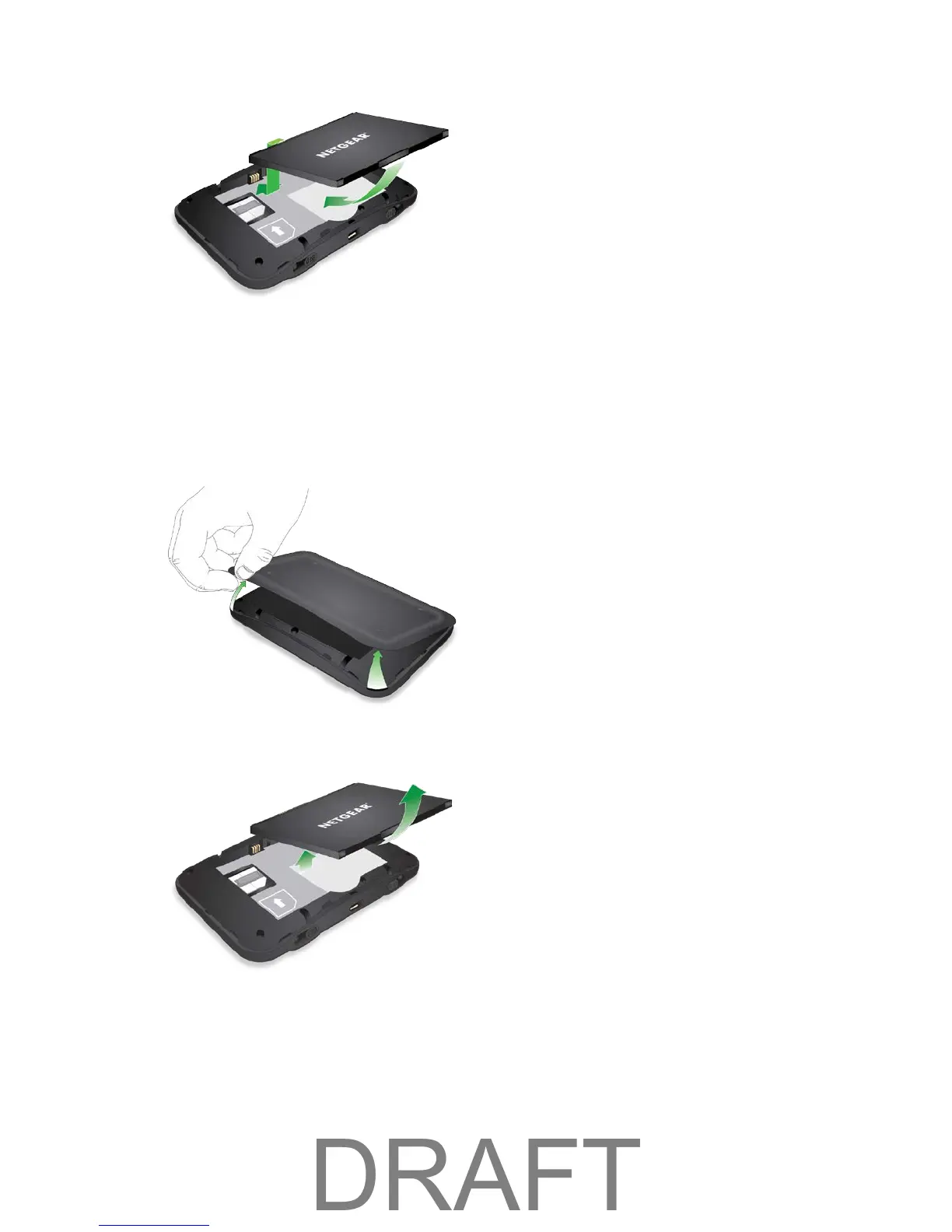
Remove the Battery
Follow these instructions to remove your device's battery. Always power the device off before removing
the battery.
1. At the antenna connector shown below, lift the raised edge of the battery cover to remove it.
2. Remove the battery.
3. Replace the battery cover.
Charge the Battery
You need to recharge your device’s battery periodically. You can continue using your device while it is
charging.
Getting Started 9



 To Next Page